How to build an executive’s LinkedIn content workflow with Claude Code
Oct 1, 202615 minutes

Written by
Saif AliPublished
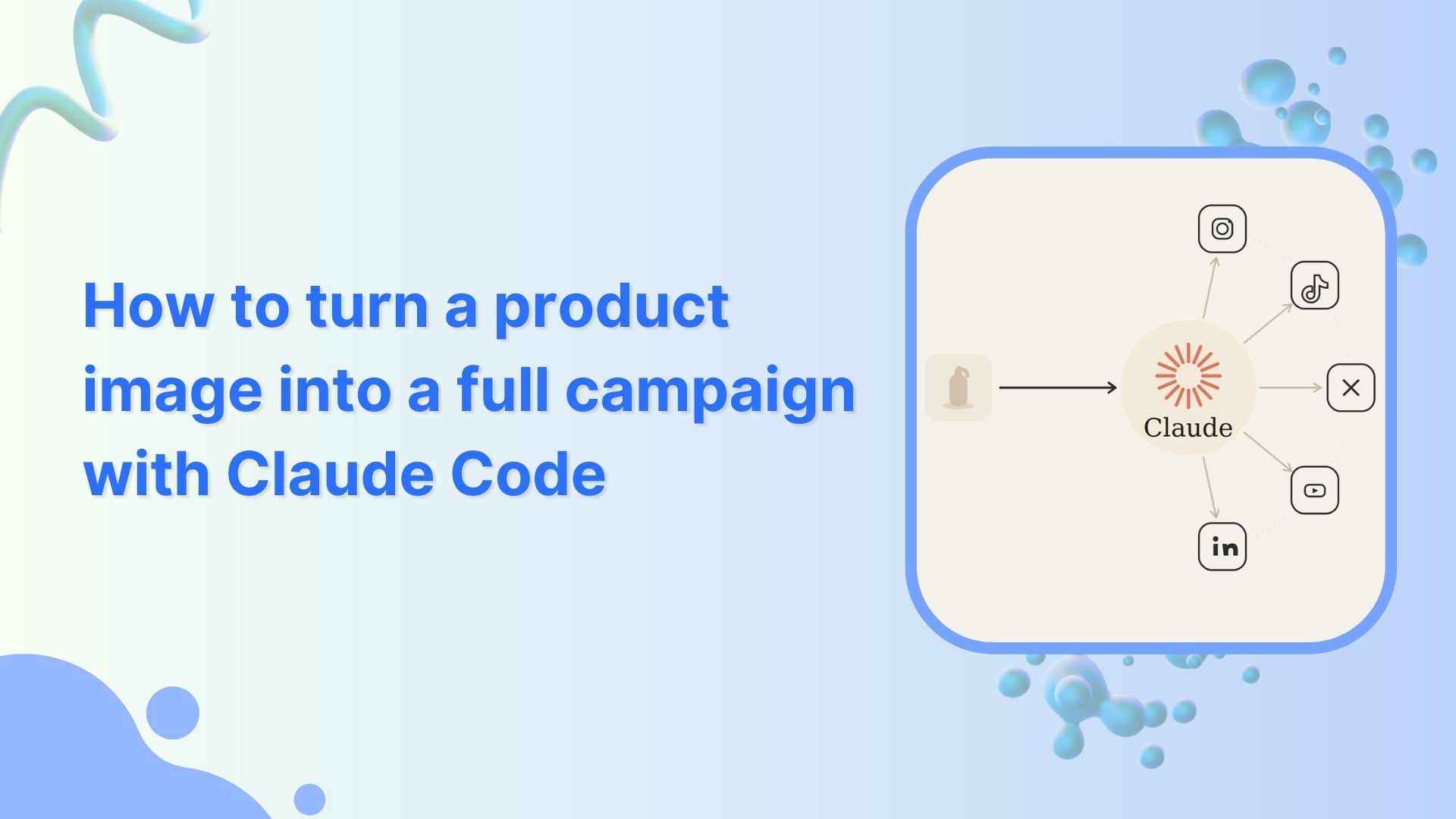
You have probably seen the pitch before. Feed an app one image of a product, and it gives you back a whole month of posts. Most of the time it falls flat. The captions could be for anything, the pictures look a bit off, and you can tell a person had to sit there fixing every line. So when someone says one image turns into a month of content, it is fair to roll your eyes.
We wanted to see it for real, so we tried it. We kept the ingredients simple: one rough image of a sunblock we were about to launch, Claude Code running inside VS Code, and ContentStudio, which generates the visuals in AI Studio and holds the schedule.
It helps to be clear about why this is tricky in the first place. Writing a single caption has been easy for ages. The hard part is everything wrapped around it. Taking one idea and spinning it into a dozen posts that belong together. Keeping the voice the same across all of them.
Making pictures that look like your brand and not like stock photos. Putting them in a sensible order around a launch. Then actually getting them onto the calendar. That is a long chain of small judgment calls, and most tools snap the chain the second a real decision comes up.
Two things make this setup different. First, Claude Code is not a chat box that spits out text. It runs the actual commands inside your editor, the sort a developer would normally type out, except you type none of them.
That means it can genuinely do things end to end. It installs what it needs, then through ContentStudio’s Claude integration it hands your image to ContentStudio to generate the visuals in AI Studio and schedules the finished posts, all without you touching a tool.
The groundwork is lighter than you would think, and it is a one-time thing. It starts in VS Code, which is a free editor from Microsoft, with the official Claude Code add-on.
You open the Extensions panel, search for Claude Code for VS Code, install it, and sign in with your normal Claude account through the browser. There is nothing new to sign up for and no extra bill. If you already pay for Claude, you are set.
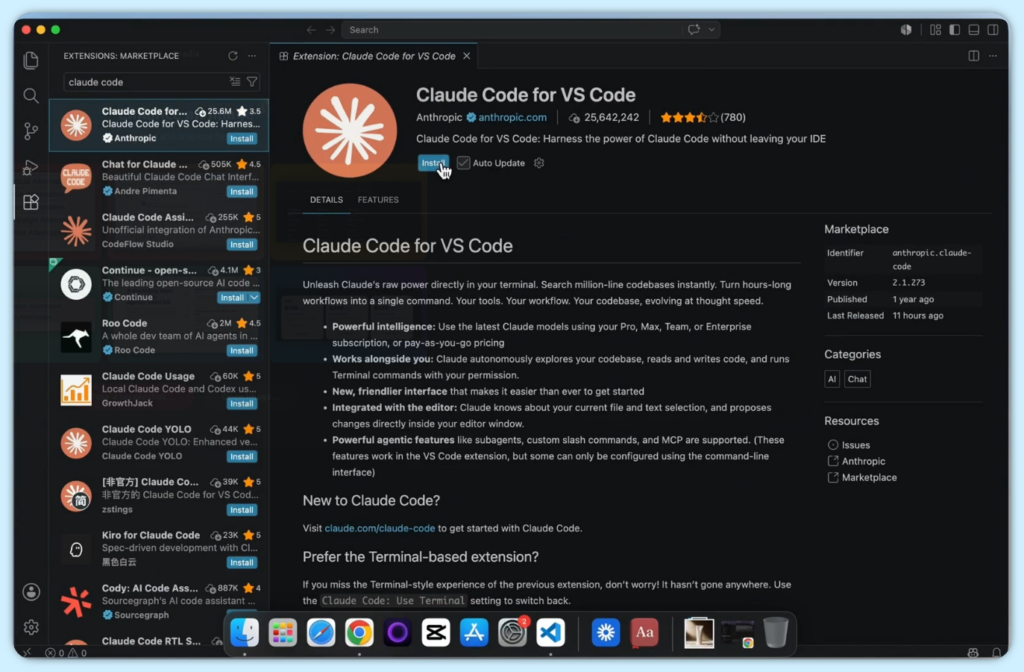
After that, you hand the rest of the setup to Claude itself, which is the first hint that this is not your usual how-to. You ask Claude to install ContentStudio CLI globally, and it handles everything quite easily. It runs the setup for you and talks you through each step as it goes.
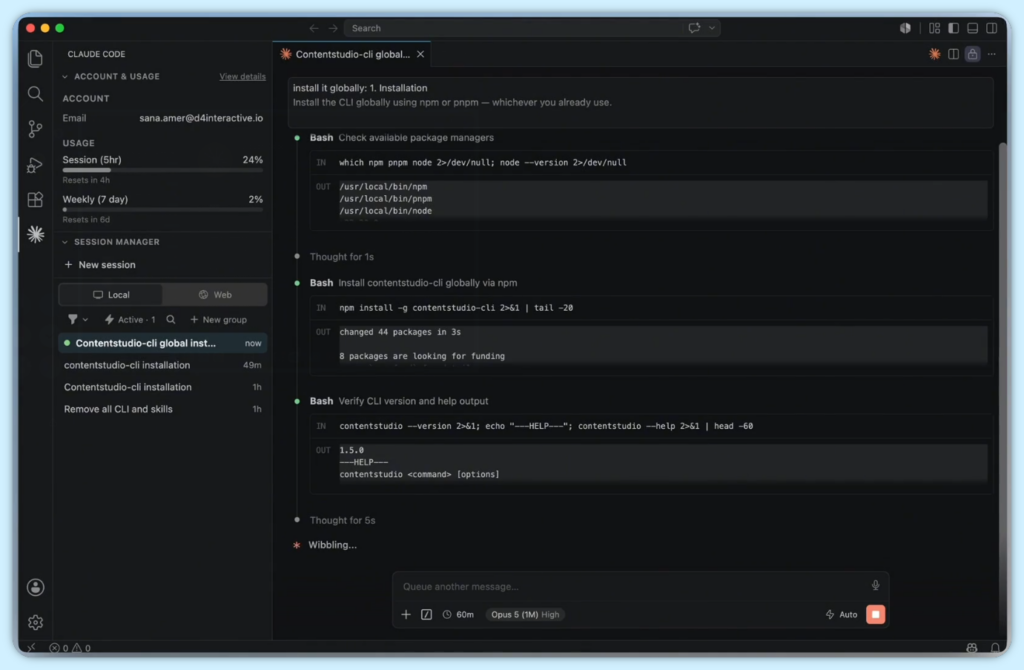
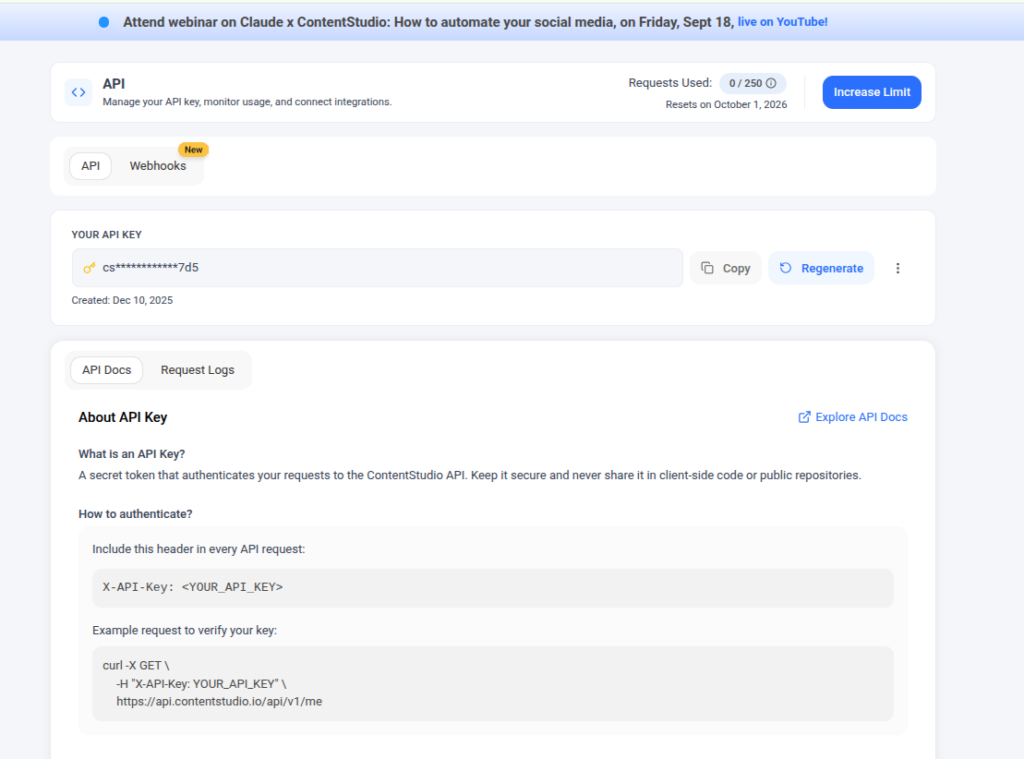
For Claude to touch your real ContentStudio account, it needs a ContentStudio API key. Get it from your ContentStudio dashboard. Once it is connected, Claude can look at your accounts and line up posts for you, but only when you tell it to. Nothing goes out on its own.
Also Read: 5 social media tasks you can let Claude handle so you don’t have to
This is where the run stopped being about setup and started being about the brand. ContentStudio can hold a few different workspaces, so Claude asked which one to work in, and we pointed it at Eloa, the skincare brand. At that point, it knew where it was working, but it had no idea who Eloa actually is.
That gap is the number one reason this kind of content comes out flat, and closing it is the most important thing you will do in the whole process. We gave Claude a brand brief. Just a plain document that lays out who Eloa is, how it talks, the colours, the fonts, the tone. Warm, skin-first, a little dry, never pushy. Cream backgrounds, a deep red, serif headlines.
It is tempting to rush this or skip it, and that is exactly why so much of this content feels hollow. With nothing to copy, it falls back on the blandest version of everything.
Give it a real voice and a real set of colours, and every post it makes after that picks them up. You write the brief once, and from then on the stuff it makes sounds like you instead of a machine.
Note: ContentStudio has a feature built for exactly this: Brand Knowledge. You set up one brand profile per workspace with your voice, tone, colours, fonts, and visual assets, then toggle it on in AI Studio so every caption and image it generates comes out on-brand by default.
With the brief in, the last thing to hand over was the prompt, which is really just the job description. Most of it was ordinary. But one line did the heavy lifting. It told Claude to work in phases and stop after each one so we could approve it. That one line is what turns something powerful and slightly nerve-wracking into something you would actually let near a client account.
Without it, it would race from image to posted content in one go, and you would be reviewing its work after the fact, or worse, after it went live. With it, you sign off at every gate, and you are steering the whole time. Honestly, the rest of this story is just three of those gates, one after another.
Also Read: The five stages of a Claude social media workflow
Then came the moment the whole idea rests on. We gave Claude the one rough image of the sunblock, nothing else, and let it plan. It came back with eleven separate posts built off that single picture.
Product shots, casual lifestyle style images, a carousel, a pricing post, the launch announcement, and the offer, all lined up around a launch on the twentieth of September. The thing that stood out was not how many it made; it was the thinking behind it.
It chose to hold the first discount post until after launch week, because leading with a sale makes the product feel cheap before it has even arrived. That is a judgment call, and it made it without being asked. We read the plan, liked it, and approved it. That approval is the gate doing its job. The campaign only moved because we said so.
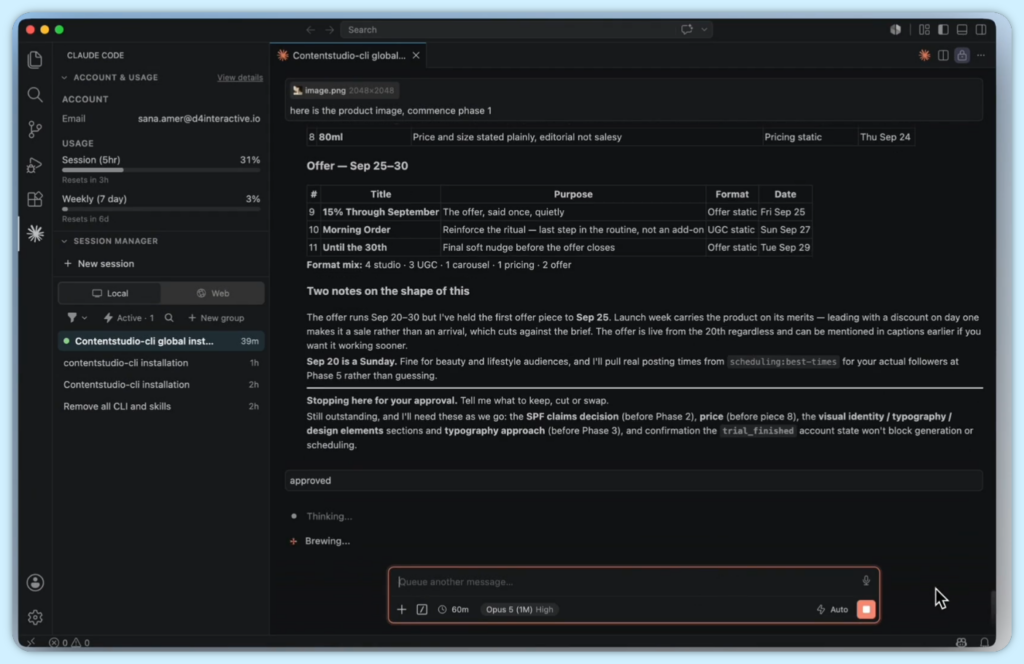
With the plan approved, Claude wrote the copy for every post in Eloa’s voice, that warm, dry, skin first tone straight from the brief, without being reminded of it. Because the voice was already set, there was nothing to fix.
Then it moved on to the pictures, which is the part that does the most work. Here Claude does not draw anything itself. It sends that one rough photo and its instructions to ContentStudio’s AI Studio through the ContentStudio API, and AI Studio generates the images.
Claude directs the job; AI Studio makes the pictures. Out comes the whole set built from that single image: clean product shots, lifestyle scenes, the carousel slides, all in Eloa’s colours and fonts. One image in, a matching set out.
It also refused to guess. It needed a price for one of the posts, did not have one, and instead of making up a number that looked about right, it stopped and asked. We gave it the real figure, and it carried on.
That is the difference between a tool that fills gaps with fiction and one that treats a missing detail as a question for you. When a wrong price or a made-up claim can turn into a real headache, that instinct counts for a lot.
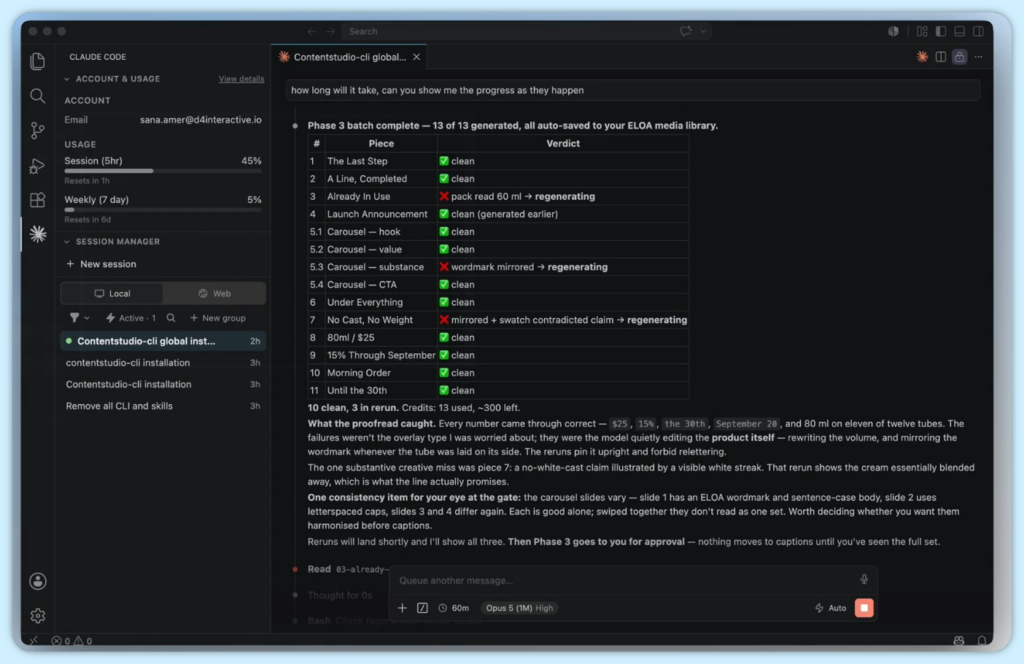
And then it did the thing that genuinely caught us off guard. When the batch finished, it did not just hand over the pictures and call it a day. It handed them over with a note on each one. Most of them it marked as fine. Three it flagged as not good enough, and it was specific about why:
Once the fixes came back and every number had been checked against the brief again, it came back to us for the okay.
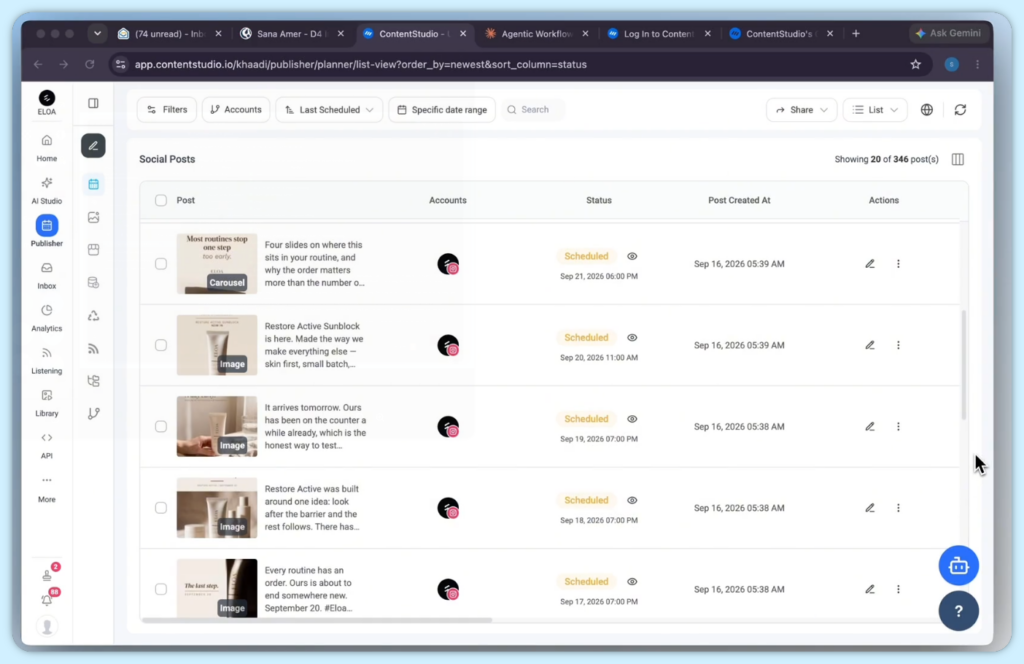
The final stretch is where ContentStudio closes things out. Claude wrote a caption for every post, gentle on the offer and no hard sell, then scheduled the whole campaign onto the Eloa Instagram account in order around the launch. Teasers first, the launch on the twentieth, the offer after.
It even pulled the account’s real best times to post instead of guessing at slots. Then it did the most reassuring thing in the whole run. It stopped short of posting anything. Seven posts went onto the schedule. Four of them, the price and offer posts, it held back for a second look from a human, exactly the way we had set it up.
When we asked it to double-check, there it was in the live planner. The whole campaign, built from a single photo, sitting there ready. Eleven posts, fourteen pictures, in order around a launch, with a person signing off at every stage.
Yes, and the honest yes is more interesting than a tidy one. It put together a full campaign from one photo, in the right voice and the right colours. It would not invent details it did not have.
It caught and flagged its own weak work without being asked, and sent it back to be redone. And it never posted a thing on its own. The finished posts sit in ContentStudio waiting for a person to send them out.
The path is short. Install Claude Code for VS Code, sign in with your Claude account, then connect ContentStudio with its API key and keep the key private. That key is what lets Claude reach into ContentStudio to generate the visuals in AI Studio and schedule the posts. Let Claude handle the setup.
Then do the two things that decide the result. Write a proper brand brief with the voice, colours, fonts, and tone, since that is what AI Studio copies when it makes the images. And write a prompt that works in stages so it stops for your okay at every step. Give it one photo, approve each stage, and let ContentStudio hold your most sensitive posts behind a review before they go out.
That is the whole trick. Claude directs and keeps you in the loop; ContentStudio generates the visuals and runs the calendar. Get the brief and the stops right, and one photo really can turn into a month of content you are glad to put your name on.
No. Claude Code runs the setup commands for you and explains each step as it goes. When something breaks, you tell it to fix what it can, and it sorts out the rest on its own. You describe what you want in plain English; you never type a command yourself.
ContentStudio does. Claude directs the job, but the visuals are generated inside ContentStudio’s AI Studio through the ContentStudio API. Claude sends the image and instructions, AI Studio makes the pictures, and Claude checks them against your brief.
No. It stops at every stage and waits for your okay: the plan, the images, the captions, the schedule. At the end, posts sit in ContentStudio ready to go, and you release them. Nothing goes live on its own.
About ten minutes, and you only do it once. You install the Claude Code add-on in VS Code, add the ContentStudio tools, and connect your ContentStudio account with an API key. After that, every future campaign skips straight to the work.
The brand brief. It’s a plain document with your voice, colours, fonts, and tone. AI Studio copies it when it makes the images, and Claude follows it when it writes. Skip the brief, and you get the bland, generic version. Write it once and everything after sounds like you.
Yes, with normal care. The key is scoped to your ContentStudio account and can be revoked or replaced anytime without touching your social passwords. Keep it private, and use the method that stores it as an environment variable so it stays out of your command history.
In this run, one image became eleven posts and fourteen images, sequenced around a launch. The one image is the seed; the brand brief and your approvals shape everything that grows from it. It does the volume; you keep every real decision.
Plan 0 Days of Content in 0 Minutes
Create, schedule, publish and analyze your content across all your social media channels from one simple dashboard.
4.7 on Capterra • 16,500+ marketers trust ContentStudio
Saif Ali is a Content Marketing Strategist at ContentStudio with over five years of experience across SaaS, IT, and digital marketing. He specializes in SEO-led content, AI content creation, and social media strategy, and leads editorial review at ContentStudio, fact-checking and refining articles for accuracy, SEO, and a consistent brand voice.
View all posts by Saif AliRecommended for you
How to build an executive’s LinkedIn content workflow with Claude Code
How to turn one product photo into 5 video Ads with Claude Code
Social media MCP server: How to automate posting with ContentStudio
How to automate social media with n8n: A practical guide