Instagram Video and Reels Downloader
Easily download Instagram videos and Reels without watermarks. Free, no login, no app.

Without Watermark

High Quality

Fast Download

Easily Shareable
- Free forever
- No login
- Without watermark
- High quality MP4
What is an Instagram video downloader?It is an online tool that saves a public Instagram video or Reel to your device. You copy the post link, paste it into the tool and download the MP4 file. ContentStudio's Instagram video downloader is free, needs no login or app, and works on phones and computers. Only download videos you own or have permission to use.
How to download
How to Download Instagram Videos
Find the video
Open Instagram and find the video, Reel, or post you want to save.
Copy the link
Tap the share (paper plane) or three-dot menu and select Copy link, or copy the URL from your browser's address bar.
Paste it
Paste the Instagram video link into the field above.
Download
Click Download. The file saves to your device in MP4 format.
The download completes in a few seconds. No login, no browser extension, and no third-party app required.
Before you download: only save videos you created or have the owner's permission to use. Downloading does not give you the right to repost someone else's work.
What you can download
What you can save with this Instagram video downloader
Reels
Short vertical videos from public accounts, saved as MP4 without an extra watermark from us.
Feed videos
Regular video posts from public profiles, in the quality Instagram serves.
Videos inside carousels
If a carousel contains a video slide, the tool retrieves that video.
Saved Live replays
Live videos that the creator shared to their profile after the broadcast.
iPhone, Android, desktop
How to download Instagram Reels and videos on iPhone, Android and desktop
On iPhone
- In the Instagram app, open the Reel or video, tap the share icon and choose Copy link.
- Open Safari, go to this page and paste the link into the field above.
- Tap Download, then open the file and use the share sheet to Save Video to Photos.
On Android
- In the Instagram app, tap the share icon or three dots on the Reel and choose Copy link.
- Open Chrome, go to this page and paste the link.
- Tap Download. The MP4 saves to your Downloads folder and shows up in your gallery.
On desktop (Windows or Mac)
- Open the post on instagram.com and copy the URL from the address bar.
- Paste it into the field above and click Download.
- The file saves to your default Downloads folder.
Saving your own Reels inside Instagram
For your own content, Instagram also lets you save Reels and videos from the post's ••• menu, and some public Reels show a Download option if the creator allows it (those files include an Instagram watermark).
Whichever device you use, the same rule applies: download only Reels you own, or that the creator has given you permission to use.
Private videos
Can You Download Private Instagram Videos?
No. The Instagram video downloader works with public posts only. Public posts are accessible to anyone with the link, which is what allows an external tool to find and retrieve the source file. Private account videos and posts shared with followers only require a login that external tools cannot provide and do not bypass. Be wary of any app that claims to download private videos or asks for your Instagram password.
To get a copy of your own content, use Instagram's own export. Go to Accounts Center > Your information and permissions > Download your information to request an archive of everything you have posted, including your own videos.
Use videos responsibly
Downloading Instagram videos responsibly
Videos on Instagram belong to the people who made them. Good reasons to use a downloader include:
- Backing up your own Reels and videos before you edit or delete them
- Saving a video a creator or client sent you for an approved collaboration
- Keeping a copy of user-generated content you have written permission to feature
- Archiving your brand's own campaign videos for reporting
If you want to share someone else's video, ask first and credit them, or use Instagram's own share and Remix features, which keep the original creator attached.
If a download fails
Instagram video not downloading? Common fixes
The account is private
The tool can only reach public posts. If the profile is private, the link will not work, and there is no safe workaround.
The link is incomplete
Copy the full post link (it starts with instagram.com/reel/ or instagram.com/p/). Profile links and Story links from your share sheet are not video links.
The post was deleted or archived
If the creator removed or archived the post, the link stops working everywhere, including in this tool.
The file will not open on iPhone
Open it from the Files app or Safari's downloads list, then tap the share icon and choose Save Video to move it into Photos.
The video looks blurry
The download uses the best quality Instagram serves for that post. If the original was uploaded in low resolution, the file will be too.
Format and quality
Instagram video format and quality
| Item | What to expect |
|---|---|
| File type | MP4, plays on phones, computers and editing apps |
| Quality | The resolution Instagram serves for that post; it cannot be higher than the upload |
| Reels shape | Vertical 9:16 |
| Audio | Included in the file |
| Watermark | None added by this tool |
Need videos from other networks? Use the Facebook video downloader or the TikTok downloader.
Publish your own videos on a schedule
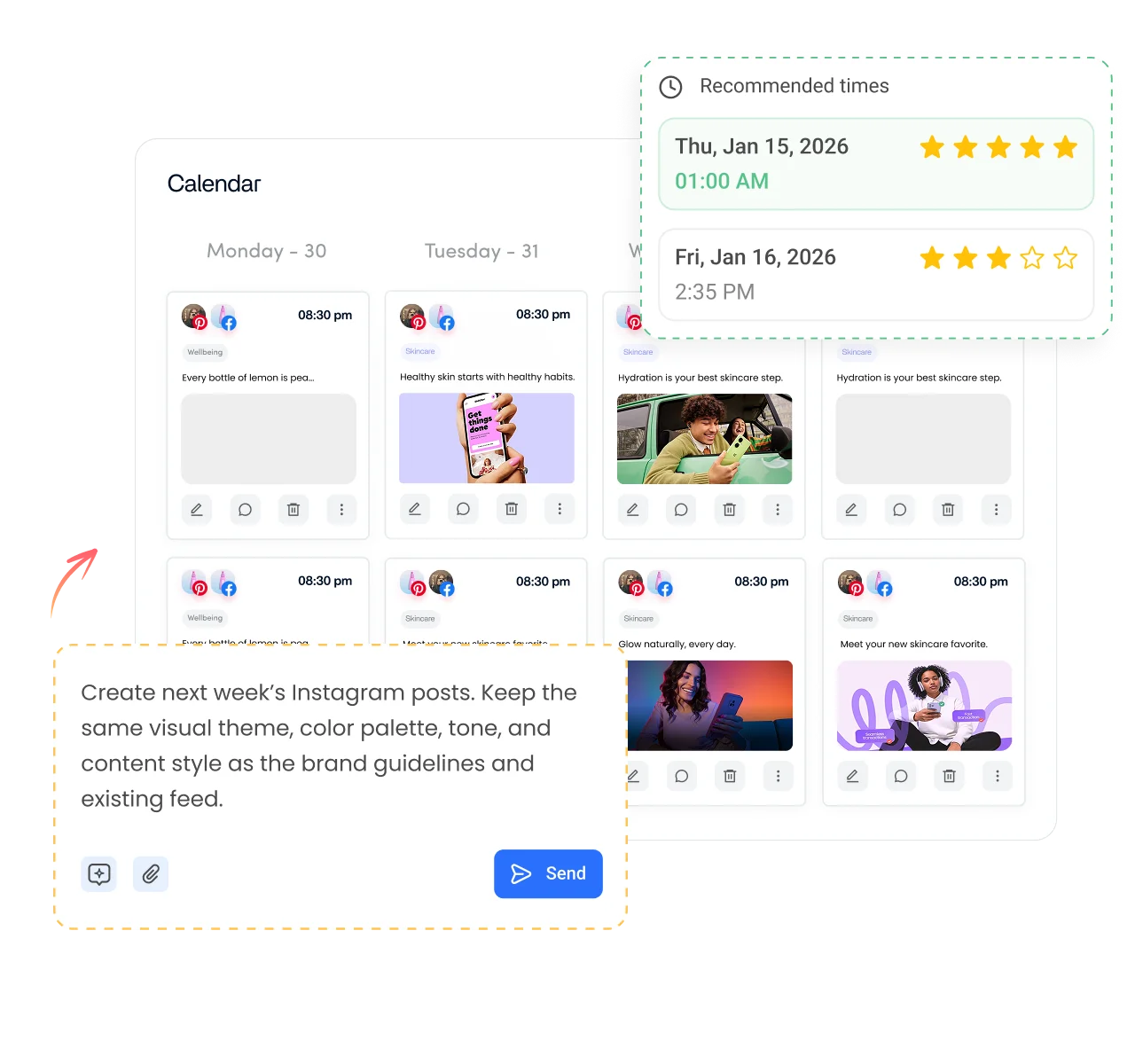
Saved your own Reel? Put it to work. ContentStudio is a social media management platform that helps you plan and publish your own videos. With it you can:
- Schedule your Reels. Upload your own videos, add a caption and cover, and schedule Instagram posts and Reels to go out at the best time.
- Repurpose your own content. Publish the same video to Instagram, Facebook, TikTok and YouTube Shorts from one composer.
- Track what works. See plays, reach and engagement for each Reel in one analytics dashboard.
Is it free?
Is the Instagram Video Downloader Free
Yes. ContentStudio's Instagram video downloader is free with no usage cap, no account required, and no subscription needed. There are no charges for any resolution option. The tool is part of ContentStudio's suite of free social media tools.
- Free forever
- No login
- Without watermark
- High quality MP4
More free Instagram tools
All free social media tools →
Frequently asked questions

Book a 30 min call
Have questions? Schedule a quick call and we will guide you through everything.
Book a free call