
How to build an executive’s LinkedIn content workflow with Claude Code
Oct 1, 202615 minutes

Written by
Khadija AnwarPublished
Do you know you can boost your Tumblr game with a single click? Adding links to your posts is the key to increasing your reach and connecting with a wider audience. With clickable links, you can take your blogging game to a whole new level. Let’s get started on how to add a link to your Tumblr bio without delay.
Related Read: Short Bio Examples That Will Impress Your Audience
The easiest way to manage and grow your social channels.
Follow the steps below to add your desired links.
Step 1:
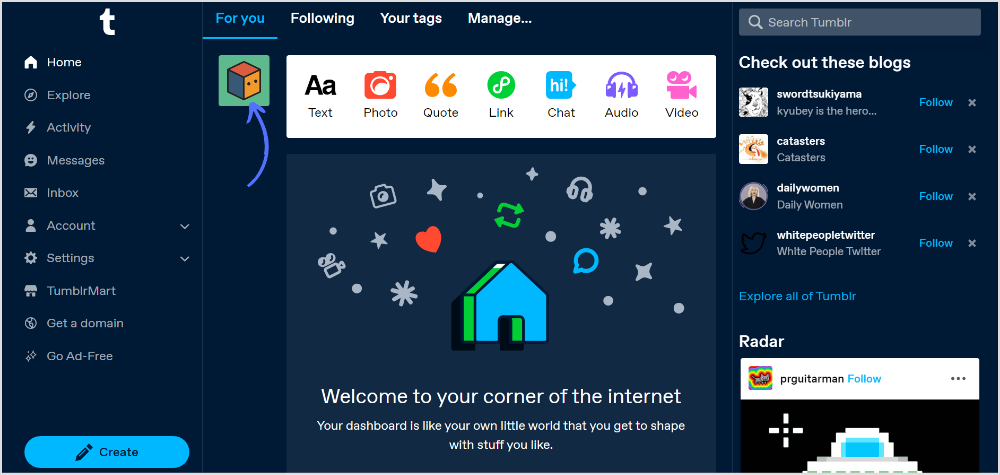
Once you’re logged in to your Tumblr account, click on the “Profile” icon in the navigation bar of the Tumblr dashboard.
Step 2:
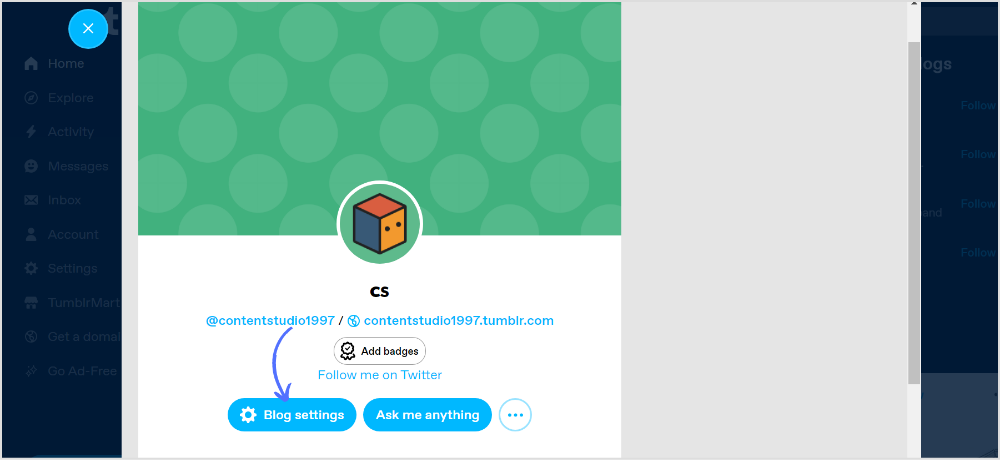
A shortcut menu page pops out. Click on “Blog settings.”
Step 3:
Scroll down the settings page, and click on “Edit theme.”
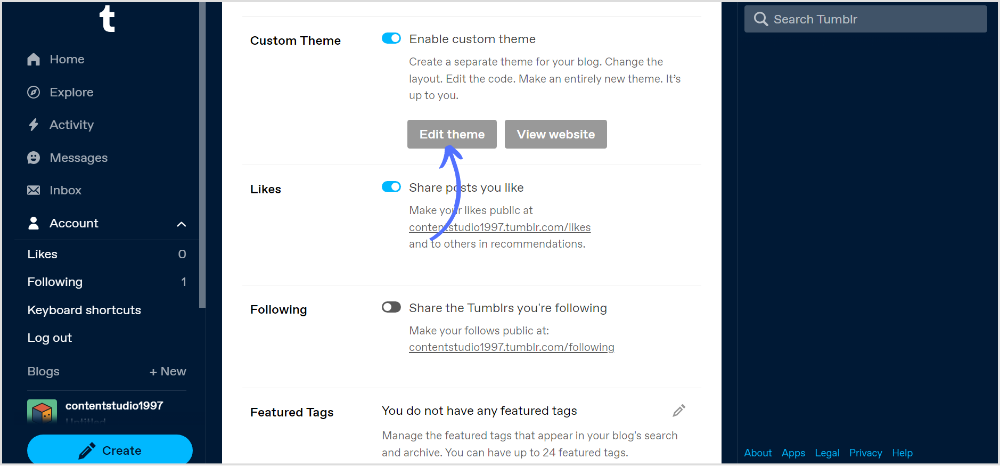
Step 4:
Navigate to the “Bio” section. This is where you can customize the information that appears in your Tumblr bio. In the description box, add your link in HTML code like this;

Once you add the code, you will have a bio preview on the main page. Go through your profile bio again; once satisfied, click “Save” in the top corner and exit the page.
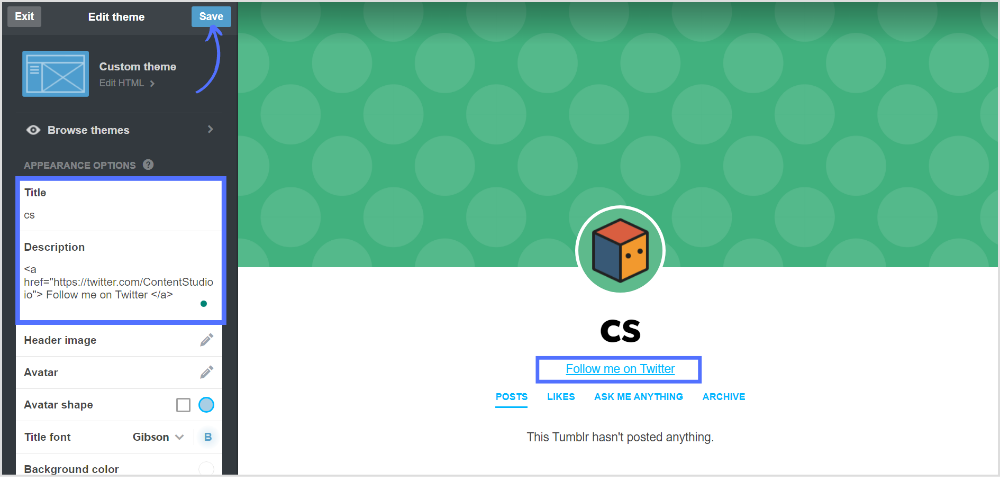
Ensure the link appears as intended, view your Tumblr blog, and check your bio to see if the link is working correctly. That’s it! Your link should now be added to your Tumblr bio, and visitors to your blog can click on it to visit the linked website.
Can you put links in the Tumblr bio?
Yes, you can add a Tumblr bio link in HTML code.
How do you add a link to your bio on Tumblr mobile?
You can edit Tumblr’s appearance on the mobile app and add your bio links.
Plan 0 Days of Content in 0 Minutes
Create, schedule, publish and analyze your content across all your social media channels from one simple dashboard.
4.7 on Capterra • 16,500+ marketers trust ContentStudio
Khadija Anwar is a Senior Technical Writer at ContentStudio with over 500 published write-ups across the ContentStudio blog and beyond. She specializes in step-by-step platform guides and Help Center content across Facebook, Instagram, LinkedIn, YouTube, TikTok, and X, and reviews how-to articles to verify every step and platform detail is accurate and current.
View all posts by Khadija AnwarRecommended for you
How to build an executive’s LinkedIn content workflow with Claude Code

How to turn one product photo into 5 video Ads with Claude Code
Social media MCP server: How to automate posting with ContentStudio
How to automate social media with n8n: A practical guide