
How to build an executive’s LinkedIn content workflow with Claude Code
Oct 1, 202615 minutes

Written by
Khadija AnwarUpdated
Hey there, Facebook users! Have you ever had that sinking feeling that your Facebook haven might have been hacked? Don’t worry –we’re here to help you fix it all up and get your Facebook back on track. If you’re wondering how to fix a hacked Facebook account, it is a lot easier than you think. Without further delay, let’s get started!
Plan, schedule, share, and analyze content for 15+ social media channels.
If you confirm unauthorized access to your account, follow these actions:
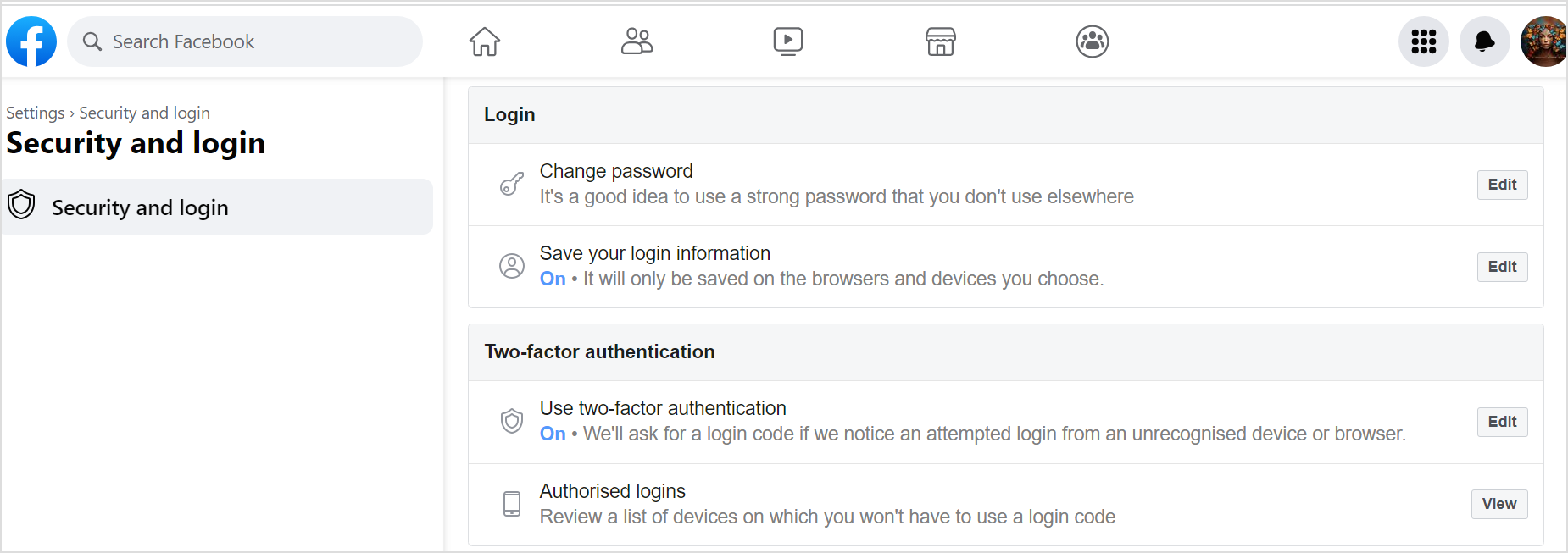
If your password remains unchanged, change it immediately. Avoid alarming the hacker by doing this before logging out of suspicious sessions. To change your Facebook password, access the Accounts Center, select “Password and security,” then “Change password.” After selecting your account, replace the current password with a strong new one and save changes. Just to be sure, you can also use a have I been hacked tool that lets you check if your email or account details have appeared in known data breaches.
A “Log out of other devices?” notification will appear upon updating the password successfully. Log out of all questionable sessions. Ensure you can regain access before proceeding.
To maintain your ability to log back in, log out fully only if your contact details and security settings are up-to-date. If unsure, manually log out of recent suspicious sessions.
Related Read: Why are Facebook Notifications Not Working?
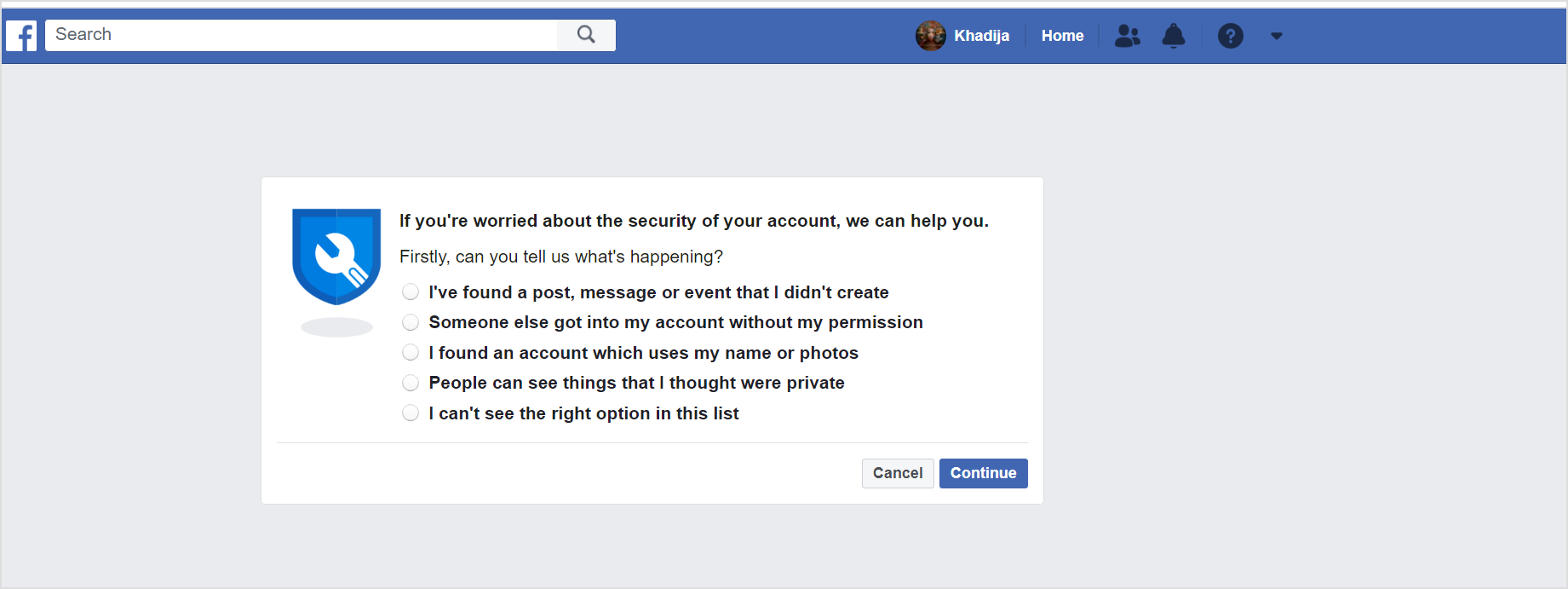
If your account is compromised and sending spam or ads to contacts, report the issue at Facebook.com/hacked/. Use this for phishing attacks as well. Facebook assists in account recovery.
Sometimes, an unauthorized app might lead to account hijacking. Navigate to “Settings,” select “Apps and Websites,” and review the list. Remove suspicious apps by clicking “See More” and then “Remove. For additional safety, eliminate expired apps. Modify permissions of active apps via “View and Edit.”
After regaining control and securing your account, inform friends and family about the Facebook hack. This prevents them from falling prey to false communication from your account. If access is restricted, reach out to friends from other social media platforms.

By following these steps, you can fix your Facebook account and control your online presence.
What is the solution if your FB account is hacked?
If your FB account gets hacked, don’t panic! Change your password immediately, remove suspicious apps, and report the issue to Facebook for a quick solution.
What are 4 things to do when you get hacked?
When you get hacked, here are four important steps to take:
Plan 0 Days of Content in 0 Minutes
Create, schedule, publish and analyze your content across all your social media channels from one simple dashboard.
4.7 on Capterra • 16,500+ marketers trust ContentStudio
Khadija Anwar is a Senior Technical Writer at ContentStudio with over 500 published write-ups across the ContentStudio blog and beyond. She specializes in step-by-step platform guides and Help Center content across Facebook, Instagram, LinkedIn, YouTube, TikTok, and X, and reviews how-to articles to verify every step and platform detail is accurate and current.
View all posts by Khadija AnwarRecommended for you
How to build an executive’s LinkedIn content workflow with Claude Code

How to turn one product photo into 5 video Ads with Claude Code
Social media MCP server: How to automate posting with ContentStudio
How to automate social media with n8n: A practical guide