How to build an executive’s LinkedIn content workflow with Claude Code
Oct 1, 202615 minutes

Written by
Khadija AnwarUpdated

Have you ever sent a friend request on Facebook and wondered if the person accepted it? Or maybe you want to cancel a request you sent by mistake? Whatever your reason, knowing how to view your sent friend requests on Facebook is a helpful skill for managing your social connections.
In this guide, we’ll walk you through the step-by-step process of finding your sent friend requests on Facebook across different devices and platforms. Let’s dive in!
[SocialMediaMarketing_1]
Follow these detailed steps with visual cues to help you navigate:
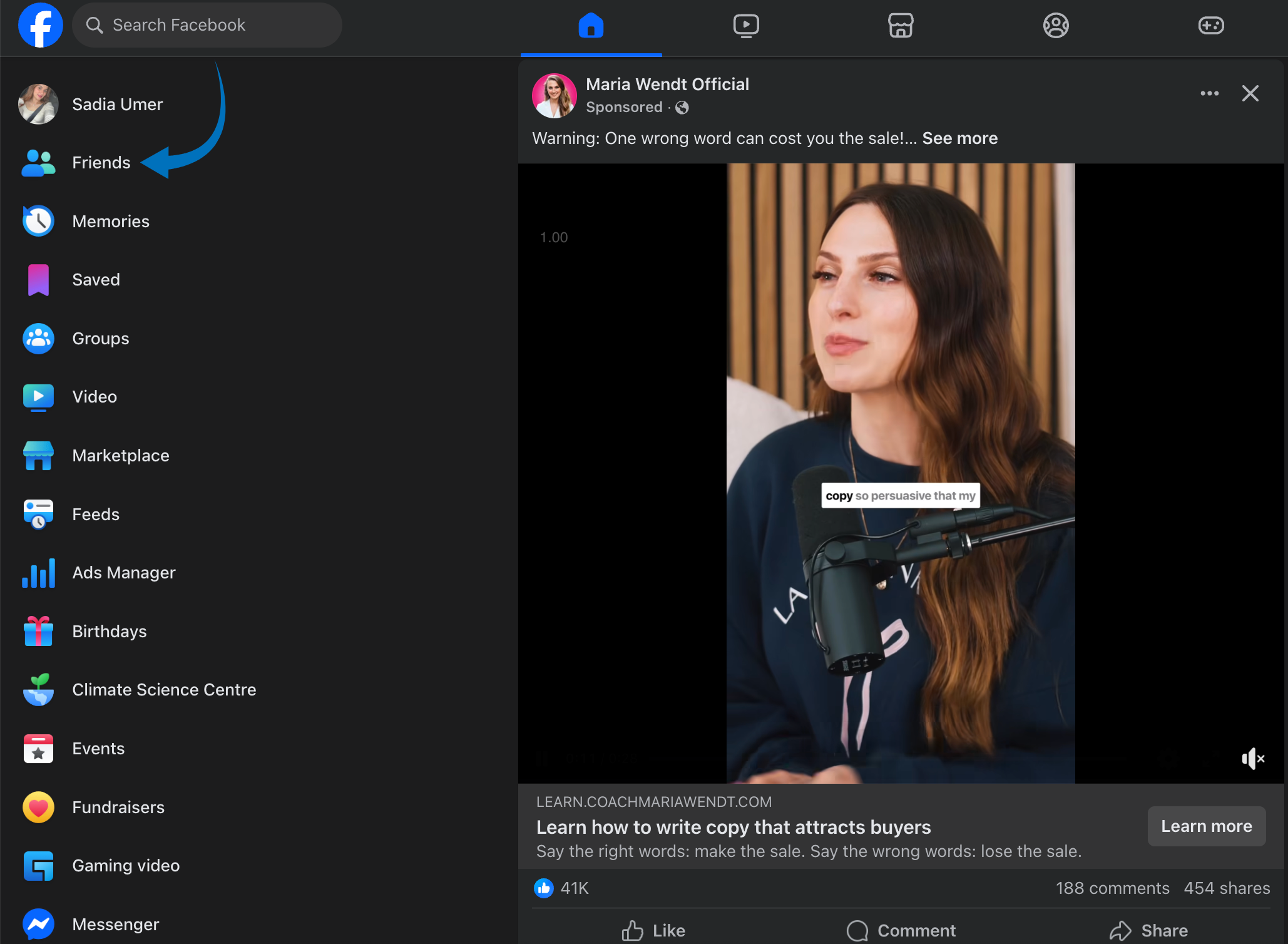
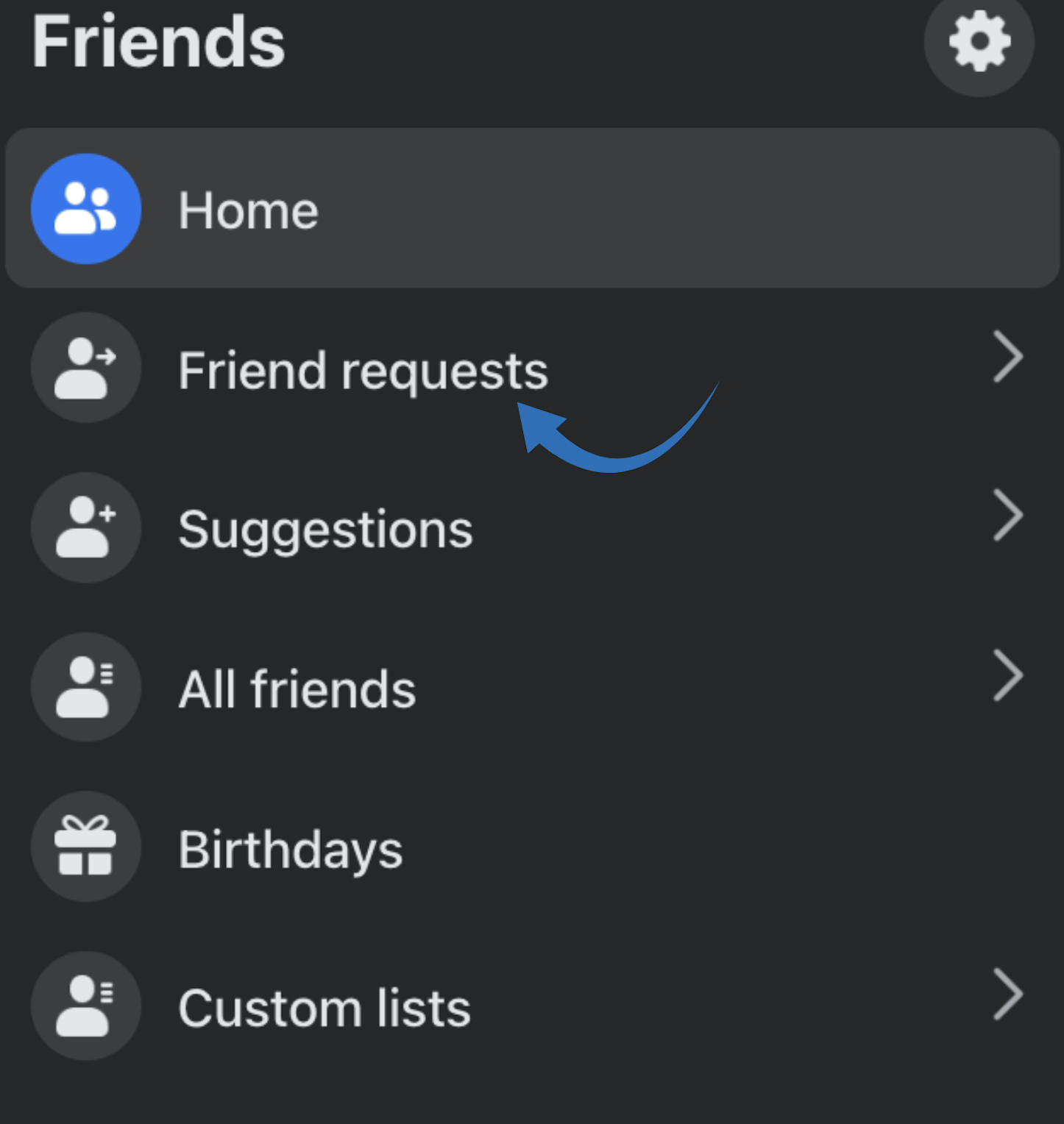
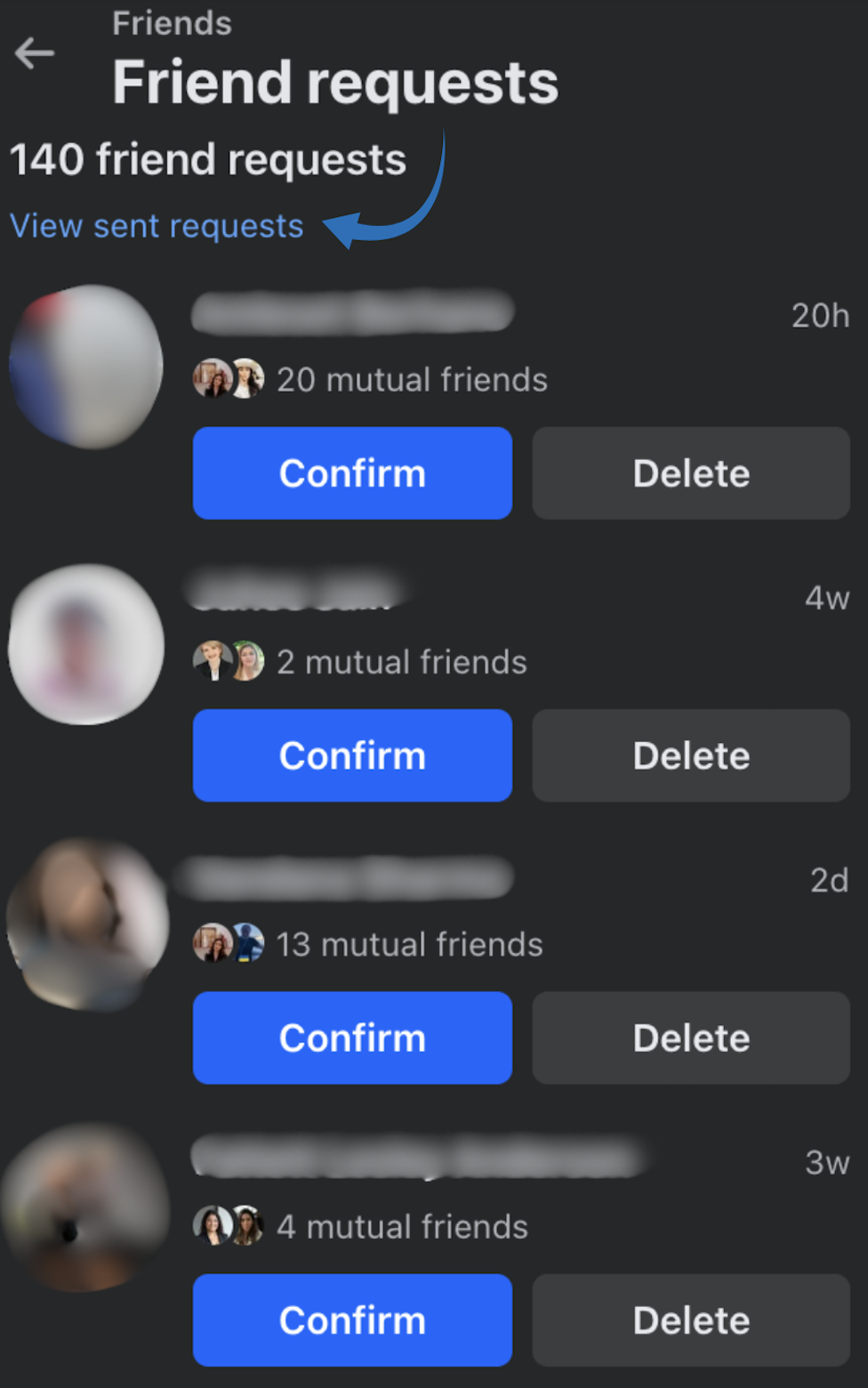
This will show you a list of all the friend requests you’ve sent that are still pending.
If you’ve changed your mind about connecting with someone, you can cancel your request:
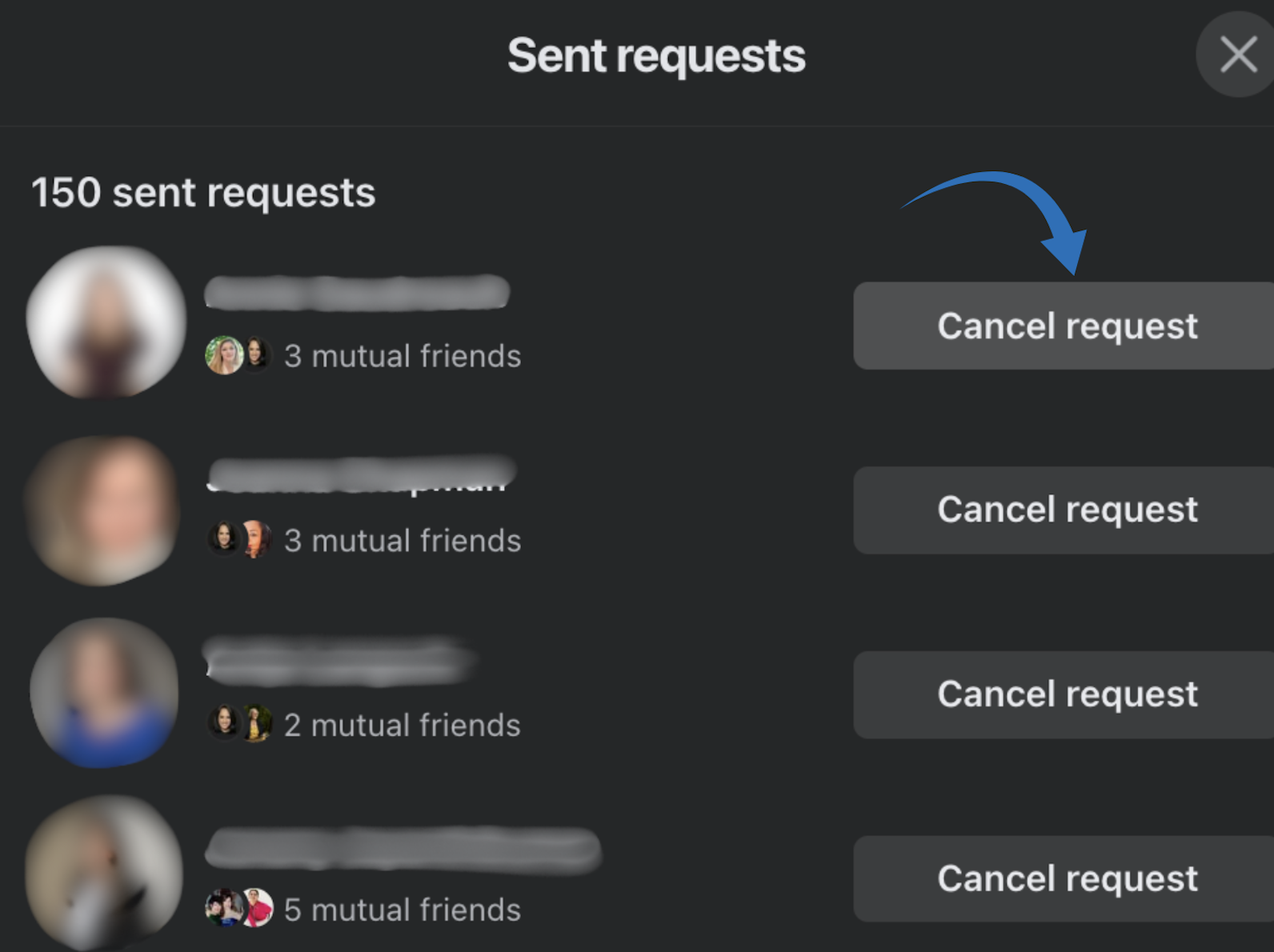
The person won’t be notified that you canceled the request.
Also read: How to unfriend someone on Facebook
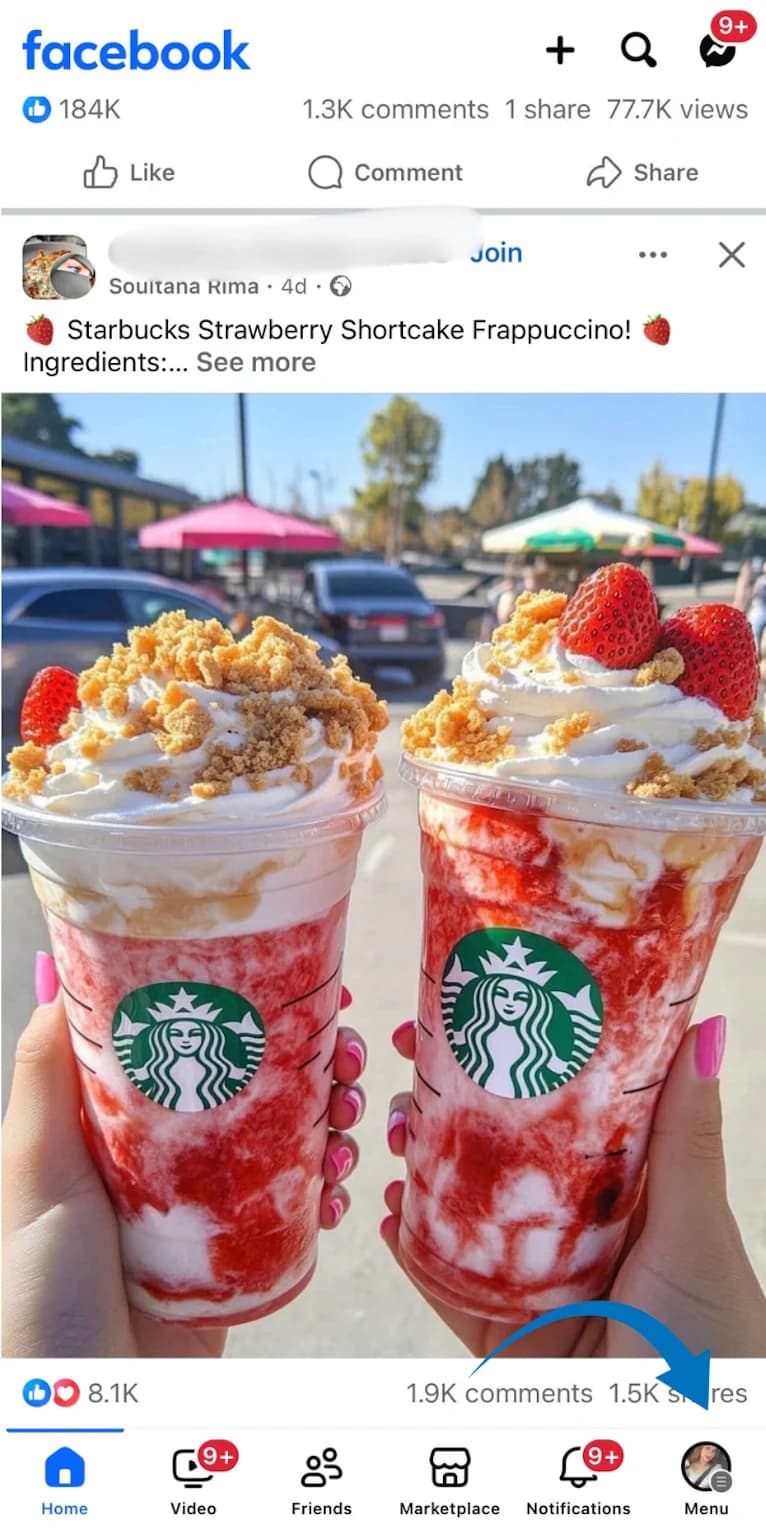
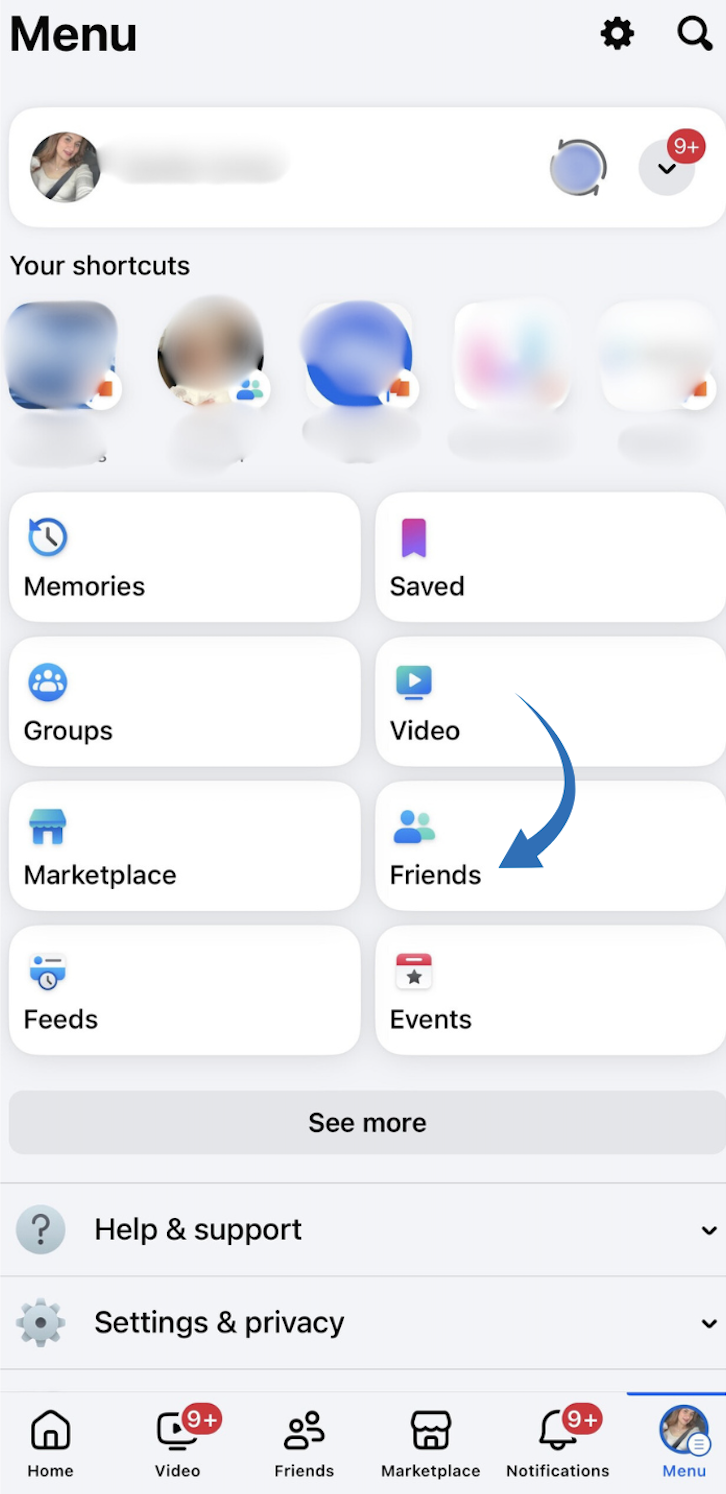
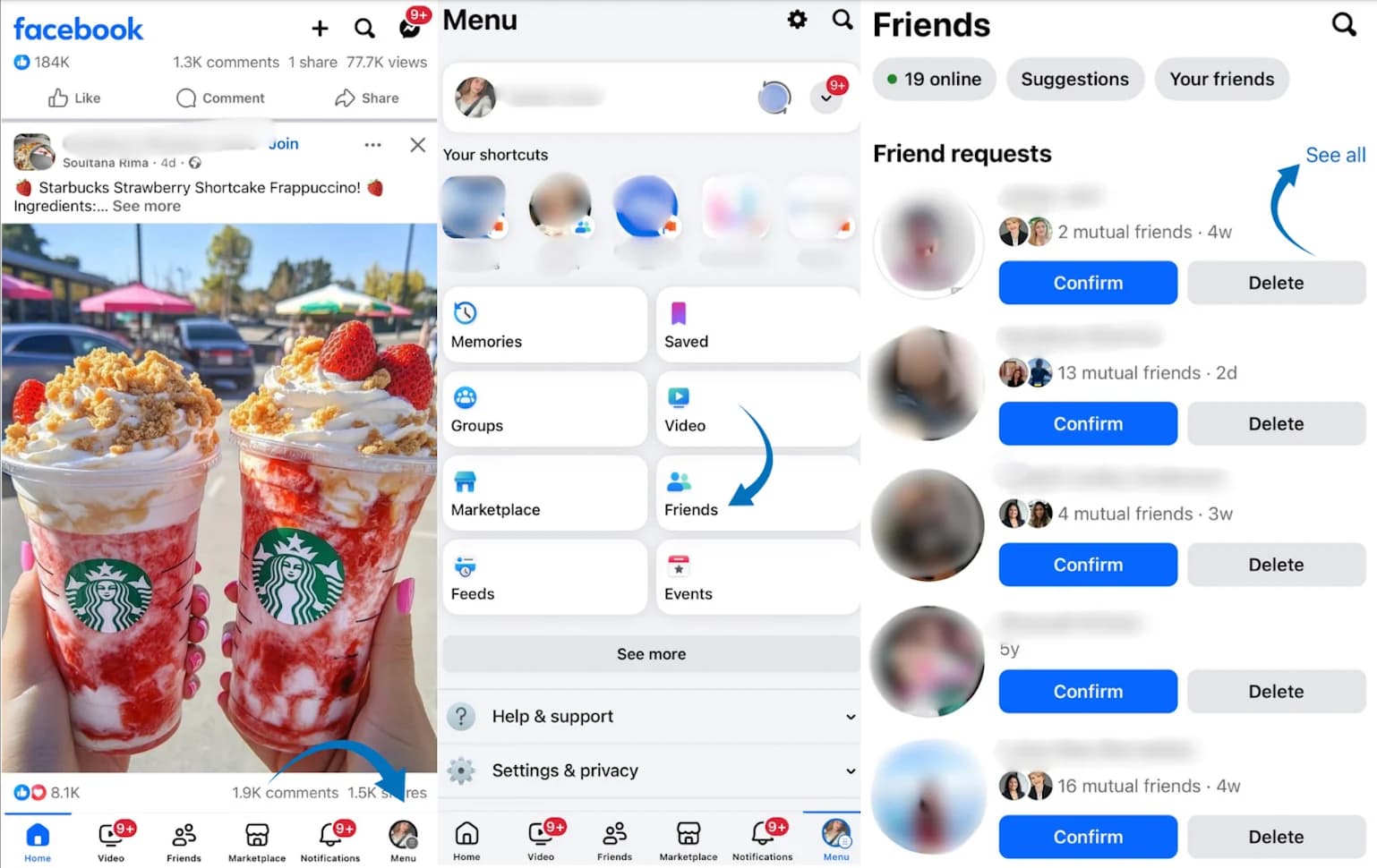
Select the three dots in the corner, then choose “View sent requests” from the pop-up menu and tap on it.
Here, you’ll see a list of friend requests you’ve sent that are still pending.
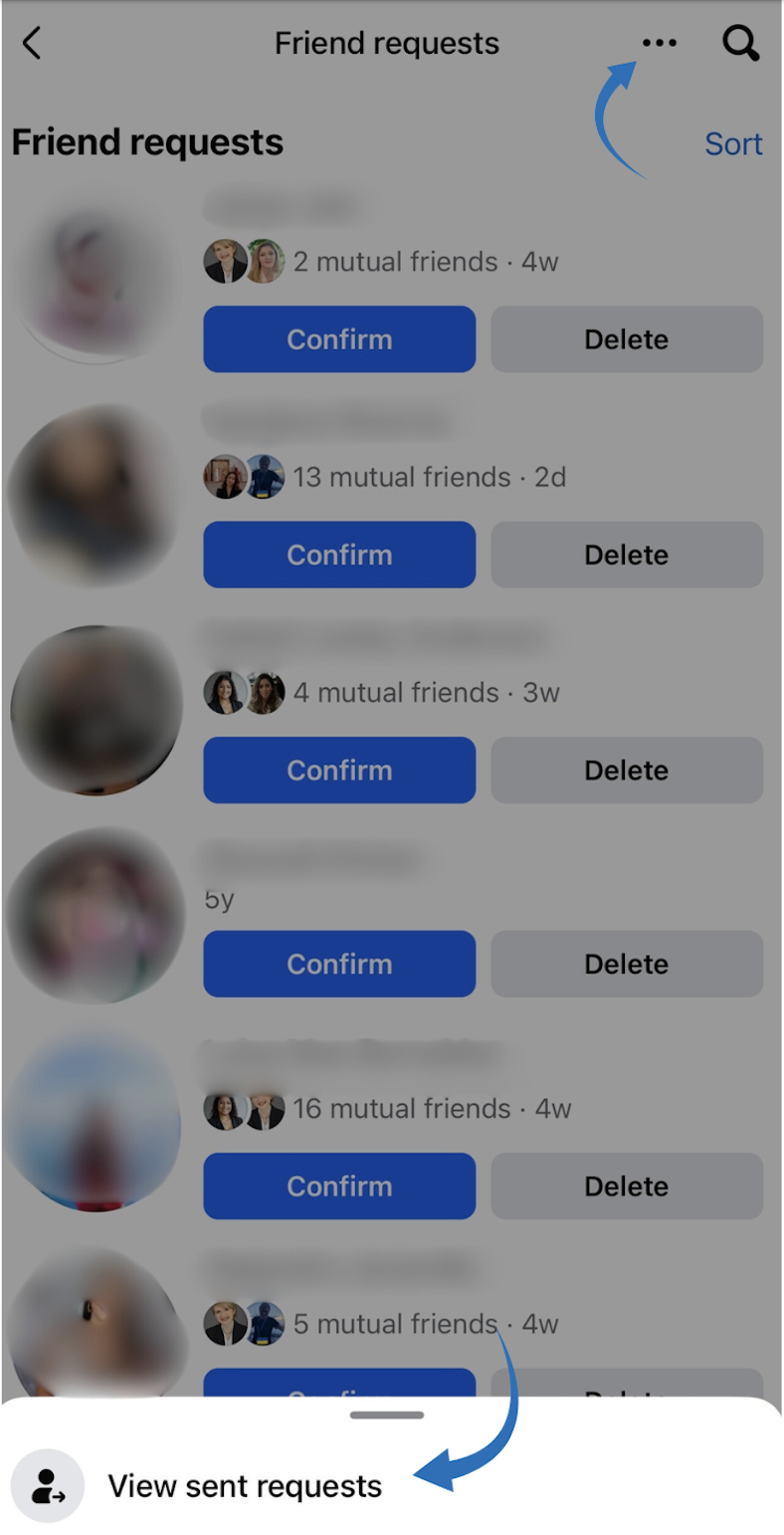
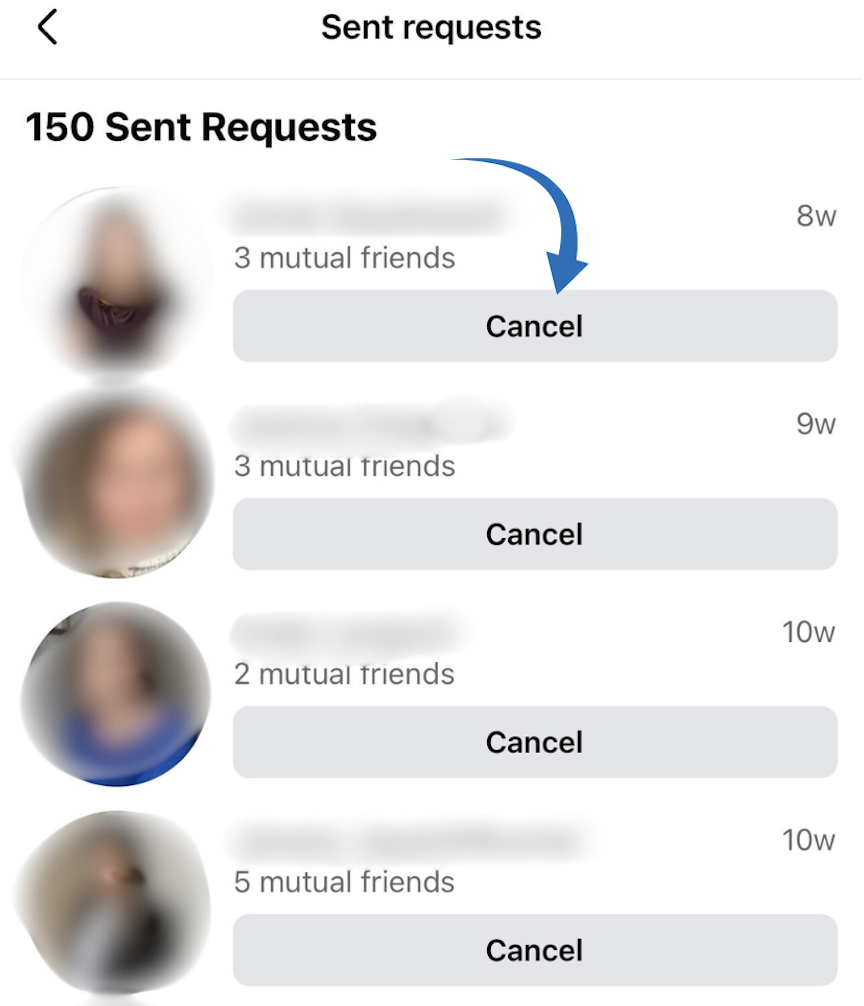
Let’s face it—we’ve all sent friend requests and then completely forgotten about them. Or worse, we accidentally sent one to that person from high school we definitely didn’t want to reconnect with!
Now you know exactly how to find, manage, and clean up those pending requests across any device. This simple skill helps you avoid those awkward “Did I already add you?” moments and organizes your Facebook social world.
Next time you’re wondering who hasn’t accepted your friend request or needs to revoke that 2 AM “oops” request, you’re covered. Facebook might keep changing its interface, but with this guide, you’ll always know where to look.
Friend requests remain active indefinitely until they are either accepted, declined, or canceled.
No, Facebook doesn’t notify you when someone declines your friend request. The request simply disappears from your sent requests list.
Yes, Facebook has limits to prevent spam. If you send too many requests in a short period, you might be temporarily blocked from sending more.
If your request is still pending, you cannot send another one. You must cancel the existing request first.
When someone accepts your request, they’ll appear on your friend’s list, and the request will disappear from the list of requests you sent. You may also receive a notification.
Plan 0 Days of Content in 0 Minutes
Create, schedule, publish and analyze your content across all your social media channels from one simple dashboard.
4.7 on Capterra • 16,500+ marketers trust ContentStudio
Khadija Anwar is a Senior Technical Writer at ContentStudio with over 500 published write-ups across the ContentStudio blog and beyond. She specializes in step-by-step platform guides and Help Center content across Facebook, Instagram, LinkedIn, YouTube, TikTok, and X, and reviews how-to articles to verify every step and platform detail is accurate and current.
View all posts by Khadija AnwarRecommended for you
How to build an executive’s LinkedIn content workflow with Claude Code

How to turn one product photo into 5 video Ads with Claude Code

Social media MCP server: How to automate posting with ContentStudio

How to automate social media with n8n: A practical guide