
How to build an executive’s LinkedIn content workflow with Claude Code
Oct 1, 202615 minutes

Written by
Khadija AnwarUpdated
The Instagram mute feature lets you silence someone’s stories, posts, profiles, and messages without unfollowing them a handy way to manage your Instagram post feed without any drama. If you’re looking to unmute someone, here are four simple ways to do it
Step 1:
Open the Instagram app and tap the “Profile icon.”

Step 2:
Tap on “Hamburger Icon” on your Instagram profile and then tap “Settings”

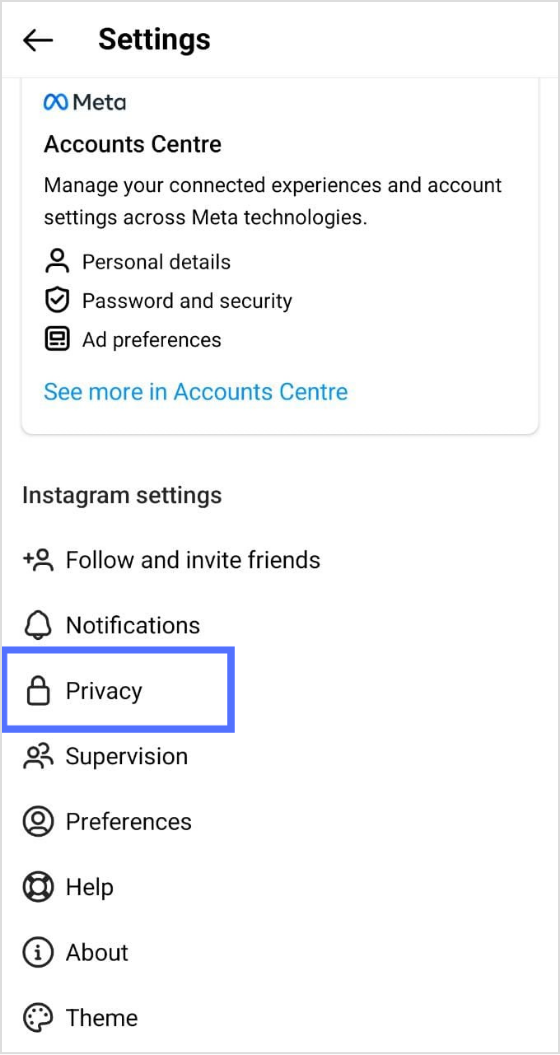
Step 3:
In settings, tap on “Privacy.”
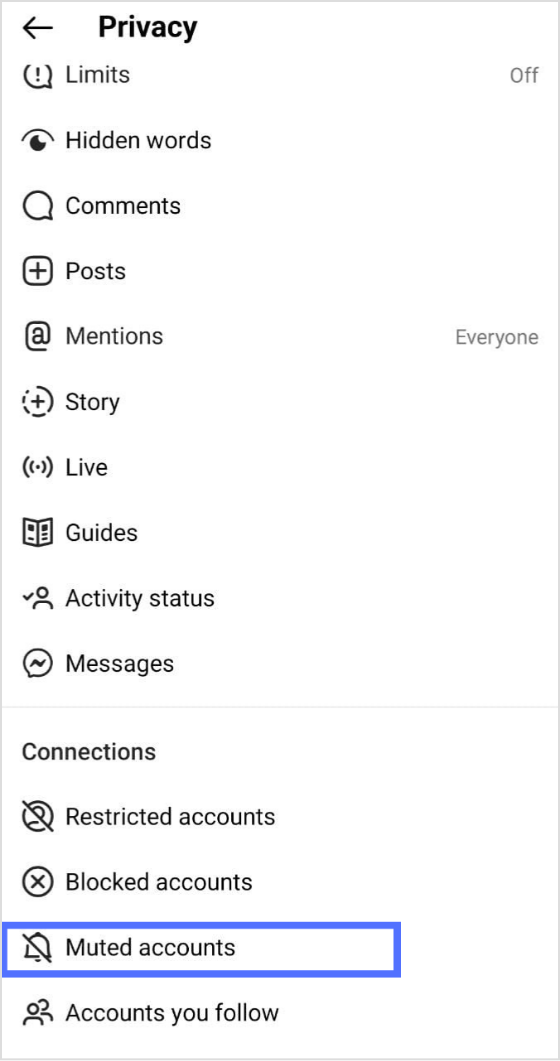
Step 4:
Scroll down the page, tap on “Muted account.”
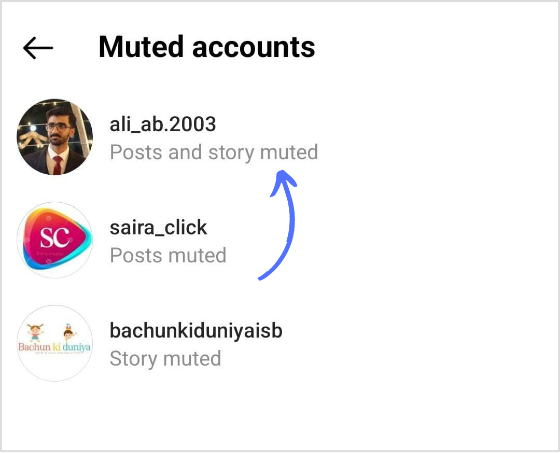
Step 5:
You will have a list of all muted accounts.
Tap on the user’s account you want to unmute
Step 6:
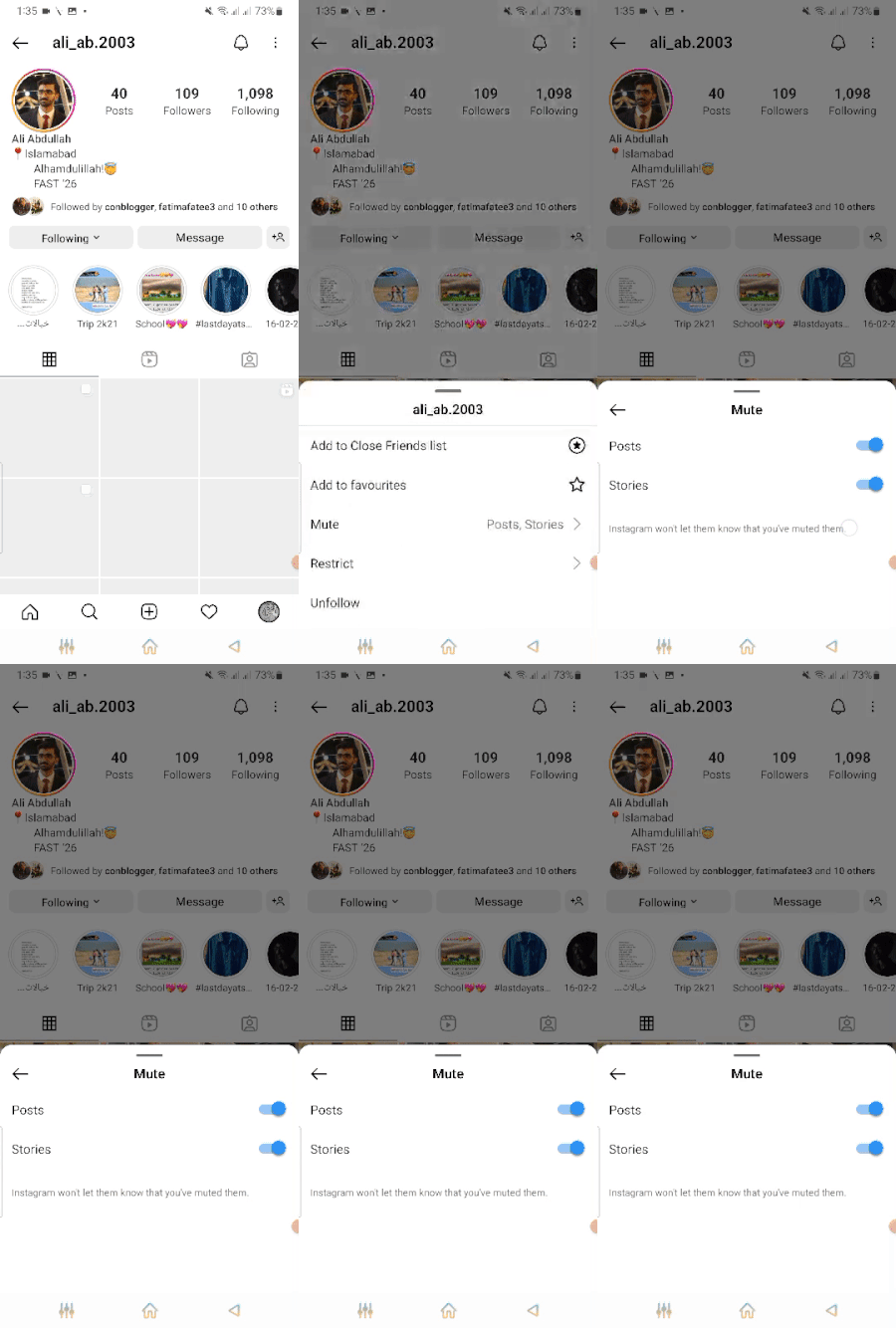
Once you tap on the account, it will redirect you to the muted person’s account page.
Now tap “Following”
An option bar will appear where you need to tap on “Mute”
Step 7:
Next step is to switch the icon from right to left to unmute the user.
Once you do that, the user will become unmute
The easiest way to manage & grow your social channels
Trusted by 80,000+ forward-thinking agencies & brands worldwide
Discover MoreStep 1:
Search the user’s profile through the Instagram search bar
Step 2:
Go to the account page and tap “Following”
Once you get to the options bar, then tap “Mute”
Step 3:
Move the switch icon for stories and posts from right to left to unmute the user and the user will be unmuted.
Here’s a quick preview of the above steps

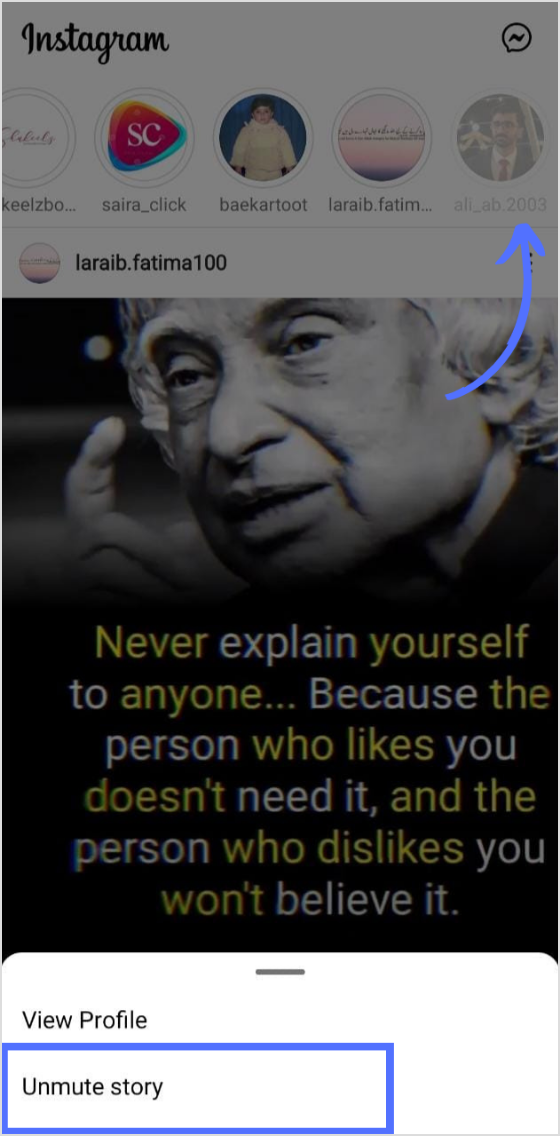
When you mute someone’s story. The story moves to the end of the queue.
Tap on a story that you have muted
Tap “Unmute”
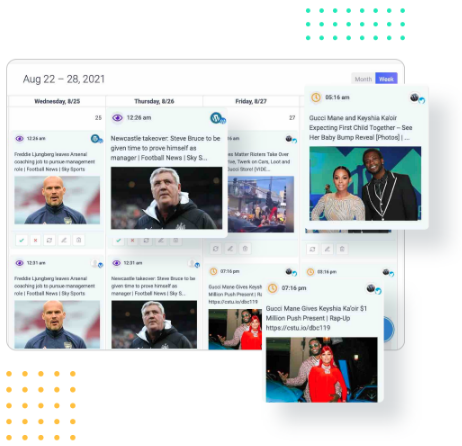
Organize all your social posts and visualize your client’s social media content plan with an interactive Content Calendar
14 days free trial - no credit card requiredStep 1:
Open the Instagram app, and tap the “Message icon”
Step 2:
Tap on the person’s DM bar for 2 seconds. You will have options to unmute messages or calls.
Here’s a preview

If you have blocked someone or unfollowed someone, you can’t be able to unmute them as long as you unblock them and follow them back.
When you unmute someone, they won’t be notified about it. You will start seeing their posts and stories again.
Unmute means you will start seeing users’ posts and stories again. You will start receiving messages and calls. You can unmute someone through the profile, DM, settings, or stories.
If the user hasn’t posted anything, you can unmute them through the settings on your Instagram account, or go directly to the user’s profile and unmute them.
Plan 0 Days of Content in 0 Minutes
Create, schedule, publish and analyze your content across all your social media channels from one simple dashboard.
4.7 on Capterra • 16,500+ marketers trust ContentStudio
Khadija Anwar is a Senior Technical Writer at ContentStudio with over 500 published write-ups across the ContentStudio blog and beyond. She specializes in step-by-step platform guides and Help Center content across Facebook, Instagram, LinkedIn, YouTube, TikTok, and X, and reviews how-to articles to verify every step and platform detail is accurate and current.
View all posts by Khadija AnwarRecommended for you
How to build an executive’s LinkedIn content workflow with Claude Code

How to turn one product photo into 5 video Ads with Claude Code

Social media MCP server: How to automate posting with ContentStudio
How to automate social media with n8n: A practical guide