
How to build an executive’s LinkedIn content workflow with Claude Code
Oct 1, 202615 minutes

Written by
Nawal MansoorUpdated

Do you want to attract more customers through your listing on Google Business? If so, you must learn how to schedule offers on your Google Business profile with ContentStudio.
Google Business, previously called Google My Business, is an effective tool for attracting local customers and boosting your visibility by getting reviews from satisfied customers. In this guide, we will look at the importance of providing offers on your Google Business profile and how to schedule these offers.
Before getting familiar with the specific steps of scheduling Google Business offers, it is important to understand what exactly they are.
As the name suggests, Google Business offers are special deals, promotions, and discounts that appear on your Google Business profile. This profile is visible in Google Search and Maps. Some of the common types of Google Business offers are:
Related Read: How to optimize your Google Business profile?
ContentStudio is a powerful Google Business profile scheduler and management tool. You can use it to manage all aspects of your Google Business profile, including offers, different types of posts with call-to-action, and analyzing the profile’s metrics.
Here are the key steps involved in scheduling Google Business offers with ContentStudio:
Open ContentStudio’s website and sign in to your account.
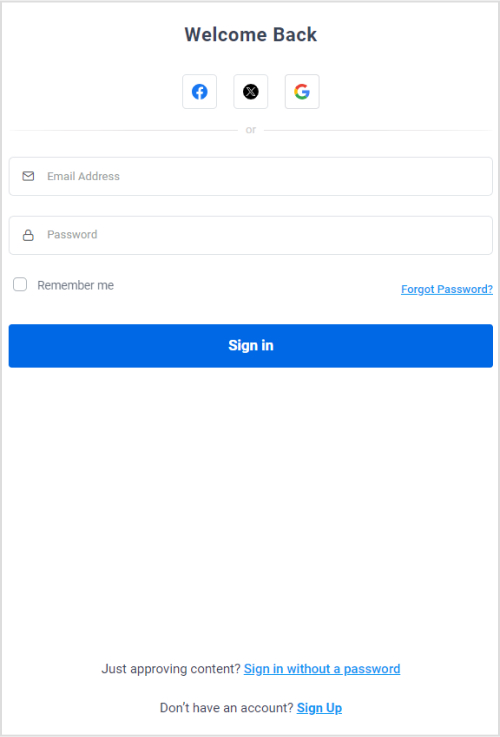
If you don’t have an account, create one or log in with your Facebook, Gmail, or X account to access the dashboard.

Click on your profile picture and open Social Accounts.
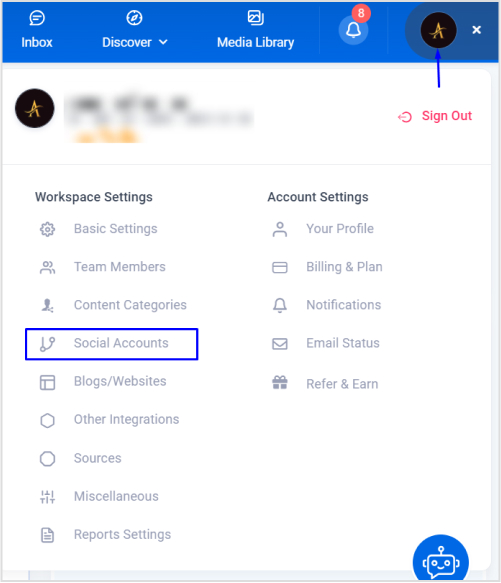
Navigate to the GMB section and connect your profile by signing in with your Google account.

Your connected Google Business profile will now show up under ContentStudio.

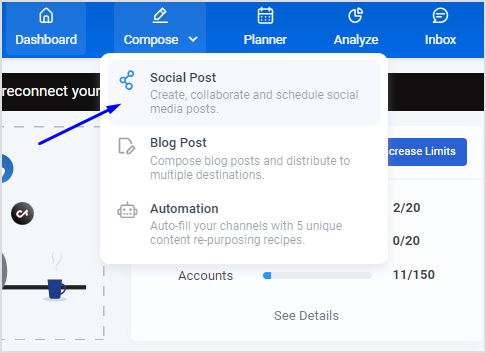
Open Post Composer by hovering over the Compose option in the navigation bar and clicking on Social Post.
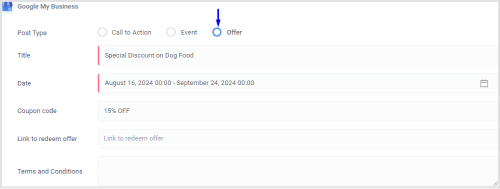
Choose your connected GMB profile from the left bar and create an offer by adding its title, start and end date, coupon code, link, and terms and conditions.
Preview the final look of your Google Business post and offer under Post Preview before scheduling it.

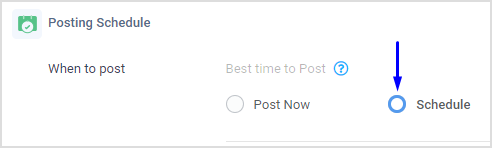
Once your Google Business offer is finalized, the next step is to schedule it for a suitable time. Click on the Schedule option.
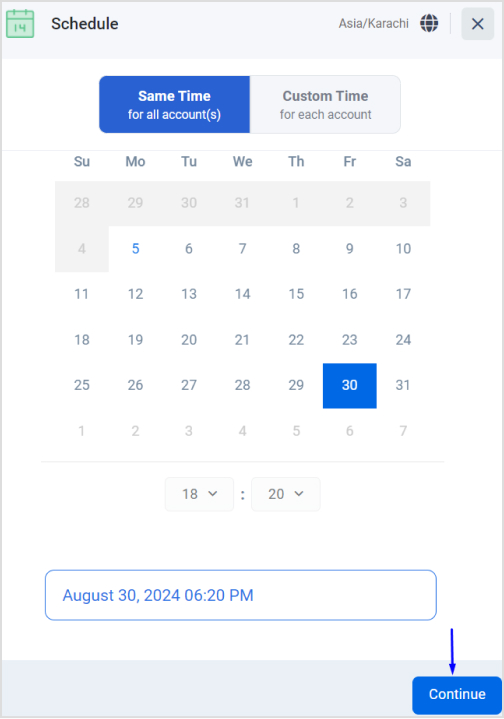
A new window will pop up to help you choose a suitable date and time to post the Google Business offer.
Once you have selected the right date and time, click the Schedule button to let ContentStudio post your offer at the scheduled time.
Offering deals, promotions, and discounts is always a good idea for businesses to expand their customer base and increase sales. Here’s how adding offers to your Google Business profile can help you:
Overall, Google Business is a powerful and effective tool for improving your business’s reputation, sales, ranking, and growth.
ContentStudio has made scheduling Google Business offers quicker and easier than ever before. By following the steps discussed above, you can ensure that all of your upcoming discounts, seasonal offers, and promotions reach the target audience at the right time.
Scheduling in advance will help you consistently provide engaging and relevant offers on your profile and enjoy its numerous benefits. So, start using ContentStudio today to manage your Google Business profile, schedule offers, and reach a wider audience.
Yes, you can schedule multiple offers on Google Business using ContentStudio.
The frequency of changing Google Business offers is dependent on the type of offer you have. Generally, you should change the offers every few weeks to maximize customer engagement.
You can improve the performance of your Google Business offers by thoroughly analyzing what’s working and what’s not in your current offer. Try changing the title of the offer and modifying the discounts and durations.
Plan 0 Days of Content in 0 Minutes
Create, schedule, publish and analyze your content across all your social media channels from one simple dashboard.
4.7 on Capterra • 16,500+ marketers trust ContentStudio
Nawal Mansoor is a Digital Marketing Specialist at ContentStudio who tracks the latest trends and technologies. She writes on social media strategy, AI scheduling and video tools, Instagram advertising, LinkedIn marketing, and emerging platforms like Snapchat, and reviews articles for relevance, accuracy, and currency in a fast-moving social media landscape.
View all posts by Nawal MansoorRecommended for you
How to build an executive’s LinkedIn content workflow with Claude Code

How to turn one product photo into 5 video Ads with Claude Code
Social media MCP server: How to automate posting with ContentStudio

How to automate social media with n8n: A practical guide