Jargon filtering

What is jargon filtering?
Jargon filtering is the process of identifying and removing or replacing industry-specific terminology, technical language, and complex vocabulary to make content more accessible and understandable to a wider audience.
This communication practice ensures messages resonate with target audiences by converting specialized terms into plain, straightforward language that everyone can comprehend.
In today's digital marketing landscape, jargon filtering has become an essential component of creating engaging content that connects with audiences across various platforms.
When implementing a comprehensive social media strategy, the ability to communicate complex ideas simply can significantly improve audience engagement and message retention.
Why jargon filtering matters?
Building broader audience connections
Excessive use of jargon creates barriers between you and potential customers who may not be familiar with industry terminology. By filtering jargon from your communications, you make your content accessible to a wider audience, including those who are new to your industry or product.
When you identify and engage with your social media target audience, jargon filtering becomes particularly important. Different segments of your audience will have varying levels of familiarity with technical terms, and filtering jargon ensures your message resonates with everyone.
Improving clarity and engagement
Increased comprehension: When audiences understand your content without needing to look up terms, they're more likely to engage with and act on your message
Reduced cognitive load: Simple language requires less mental processing, making your content easier to consume and more enjoyable to read.
Enhanced credibility: Contrary to popular belief, using simple language often makes you appear more knowledgeable, not less. The ability to explain complex concepts simply demonstrates true mastery of a subject.
Better content performance: Content free of unnecessary jargon tends to perform better in terms of social media engagement metrics, including shares, comments, and conversion rates.
Supporting effective customer service
In social media customer service, jargon filtering is particularly crucial. Customers reaching out with questions or issues need clear, straightforward answers they can immediately understand and act upon. Using technical language in support interactions can frustrate customers and extend resolution times.
How to implement jargon filtering in your content
Identify your audience's knowledge level
Before creating content, assess your audience's familiarity with industry terminology. This requires developing detailed audience personas that include:
- Industry knowledge and experience
- Educational background
- Role in the purchasing decision
- Common pain points and questions
Understanding these factors allows you to calibrate your language appropriately, filtering out jargon that your specific audience wouldn't understand.
Create a jargon glossary
Develop an internal glossary of common industry terms and their plain-language alternatives. This resource helps content creators maintain consistency across all communications and provides ready alternatives when technical terms arise.
Your jargon glossary should include:
- Industry terms: Technical vocabulary specific to your field
- Internal company terminology: Terms used within your organization that may not be familiar to outsiders
- Social media acronyms: Spelled-out versions of all abbreviations
- Plain language alternatives: Simple substitutions for each jargon term
- Context guidance: When specialized terms are necessary and when they should be avoided
Use AI writing assistants
Modern AI writing tools can help identify and replace jargon in your content. ContentStudio's AI assistant can analyze your drafts and suggest clearer alternatives to technical language, ensuring your content remains accessible while maintaining its core message.
The AI content assistant for social media can be particularly helpful for quick jargon filtering before posting updates across platforms, keeping your social presence approachable and engaging.
Implement tiered language approaches
For content addressing multiple audience segments simultaneously, consider a tiered approach to jargon:
- Lead with plain language: Begin with completely jargon-free explanations accessible to everyone
- Gradually introduce terminology: Add necessary technical terms, but only after explaining concepts in simple language first
- Provide contextual definitions: When jargon is unavoidable, define terms inline or through tooltips/footnotes
- Link to resources: For highly technical content, provide links to glossaries or educational resources
This approach ensures that readers of all knowledge levels can engage with your content meaningfully.
Jargon filtering across different content types
Social media posts
Social media demands particularly clear, concise communication. When crafting your social media content strategy, jargon filtering should be a priority consideration.
Best practices for jargon-free social posts:
- Keep it conversational: Write as if you're speaking to a friend
- Focus on benefits, not features: Explain what your product does for users, not its technical specifications
- Use everyday analogies: Compare complex concepts to common experiences
- Test with non-experts: Before posting, have someone outside your industry review for clarity
Blog content and articles
Longer-form content allows more space for explanation, but jargon filtering remains important. When writing SEO content that ranks, remember that search engines value readability and user engagement—both improved by clear, jargon-free writing.
Email marketing
When integrating social media and email marketing, maintain consistent language across both channels. Filter jargon from email content to improve open rates, click-throughs, and conversions.
Crisis communications
During a social media crisis, clarity becomes even more critical. When developing a social media crisis communication plan, emphasize jargon filtering to ensure all stakeholders—including customers, employees, and the general public—fully understand your message.
Tools and techniques for effective jargon filtering
Readability analyzers
Use readability scoring tools to evaluate your content's complexity. Aim for scores that match your audience's reading level, typically around 8th-grade level for general audiences.
Peer review processes
Implement a review system where team members from different departments check content for clarity. Someone from outside the technical team may spot jargon that subject matter experts overlook.
A/B testing
Test jargon-filtered versus technical content with small audience segments to measure engagement differences. Use social media analytics to track which versions perform better.
Content management workflows
Build jargon filtering checkpoints into your content planning and writing techniques. Using a tool like ContentStudio's content composer can help teams collaborate on jargon filtering before publication.
When technical language is appropriate
While jargon filtering is generally beneficial, sometimes technical language serves a purpose:
Expert audiences
When communicating exclusively with industry professionals, appropriate technical terms can demonstrate credibility and precision. However, even expert audiences appreciate clarity, so avoid obscure terms when simpler alternatives exist.
Educational content
Content designed to familiarize audiences with industry terminology may gradually introduce jargon with clear explanations. This approach helps newcomers become comfortable with necessary technical language over time.
Legal and compliance contexts
Some industries require specific terminology for legal or regulatory compliance. In these cases, include the required language but supplement it with plain-language explanations.
Conclusion
Jargon filtering is more than just simplifying language—it's about removing barriers between your message and your audience. By making your content more accessible, you demonstrate respect for your audience's time and attention while improving the effectiveness of your communications.
In today's information-saturated digital landscape, clarity is a competitive advantage. ContentStudio's suite of social media management tools can help you create, optimize, and distribute jargon-free content that resonates with audiences and achieves your marketing objectives.
By implementing systematic jargon filtering across all your content channels, you'll build stronger connections with your audience, improve message comprehension, and ultimately drive better results from your content marketing efforts.
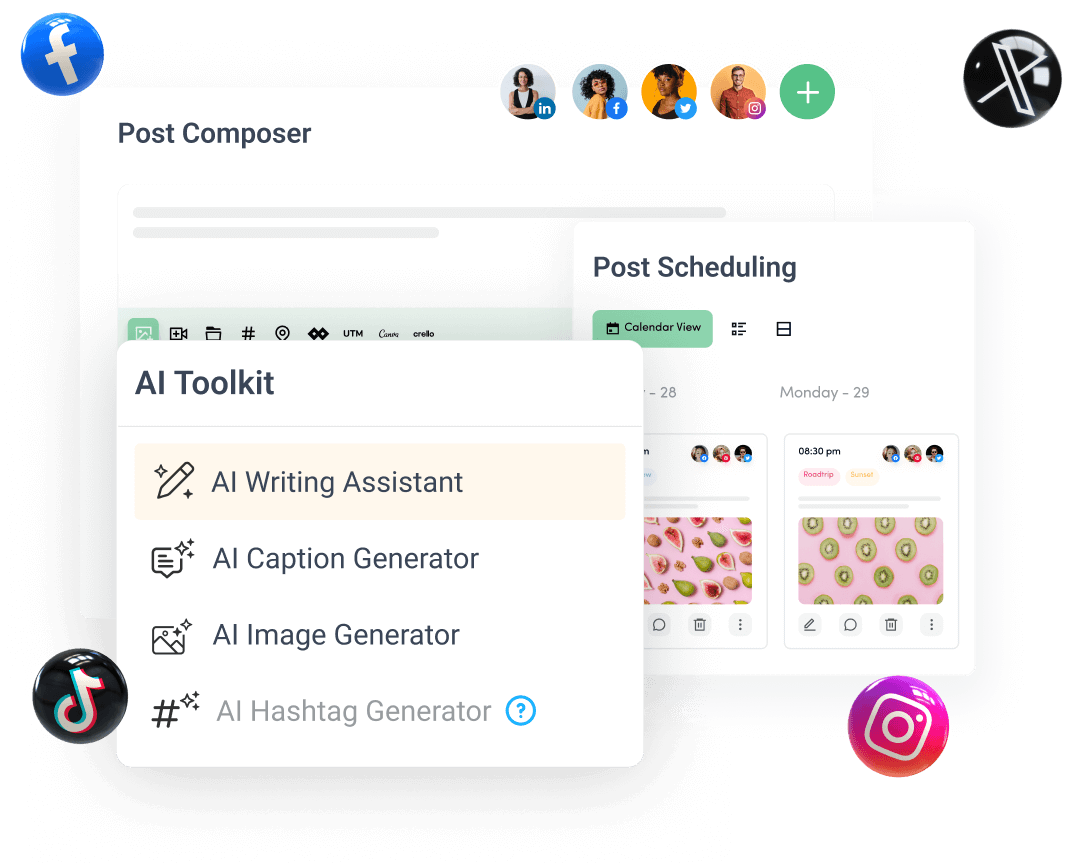
Create, plan, schedule, and publish posts on all social media networks