


Black Friday marketing campaign: Complete 2026 guide
Nov 4, 202534 minutes

Written by
Arooj IshtiaqPublished
Black Friday and Cyber Monday come once a year, but the window to prepare your social media is closing faster than most brands realise. By the time November 27 arrives, the feeds are saturated, the deals are everywhere, and the brands that stand out are the ones who started weeks earlier.
This guide gives you 75 Black Friday social media post ideas mapped to a real campaign timeline, covering every phase from the first teaser through Cyber Monday wind-down.
You will find black friday social media posts organised by when to use them, ready-to-adapt captions for each major platform, design principles that make your creative stop the scroll, and a posting plan with frequencies and timing that holds up across a four-day weekend.
The goal is not more posts. It is the right posts at the right moment, so your audience feels guided rather than bombarded.
Most brands approach BFCM as a content problem that they need more posts. The brands that actually win treat it as a communication problem, which is that they need to say the right thing to the right person at the right moment in a very short window.
The difference matters because the BFCM feed is unlike any other time of year. Everyone is discounting. Every brand is posting. The visual noise is at its absolute peak. In that environment, a louder percentage or a brighter red banner does not move people. Clarity does.
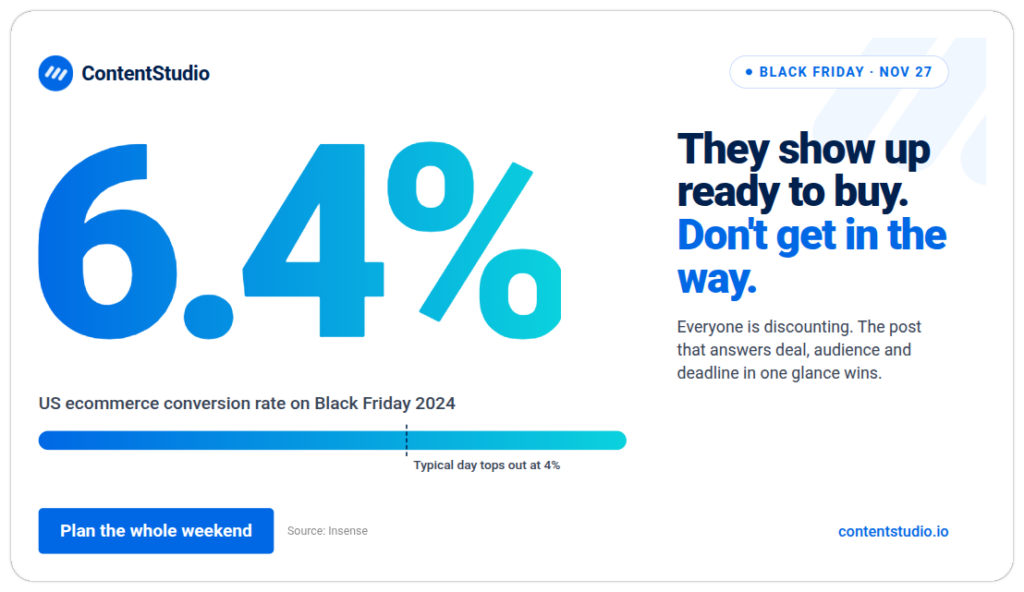
Research from Insense found that conversion rates on content and partnership channels rose around 23% during Cyber Week 2024, while Black Friday US ecommerce conversion rates reached 6.4%, compared with a typical 1-4% baseline. The audience shows up in buying mode. Your job is not to convince them to want something. It is to remove the friction between wanting and checking out.
That means your posts need to do three things.
The six-phase campaign structure that runs through this article is built on those three principles. Every idea below maps to a phase, a purpose, and a platform so you are never just filling a slot; you are sending something that earns its place in the feed.
For context on how all of this fits into a full BFCM plan beyond social, the Black Friday and Cyber Monday social media checklist covers the complete campaign lifecycle, including approvals, scheduling, and post-sale analytics.
This phase runs from early November through November 26. No prices yet. No discount graphics. The goal is a warm, curious audience that has already saved products and emotionally committed before a single deal goes live. These are the posts competitors skip, and it is why their launches feel cold.
These ten ideas run from early November through the week before the sale. Their shared job is to make your audience feel something is coming before a single price is announced. The brands that invest in this phase show up on launch day with warm, ready audiences. The ones that skip it launch cold into the noisiest week of the year.
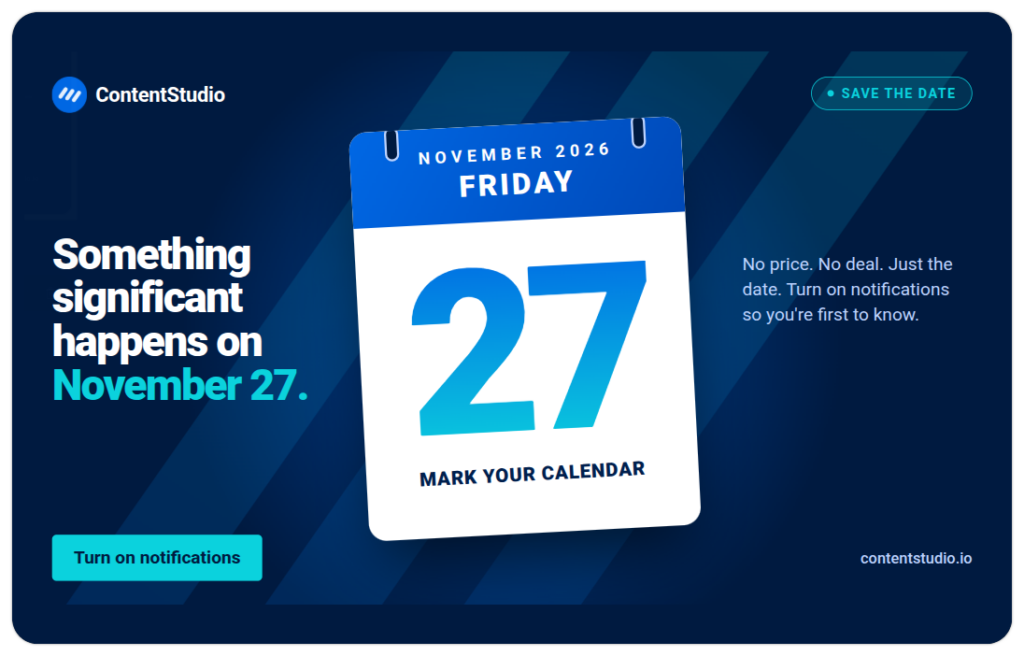
1. The date announcement post. Simple and underused. Post the sale dates alone, with no price and no deal. “Something significant happens on November 27. Mark your calendar.” The lack of information is the hook. Use your brand colours and nothing else.
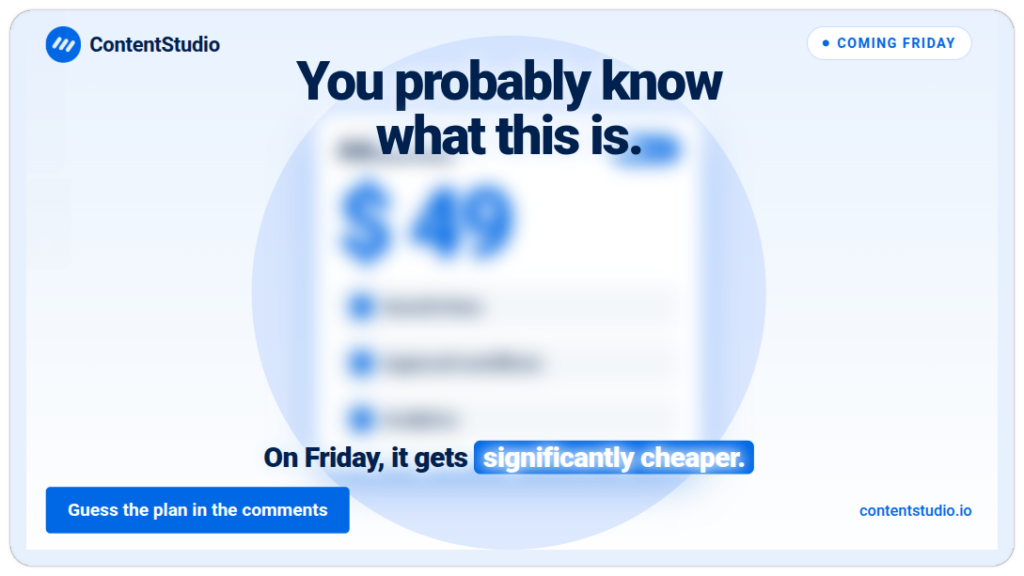
2. The blurred product reveal. Take your most recognisable product and obscure it with a blur, a black box, or a partial crop. The caption does the rest: “You probably know what this is. On Friday, it gets significantly cheaper.” The effect is curiosity without vagueness. Because followers can almost identify the product, the pull to confirm and comment is strong. Every comment is algorithmic fuel for the launch posts that follow.
3. “Last year this sold out in 47 minutes” throwback. Reference a previous BFCM bestseller with real specificity. Specificity reads as credible. Vague claims do not. This post builds anticipation while validating that your sales are real and your products go fast.
4. The team prep Reel. A 15-second clip of your team getting ready, boxes arriving, stock being counted, someone writing on a whiteboard. No deal revealed. The behind-the-scenes energy signals that something significant is coming without saying it.
5. The product wishlist prompt. “Save this post and tag the thing you are getting yourself on Friday.” A save-prompt post tied to a specific product image or carousel. Saves signal intent and feed the retargeting pool for your launch week posts.
6. “Turn on notifications” Story. A direct ask with a reason. “We are doing early access for people who see this first. Turn on notifications so you are not in the queue with everyone else.” A clear instruction with a specific benefit converts better than a vague “stay tuned.”
7. The demand signal poll. Post an Instagram or TikTok poll asking followers to vote on which product they most want to see discounted. Use real options you are actually considering. The engagement is the obvious benefit, but the data is the hidden one: if 70% of votes go to one product, you know exactly which item to feature first in your launch content and which to lead your ad creative with. It turns an engagement tactic into a lightweight market research tool.
8. Countdown Reel with trending audio. A 7-day countdown Reel using trending audio, showing a product a day. Each post in the series reveals a little more. The series format trains followers to check back. Use the same visual style across all seven so they recognise the series immediately.
9. The “prep your wishlist” carousel. A carousel of your top 8-10 products with a clean, consistent layout. “Before Friday, save the ones you want. These go fast.” Each slide is one product with its name and a “save” call to action. No prices yet.
10. The Instagram countdown sticker. Set a countdown sticker in Stories timed to the exact moment your sale opens. When followers tap the sticker, they subscribe and receive a notification the moment it expires, bringing them back precisely when you want them. This is the single lowest-effort tactic in the pre-sale phase, but the intent signal it generates is high. People who subscribe to a countdown are not passive followers. They are buyers who have already made a soft commitment.
Early access rewards your most engaged people and simultaneously spreads your launch-day traffic so it does not all hit the site in one hour. Done well, it also generates word-of-mouth: people who feel like insiders share that feeling. These five ideas give you specific mechanics for making the head-start feel real, not performative.
11. The subscriber-only early access announcement. “If you are reading this, you are not in the regular queue. Early access opens for you 24 hours before everyone else. Here is your link.” Reward your existing followers before the public sale. It makes them feel genuinely ahead, not just told they are.
12. The VIP code Story. A Story with an exclusive early-access code visible only to followers, disappearing after 24 hours. “Screenshot this, it expires tomorrow.” The ephemeral nature creates real urgency without manufactured pressure.
13. “Reply GO and I will DM you the link” post. A post that gates the early access link behind a comment. Works particularly well on Instagram and TikTok. Every comment boosts reach, and the reply automation (if you have it set up) delivers the link at scale without manual effort.
14. Members-first bundle reveal. Reveal an exclusive bundle to your email list or existing followers a full day before the public sees it. Post it as a screenshot or a simple graphic. “This bundle exists only for the next 24 hours before we open it to everyone.”
15. “First 100 only” limited early tier. Offer a deeper discount or an exclusive add-on to the first 100 people who purchase during early access. This creates legitimate scarcity at a small scale without claiming false stock numbers. It rewards speed, not just loyalty.
Decision fatigue is what kills conversions in a saturated BFCM feed. When a shopper has seen 40 sale posts and still cannot figure out what to buy, the brand that does the choosing for them wins. These ideas remove the mental work so the path from scroll to checkout is as short as possible.
16. The “what to buy for who” gift guide carousel. Organise your products by recipient type rather than category. “For him, for her, and for the person who has everything. For kids under 10.” One product per slide, with a brief description and the deal. Shoppers navigating gifting buy faster when the thinking is done for them.
17. “If you only buy one thing, make it this” post. A single product recommendation with a clear explanation of why it is the best value, the most reordered, or the most gifted. Removes decision fatigue entirely. “We have 40 products on sale. If you only grab one, it is this. Here is why.”
18. The bundle reveal with price comparison. Show a bundle alongside the individual prices clearly crossed out. “Bought separately: $97. Bundle price: $59.” This is not just a graphic design choice. Showing the price arithmetic transparently removes the need for the buyer to calculate savings, which means they decide faster.
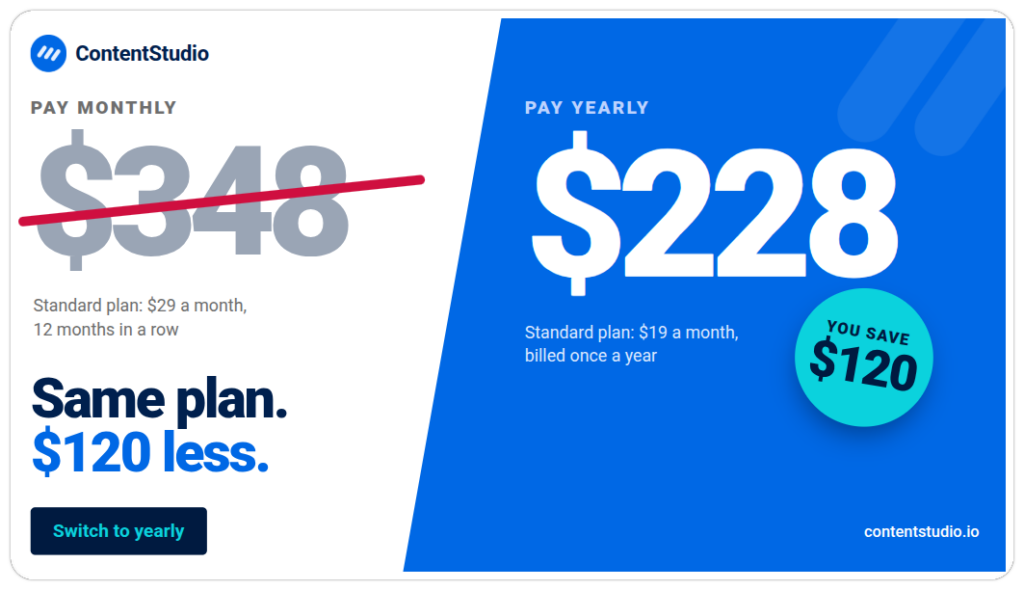
19. The tiered spend breakdown post. “Spend $50, get 20% off. Spend $100, get 30% off. Spend $150, get free shipping and a gift.” A simple graphic showing the tiers in plain language. Spend-threshold promotions raise average order value significantly, but only if the tiers are communicated clearly before the sale begins.
20. The “what makes this worth buying” product story. A short-form video or carousel that shows the product in use, explains the core benefit, and ends with the BFCM offer. Not a discount-first post. A value-first post with the discount as the closer. “You have been saving this for a reason. Friday is when it makes sense.”
Every unanswered question during a live sale is an abandoned cart. The questions are almost always the same: will it arrive in time, can I return it, does the code work, what is excluded. Posting proactive answers before people have to ask removes the friction that quietly costs more revenue than most discount increases.
21. The shipping cutoff post. Publish this early and keep reposting it. “Order by December 18 for delivery before the holidays. Digital gift cards have no cutoff.” Delivery anxiety is the silent killer of holiday purchases. Removing it before the sale opens saves more revenue than most discount increases.
22. The returns explainer. A clean carousel or Story covering your return and exchange policy in plain language. No fine print layout, no brand voice hedging. “Ordered as a gift and it is the wrong size? Here is exactly how returns work.” Gift buyers are risk-averse. This post turns hesitation into confidence.
23. The “does the code stack?” FAQ post. Answer the questions you get in comments every year before people even ask them this year. One question per slide: Does the code work on already-discounted items? Can I combine codes? Is the discount automatic or do I need to enter it? A carousel FAQ format gets saved more than almost any other post type.
24. The “what is included and what is not” transparency post. Be explicit about exclusions before the sale, not in the fine print during it. “Everything is included except [specific categories]. No code needed at checkout.” Shoppers who discover exclusions at checkout feel tricked. Shoppers who knew in advance convert without friction.
25. The stock status update. Post a real stock update: what is limited, what is well stocked, what might sell out fast. “We have plenty of X, but Y is already low. If Y is on your list, do not wait until Friday afternoon.” Real information. Real helpfulness. And it builds urgency on the items that actually need it.
November 27 is your highest-traffic day and your most unforgiving one. The feed is moving fast, buyer intent is at its peak, and patience is nonexistent. Every post today needs to answer the question immediately and point somewhere actionable.
The first hour sets the tone for the whole day. What you post, when you post it, and how clearly it communicates the deal determines whether your launch feels like an event or just another notification. Pre-schedule everything here so your team is free to engage, not create.
26. The midnight launch post. Schedule this for 12:01 AM if you are doing a midnight drop. Bold visuals, the deal stated in the first line, the end time in the second. “It is here. [X]% off everything. Ends Sunday at midnight [timezone].” Do not build to the reveal. Be the reveal.
27. The morning announcement post. For brands not doing midnight drops, the 7-8 AM post is your launch. Start with the most compelling deal. “Our biggest sale of the year is live. Here is where to start.” One link, one instruction, no preamble.
28. The “best seller is back on sale” post. Name your actual number one product and lead with it specifically. “The thing 4,000 people reordered this year is 30% off today only.” Specificity and social proof in a single sentence.
29. The product demo Reel. A 15-30 second Reel showing the product working, not being announced. No intro. Lead with the product in action in the first frame. This format outperforms announcement graphics consistently because it answers “is this actually good?” before the viewer has to ask.
30. The unboxing Reel or TikTok. Film your team unboxing the Black Friday bundle. Real hands, real packaging, real sounds. The unboxing format works because it makes the viewer imagine receiving it. Keep it under 45 seconds. End with the offer and the link.
Urgency is the engine of BFCM conversions, but the version that works is specific and honest, not pressurised. Real deadlines, real stock numbers, real consequences. A shopper who trusts your urgency buys. One who suspects it is manufactured ignores every countdown you post for the rest of the day.
31. The countdown-to-close Story. Update your Stories every few hours with how much time is left. Not “hurry” or “act fast” but the actual number. “9 hours left.” “4 hours left.” “Sale closes in 2 hours at midnight ET.” Specificity reads as honest. Vague urgency reads as pressure.
32. The low-stock alert on a real item. Only use this if stock is genuinely limited. “We have 23 units of [product] left. This is not a marketing countdown. When they are gone, they are gone until January.” Real scarcity on a real item converts better than manufactured urgency on a fully stocked one.
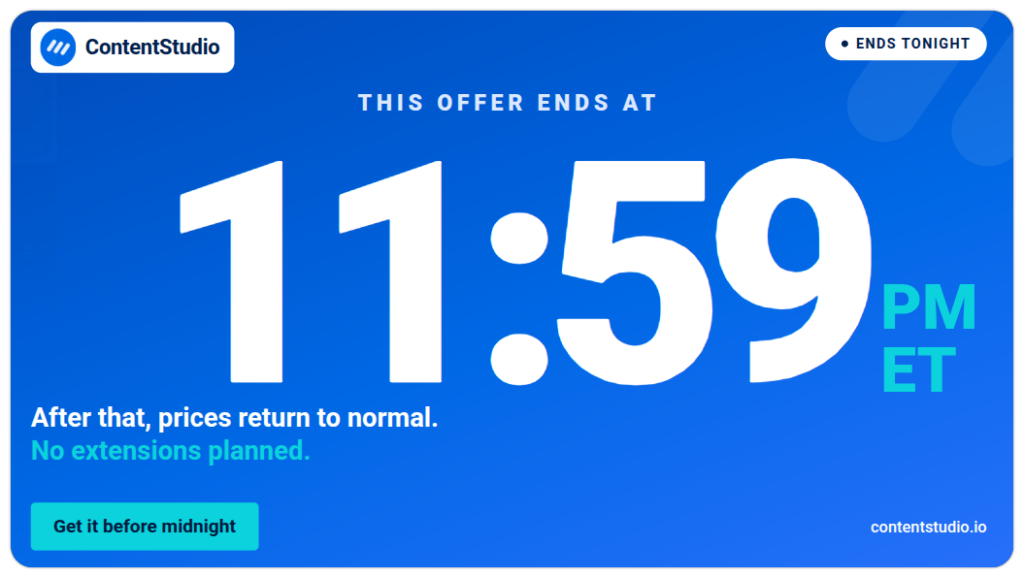
33. The “this price ends at a specific time” post. Give the exact time and timezone. “This offer ends at 11:59 PM EST tonight. After that, prices return to normal. No extensions planned.” The “no extensions planned” line works because it removes the hedging most urgency posts leave in.
34. The “back in stock for 24 hours only” restock. If you sold out of something and brought it back specifically for BFCM, announce it with that framing. “[Product] sold out last year in 40 minutes. We brought 200 units back for today only.”
35. The “selling fast, here is what is still available” live update. Post a real-time update mid-afternoon of what is still in stock. This serves two purposes: it tells buyers what to prioritise and it signals momentum to people who have not bought yet.
During BFCM, your audience is deciding whether to trust you with money. Other customers who already bought are your most persuasive voices. Putting their experience front and centre shifts the question from “is this brand good?” to “am I the only one who hasn’t bought yet?”
36. The customer review carousel. Compile 5-7 recent reviews for your top BFCM product. One review per slide, with the reviewer’s first name and star rating. No photos of generic stock people. Real names and real specificity are what make reviews land.
37. The “here is what people are buying most right now” running tally. Share a mid-day update of your top selling items. “So far today: [Product A] is number one, [Product B] is number two, and [Product C] has sold out twice.” Real momentum data is compelling and it helps buyers who are undecided pick the popular option.
38. The UGC haul repost. If a customer posts about their Black Friday purchase from you, repost it with permission and a thank-you. Real customers posting in real time is the strongest social proof you can share during a live sale.
39. The “most gifted item this year” post. Name the item that is being bought most often as a gift specifically. “This one keeps showing up in multiple orders from the same address. It is the one people buy for someone else.”
40. The creator collab post. If you briefed creators in advance, today is when their content should go live. A creator showing your product authentically on their channel carries credibility your brand account cannot replicate. Influencer and affiliate content drove roughly 20% of Cyber Monday ecommerce revenue in 2024 (Insense). The same effect is at work on Friday.
Not every BFCM post needs to be a direct sell. Interactive content increases the time your audience spends with your account and builds the kind of engagement that feeds the algorithm ahead of your most conversion-focused posts. These are the posts that keep people showing up even when they are not ready to buy.
41. The “rate my cart” Story. Post a few curated cart combinations and ask followers to vote on which is the best value. Gets engagement, subtly promotes multiple products, and gives buyers permission to buy more than one thing.
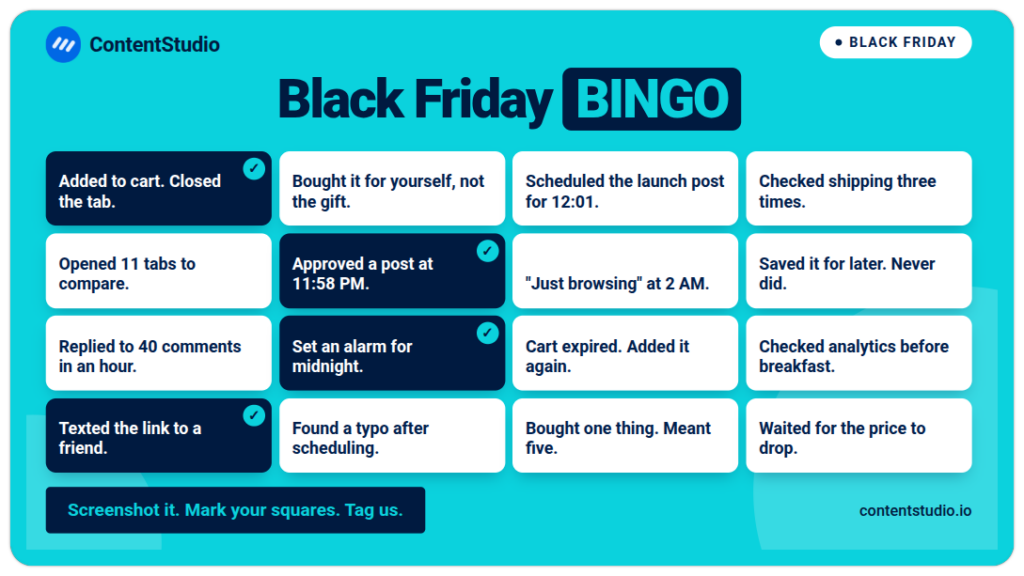
42. The Black Friday bingo card. Create a bingo card filled with hyper-relatable BFCM shopping moments: “Added to cart but closed the tab,” “Bought it for yourself instead of the person you were shopping for,” “Checked shipping costs three times before committing.” Post it as an image and invite followers to screenshot, mark their squares, and share to their Story tagging you. The humour is the mechanism: funny content travels, and every share puts your brand in front of people who were not following you. The bingo format also invites saving, which extends your organic reach algorithmically.
43. The giveaway tied to a purchase. “Buy anything today and you are automatically entered to win [prize].” Lower lift than a pure giveaway because the entry is a purchase, not a tag-a-friend post. Works best when the prize is your own product at a meaningful value.
44. The “comment the thing you are buying and I will reply with a styling tip / pairing suggestion” post. High-engagement format that generates comments, boosts reach, and lets you recommend complementary products in the replies. Particularly effective for fashion, beauty, home, and food brands.
45. The live stream Q&A. Go live on Instagram, TikTok, or YouTube for 30-45 minutes during peak hours (typically 12 PM to 2 PM or 7 PM to 9 PM). Show products, answer questions in real time, and offer a live-only exclusive or giveaway. Lives feel urgent and authentic in ways that scheduled posts do not.
The format should match what you sell. These five ideas work across different business types and content styles, but each is built on a specific mechanism. Use the one that fits your product and your platform, and ignore the ones that do not.
46. The before-and-after Reel. For products with a visible transformation: skincare, organisation, home decor, fashion, fitness. Show the before state, the product, the after state. Under 30 seconds. The format works because it makes the benefit tangible rather than described.
47. The interactive product-match Story. Use Instagram’s quiz or poll sticker to create a quick two-question format: “What are you shopping for?” then “Who is it for?” Each answer combination leads to a specific product recommendation you highlight in the next slide. It is essentially a gift-finder tool built in Stories. Shoppers who interact with it are far warmer than those who simply see an announcement, and the format keeps them in your Stories for multiple taps rather than a single view.
48. The shoppable video. Tag products directly in your TikTok, Instagram Reel, or Facebook video. Every click should land on the product page, not your homepage. Removing a navigation step meaningfully improves conversion from social traffic.
49. The “staff picks” Reel. Each team member holds up their top pick for the sale and says one sentence about why. 15-20 seconds per person, edited together. Human faces, real opinions. Consistently one of the highest-engagement formats for brands that test it.
50. The “gifts under a price threshold” post. A carousel or Reel featuring only products under $30, $50, or $100. Gift-budget posts reduce decision fatigue dramatically because they answer the most common gift-buying question before it is asked.
The weekend between Black Friday and Cyber Monday is not dead air. It is the bridge, and the brands that treat it as downtime lose the second-biggest opportunity of the BFCM period. Saturday and Sunday’s job is to sustain momentum, reactivate the people who saw Friday’s posts but did not buy, and build anticipation for Monday.
For a full breakdown of how to position Cyber Monday as a distinct campaign rather than a Friday repeat, see the Cyber Monday marketing campaign guide.
Saturday and Sunday are undervalued. Most brands go quiet after Friday’s peak and lose the shoppers who saw the posts but hesitated, the ones who got busy and meant to come back, and the audience for Monday who needs warming up first. These five ideas keep the story alive across the bridge days.
51. The “still time” Saturday reminder. Post a clean reminder that the sale is still running. Name a specific item that is still available. “Still here if you missed Friday. [Product] still in stock. [X] hours left.” Do not recycle the same Friday graphic. Give Saturday its own feel.
52. The “what sold out and what is back” recap. “[Product A] is gone. [Product B] sold out and just restocked for one more day. [Product C] is still available.” Real inventory information in this format feels like a service, not a promotion. It tells buyers exactly what to do next.
53. The “here is what everyone bought on Friday” post. Share your actual top three to five sellers from launch day. This is social proof and a discovery tool. Someone who did not buy on Friday sees what the crowd bought and feels the pull to join.
54. The “Cyber Monday is coming, and it is better for these” tease. Begin seeding Cyber Monday deals on Saturday. Name the categories or products that will be part of the Monday push without revealing everything. “If digital products or [category] are on your list, Monday is your day.”
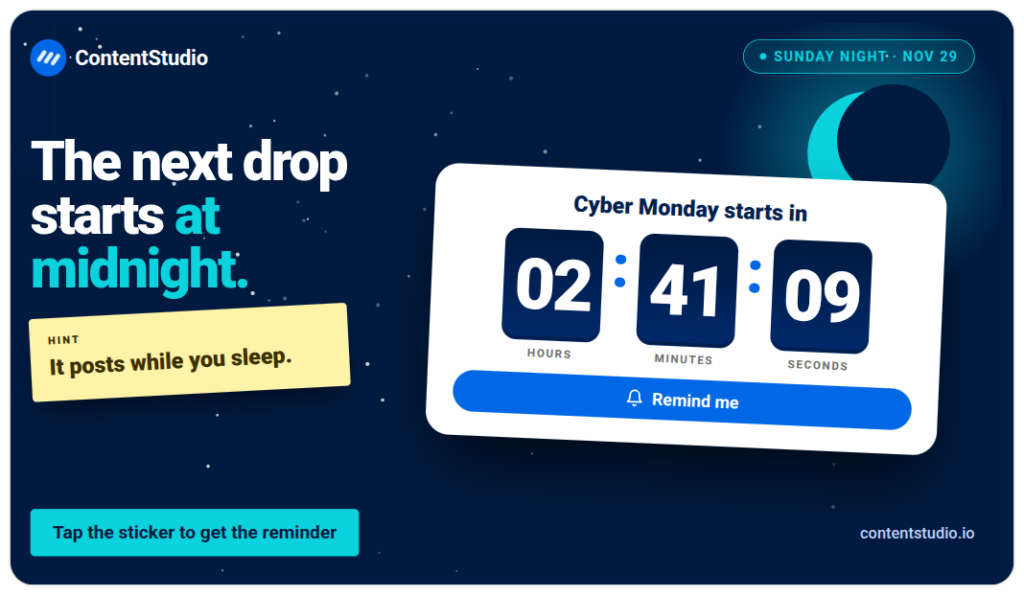
55. The Sunday night countdown Story. A countdown Story set to midnight Sunday pointing to Cyber Monday. “The next drop starts in X hours. Here is a hint.” Brings back the anticipation energy from the pre-sale phase.
Cyber Monday is not a sequel to Black Friday. The audience is slightly different, the intent is slightly more considered, and the content angle needs to shift accordingly. Brands that treat it as an extension of Friday’s campaign consistently underperform compared to the ones that give Monday its own identity.
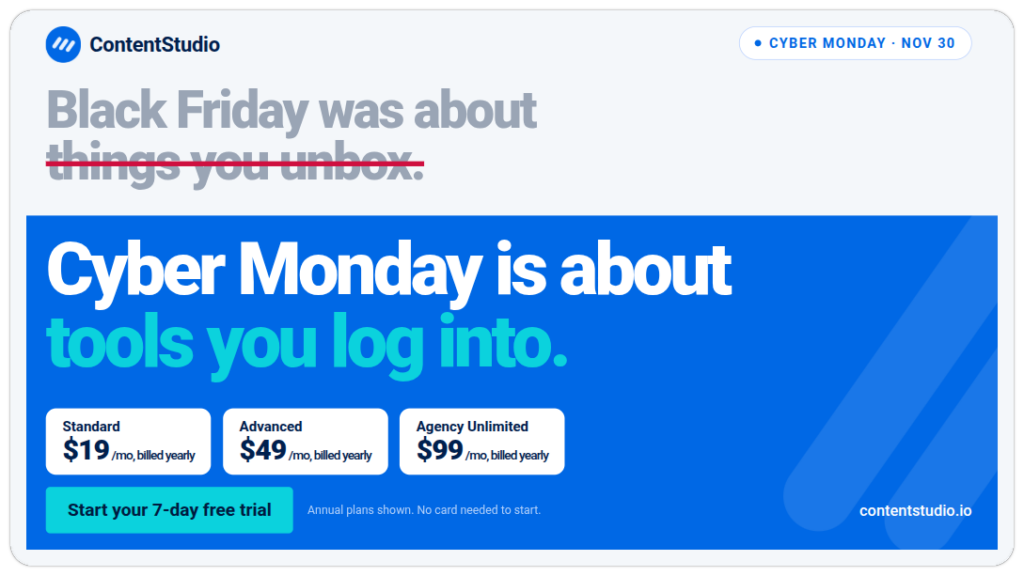
56. The Cyber Monday launch post. Same principle as the Friday launch: state the deal in the first line. But the angle is different. Cyber Monday should feel like a second event, not a repeat of Friday. “Black Friday was about [category]. Cyber Monday is about [different category or benefit].”
57. The online-only deal post. Cyber Monday’s original positioning was deals available only online. Lean into this if you have anything digital, subscription-based, or exclusive to your online store. “This one is only available at the link in bio. Not in stores. Not anywhere else.”
58. The digital product or SaaS deal post. If you are a SaaS brand or sell digital products, Cyber Monday is your strongest day. Annual plan discounts, extended trial posts, or feature bundle announcements perform well here. “Lock in the annual rate today. Prices go back up Tuesday.”
For SaaS and software brands specifically, the Black Friday software deals roundup shows how other tools structure their offers.
59. The “final hours” Monday evening post. A post with the exact end time, published 3-4 hours before the close. “This ends at 11:59 PM ET. That is the actual deadline, not a soft close.” Specificity and directness convert better than vague “last chance” language.
60. The Cyber Monday best seller post. Highlight one item that is performing particularly well on Monday specifically. Give it its own moment. Monday audiences who browsed on Friday and came back are high intent and need one clear nudge.
61. The “final bundle of the weekend” post. If you have the inventory, drop a Cyber Monday-exclusive bundle that did not exist on Friday. Something small enough to execute but distinct enough to give Monday buyers a reason to feel they got something the Friday crowd did not.
62. The “cart abandon” nudge Story. For people who added to cart but did not check out, a Story reminder works well. “Your cart is still there. Sale ends tonight.” If you have automation, this can run as a retargeting ad. If not, a broad “your cart is waiting” Story catches many of the same people organically.
63. The affiliate and creator Monday post. If you have partners, coordinate Cyber Monday as their main push day. Creator content on Monday specifically has a strong conversion history. Brief them to share their personal top pick from the sale, not a generic announcement.
64. The “Cyber Monday is your last chance for holiday delivery” post. Connect the deadline to the real-world consequence: Christmas delivery. “Order by Cyber Monday for delivery before the holidays. After tonight, we cannot guarantee it.” Stakes make deadlines feel real rather than commercial.
65. The LinkedIn Cyber Monday post. If your product has a professional or B2B angle, Cyber Monday is the day to activate LinkedIn. Monday audiences on LinkedIn are at their desks, often with year-end budgets to spend. An annual plan discount, a team license offer, or a productivity tool deal lands well here in plain, direct language.
The week after Cyber Monday is where the real differentiation happens. Most brands go quiet. The ones that keep posting during December 1 to 7 with content that serves recent buyers build the retention and repeat purchase rate that determines whether BFCM was a revenue spike or the start of a customer relationship.
For the complete post-BFCM social media playbook, including retargeting strategy and analytics review, see the Black Friday and Cyber Monday social media checklist.
The ten ideas below are not feel-good afterthoughts. They are the difference between a customer who bought once because the discount was compelling and one who remembers your brand in January.
66. The genuine thank-you post. Post this the morning after Cyber Monday. Not a graphic. A short video or a simple image with a real message from the team or founder. “You made this our biggest weekend. Thank you.” The specificity of a number, even approximate, makes it land harder. “Thousands of orders packed this weekend” feels more real than “we are grateful.”
67. The onboarding or “how to get the most from your purchase” post. For anyone who just bought, this is the most useful content you can create. A how-to Reel, a setup guide carousel, or a tips post for getting the most from the product. It turns a transactional buyer into someone who feels supported and is more likely to return.
68. The UGC collection call. “If your order has arrived, show us.” Encourage recent buyers to post their unboxing or first use with your branded hashtag. Offer a small incentive if needed. Collect this content now while the excitement is fresh. You will use it in January when organic reach is quiet.
69. The holiday shipping deadline post. Switch from sale messaging to gift messaging immediately. “Order by December 18 for guaranteed delivery before the holidays. Gift cards have no cutoff.” This post runs December 1 through 15 and catches the shoppers who did not buy during BFCM but are now thinking about Christmas gifts.
70. The “missed the sale? Here is the next best thing” post. For people who did not buy during BFCM, offer a relevant alternative rather than nothing. A gift card, a slightly smaller offer, or a waitlist for the next sale. Do not just let non-buyers disappear without a follow-up.
71. The cross-sell post for recent buyers. A post showing products that pair well with the most popular BFCM purchase. “If you got [Product A], here is what works best with it.” Complementary product posts in the two weeks post-sale consistently drive secondary purchases from the same customer.
72. The “sold out items are coming back in January” post. For products that sold out during BFCM, a “back in stock” waitlist post does two things: it tells buyers who missed out that they have another chance, and it gives you a warm, intent-signalled list to launch with in January.
73. The review request Story. Post this once orders have had time to arrive, typically December 5 to 10. A single-slide Story: “Got your order? If you have had a chance to use it, we would love to hear what you think.” Link directly to your review platform. Reviews collected from BFCM buyers are particularly valuable because they tend to mention gifting, value, and delivery, which are exactly the objections next year’s buyers will have. Collect them now while the purchase is fresh.
74. The December gifting content pivot. Transition your feed entirely to gift-giving content by December 5. Stop referencing the BFCM sale. Start showing products in gift contexts, with gift wrapping, as presents, with gift guide framing. The audience is still in buying mode, but the occasion has shifted.
75. The “see you next year” legacy post. A short, warm wrap-up post at the end of the BFCM week. “That is a wrap on Black Friday 2026. Thank you to everyone who shopped with us.” Optional: tease next year in one line. This is a brand-building post, not a sales post, and that is exactly what it should be.
A strong idea with a weak caption converts less than it should. These examples are starting points, not finished copy. Adapt the product names, percentages, and deadlines to your actual offer. The structure is what matters: hook in the first line, benefit or offer in the second, action or deadline in the third. Keep your brand voice throughout — a caption that sounds like every other BFCM post converts like one too.
For an expanded library of ready-to-use lines and hashtag sets, the Black Friday quotes and slogans guide has over 100 options organised by tone and use case.
Teaser (pre-sale): Something we have been sitting on for weeks is coming Friday. We are not saying what it is. But if [your product category] is on your list, turn on notifications. [branded hashtag] [#BlackFriday2026]
Launch post: It is here. [X]% off [product or range] until Sunday at midnight ET. No code. Automatic at checkout. Link in bio. [#BlackFriday] [#BlackFriday2026] [branded hashtag]
Gift guide carousel: Stuck on gifts? Swipe through. For her. For him. For the one who has everything. For your own cart. All discounted until Sunday. [#BlackFridaySale] [#GiftGuide]
Last chance: Final hours. Sale closes at 11:59 PM ET tonight. Prices go back to normal tomorrow morning. Grab what you need now. Link in bio.
Thank-you post: Thank you for the most incredible week. Thousands of orders, a team that did not sleep, and honestly? Worth every second. More soon. For now, thank you.
TikTok captions should be short. The visual carries the content. Use the caption to add the deal detail the video implies.
Product demo: This thing changed my [morning routine/workspace/skincare]. Now it is [X]% off. Link in bio before Friday midnight.
Unboxing: Black Friday haul just landed. Starting with the one I have been saving for. [product name] from [brand]. [#BlackFriday] [#unboxing]
Urgency Story overlay (text on screen): [X] left in stock. Not a countdown. Real numbers.
Last call: Sale ends at midnight. If your cart has been sitting, now is the time. [#BlackFriday2026] [#BFCM]
Facebook captions can be longer and work well with a clear structure: what the deal is, what is included, and what the deadline is.
Sale announcement: Our Black Friday sale is now live, and everything you need to know is right here.
[X]% off [product range or specific items]. Free shipping on orders over $[threshold] Sale runs through Sunday at midnight
This is our biggest discount of the year. Head to [link] to shop everything included.
FAQ post: Before you shop, here are the answers to the questions we get every year:
Does the code work on sale items? Yes. Can I stack codes? No, one code per order. What is the return window? 30 days from delivery. Will this arrive before the holidays? Order by December 18 and yes.
Anything else? Ask us in the comments and we will reply within the hour.
Annual plan deal: We rarely discount. This week we are.
[Product/Tool] is [X]% off annual plans for Black Friday and Cyber Monday.
This applies to new signups and existing monthly subscribers upgrading to annual.
The deal closes Monday at midnight. If you have been considering the annual plan, this is the window.
[Link in comments]
Value-forward post: Black Friday for SaaS brands is less about doorbusters and more about the one decision that changes how your team works for the next 12 months.
We have seen teams save [X hours per week] by switching to annual and getting full access to [feature]. This week, annual is [X]% less expensive than usual.
Details in comments if it is relevant to your workflow.
Hashtags matter less than they did four years ago but they still do something. On Instagram, the right three to five tags connect you with buyers actively searching that term. On TikTok, they help the algorithm understand context. The table below maps tag strategy to each campaign phase. Adapt the niche tags to your specific product category.
| Phase | Suggested hashtags |
|---|---|
| Pre-sale teaser | #BlackFriday2026, #BFCM, #BlackFridaySale, [your branded tag] |
| Launch day | #BlackFriday, #BlackFridayDeals, #ShopNow, [product category tag] |
| Gift guide | #GiftGuide, #GiftsForHer, #GiftsUnder50, [niche tag] |
| Cyber Monday | #CyberMonday, #CyberMondayDeals, #CyberMondaySale |
| Post-sale | #HolidayShopping, #ChristmasGifts, [branded tag] |
The visual is what stops the scroll, and during BFCM that is a harder job than at any other time of year. When every brand is running red-and-black discount graphics, the post that looks different is the one that gets seen.
These principles are not about design for its own sake. They are about making information land faster, and the offer feel more credible, because in a crowded BFCM feed, credibility and clarity convert more than colour alone.
For image generation and creative production at scale during BFCM, ContentStudio’s AI Studio can produce caption variations and creative prompts to support your visual workflow. Pair the caption output with your own brand visual assets and the design principles above for the strongest result.
Having 75 post ideas is one thing. Knowing when to deploy each one, at what frequency, and on which platforms is where campaigns succeed or fall apart. This posting plan is built around the six-phase BFCM timeline and is sized for a two- to three-person social team. Solo operators should compress phases 1 and 2, prioritise the day itself, and skip the formats that require additional production.
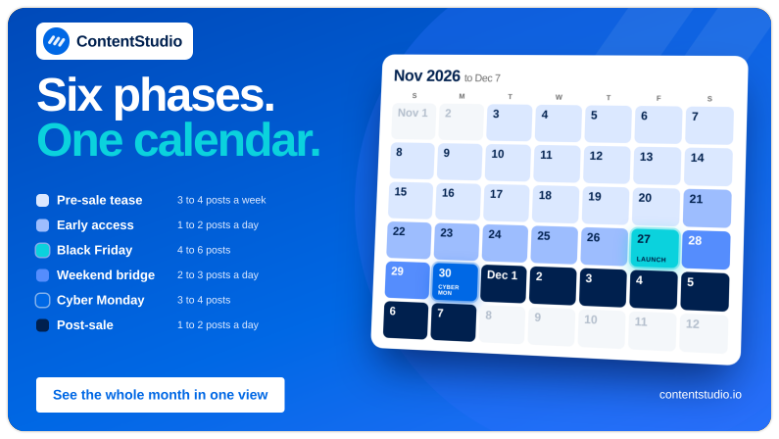
Use this table as a starting point and adjust based on your team size, your audience’s habits, and what your analytics show from previous campaigns. The frequency recommendations below are built for a team of two to three people. Solo operators should halve them.
| Phase | Dates | Goal | Feed posts | Stories/Day |
|---|---|---|---|---|
| Pre-sale tease | Nov 3-20 | Warm audience, build wishlist | 3-4 per week | 1-2 |
| Early access | Nov 21-26 | Reward loyal followers, spread traffic | 1-2 per day | 3-4 |
| Black Friday | Nov 27 | Max conversion | 4-6 across platforms | 6-8 |
| Weekend bridge | Nov 28-29 | Sustain momentum, seed Monday | 2-3 per day | 3-4 |
| Cyber Monday | Nov 30 | Second conversion peak | 3-4 across platforms | 4-5 |
| Post-sale | Dec 1-7 | Retention and transition | 1-2 per day | 1-2 |
Build the launch day schedule in advance and have everything pre-scheduled by November 20 at the latest. Your team’s job on the day is to monitor, respond, and adapt, not to create from scratch under pressure.
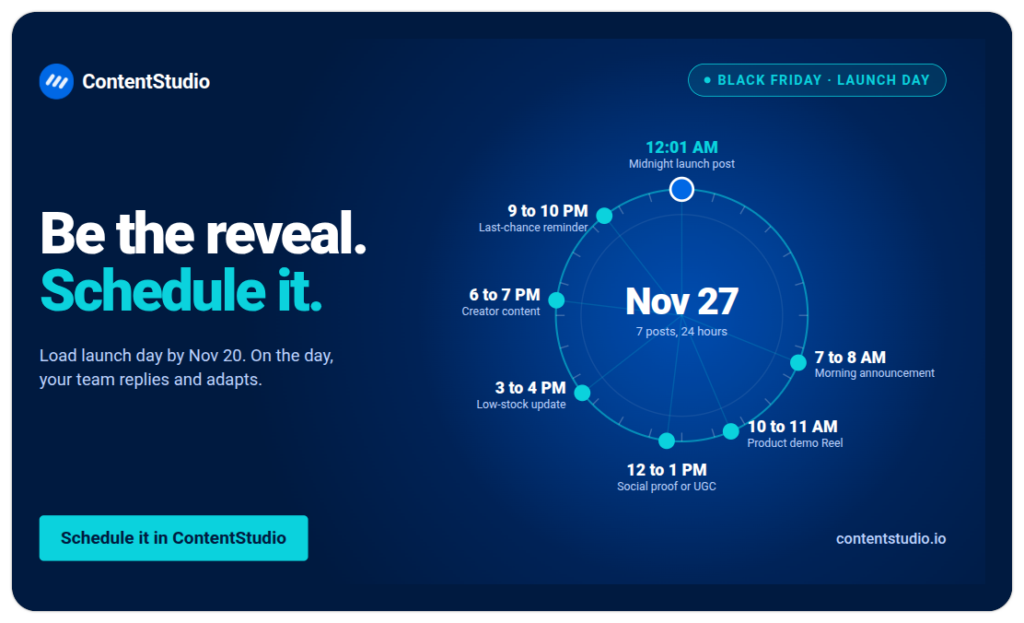
This is the most important day to have pre-scheduled. Your team needs to be responding and engaging, not creating.
| Time (local) | Post type | Platform | Purpose |
|---|---|---|---|
| 12:01 AM | Midnight launch post | All | Catch night owls, signal the start |
| 7-8 AM | Morning announcement | Instagram, TikTok | Peak mobile morning browsing |
| 10-11 AM | Product highlight or demo Reel | TikTok, Instagram | Mid-morning engagement |
| 12-1 PM | Social proof or UGC repost | Instagram, Facebook | Lunch-break browsing peak |
| 3-4 PM | Low stock or urgency update | Stories all platforms | Afternoon conversion window |
| 6-7 PM | Creator content or staff picks | TikTok, Instagram | Evening peak, post-work browsing |
| 9-10 PM | Last-chance reminder | All platforms | Night-time impulse buying |
| 10 PM | Midnight countdown Story | Stories | Final 2-hour push |
The frequencies below are for Black Friday itself. During the pre-sale teaser phase, apply roughly half this volume. During Cyber Monday, use about 70% of the Black Friday load.
With 6 platforms and potentially 20+ posts across four days, managing this manually is how mistakes happen: wrong price in a caption, post going out to the wrong account, an approval not completed before launch. A shared social media content calendar solves the coordination problem.
Build the full BFCM calendar in one session by campaign phase, label each post with the phase and platform, and assign approval steps before scheduling. For high-volume publishing across multiple accounts, bulk scheduling lets you load the full calendar in one upload rather than creating each post individually.
For agencies managing BFCM for multiple clients, keep each brand’s calendar and assets in a separate workspace. The approval workflow should be set before November so nothing goes live without the right sign-off.
The ideas and the calendar are only as good as the system executing them. BFCM is not the week to be posting manually, chasing approvals over chat, or discovering that someone used last week’s caption with the wrong price. The six ContentStudio features below map directly to the six-phase campaign structure above. Use the ones that solve your specific coordination problem, not necessarily all of them.
Small businesses should focus on three phases rather than trying to run all six: the teaser (one or two pre-sale posts to warm the audience), the launch day (a morning announcement, a product demo Reel, and a last-chance Story), and a post-sale thank-you. Within those phases, gift guides, behind-the-scenes content, and customer review carousels consistently outperform discount graphics because they communicate value rather than just price.
For most brands with a small to mid-size team: 4-6 posts across platforms on Black Friday itself, 2-3 posts per day during the teaser week, and 3-4 posts on Cyber Monday. Instagram Stories can update every 2-3 hours on the day itself. The key principle is that every post should serve a purpose. More posts that repeat the same message add noise, not reach.
The most scroll-stopping BFCM creative tends to be the most different from the standard red-and-black sale template. Use your brand colours, put the offer in the image rather than only the caption, use high contrast, lead with a product in action rather than a promotional badge, and design for sound-off viewing on video content. Consistency across the campaign series also matters: posts that share a visual style look like a campaign, not a random collection of sale notices.
A strong Black Friday caption puts the deal or the most compelling benefit in the first line (before the “read more” cut), states the deadline specifically (not “ending soon” but the actual date and time), and gives one clear action. Hashtags belong at the end or in the first comment. Caption length depends on platform: 125-150 characters for Instagram, shorter for TikTok, longer for Facebook.
Black Friday posts tend to be higher energy and broader: the full sale announcement, maximum variety of deals, high-frequency posting. Cyber Monday posts work best when they feel distinct: a different offer angle, a focus on digital or online-only deals, and content geared toward a slightly more deliberate shopper who came back after thinking it over the weekend. Recycling Friday’s posts on Monday is the most common Cyber Monday mistake.
Plan 0 Days of Content in 0 Minutes
Create, schedule, publish and analyze your content across all your social media channels from one simple dashboard.
4.7 on Capterra • 16,500+ marketers trust ContentStudio
Arooj Ishtiaq is a Content Marketing Strategist with 5+ years of experience writing about social media, SaaS, and AI. At ContentStudio, she creates practical guides, tutorials, and how-to content that help marketers navigate social media trends, sharpen their strategies, and get more from their content.
View all posts by Arooj IshtiaqRecommended for you
Black Friday marketing campaign: Complete 2026 guide
Black Friday and Cyber Monday social media checklist 2026
Cyber Monday social media post ideas: Captions, hashtags & retargeting posts
100+ Black Friday quotes, captions, hashtags & slogans for 2026








