


Cyber Monday marketing campaign: Strategies, examples, and tips for 2026
Oct 22, 202633 minutes

Written by
Arooj IshtiaqPublished
Black Friday and Cyber Monday are the highest-intent shopping days of the year, and social media is now one of the primary channels driving people from discovery to purchase. Last year it accounted for 15% of all global digital retail traffic during Cyber Week (Salesforce, 2025), a share that keeps climbing.
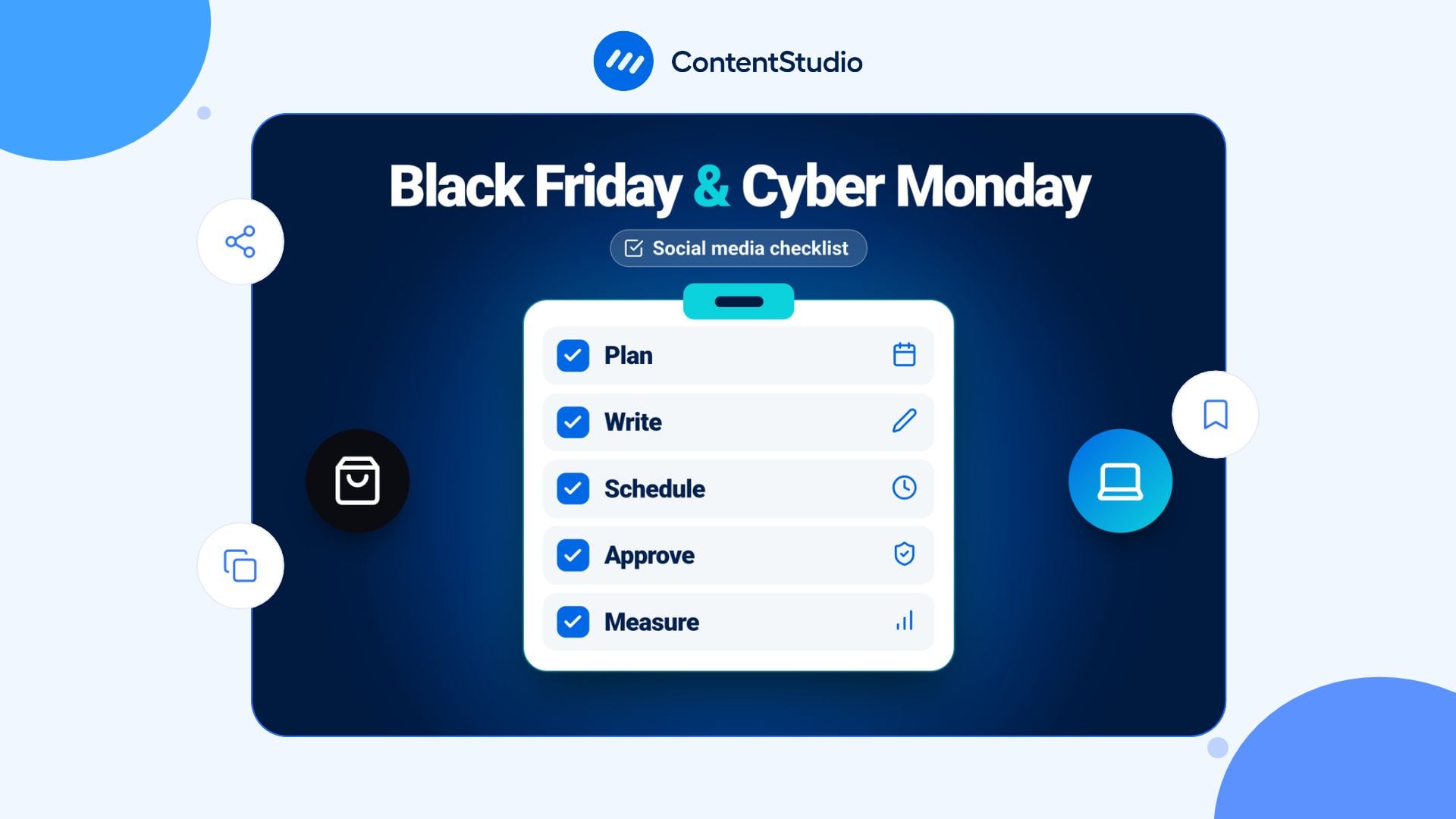
Winning on social during BFCM comes down to preparation. The brands that see the strongest results have their content built, their calendar set, and their team briefed well before November gets busy. This Black Friday and Cyber Monday social media checklist walks you through the full campaign, from six weeks out to the week after the sale: what to create in advance, what to post each day, how to run Cyber Monday as its own strategy, and how to turn first-time buyers into returning customers once the weekend is over.
Black Friday and Cyber Monday social media posting used to be simple: you ran ads, sent emails, and used social media to remind people the sale existed. That model has changed.
Salesforce reported that social media drove 15% of global digital traffic to retail sites during Cyber Week 2025, making it one of the top acquisition channels alongside email and paid search. At the same time, TikTok’s share of that social traffic grew 55% year over year (Salesforce, 2025). Shoppers are not just browsing social feeds for inspiration anymore. They are clicking straight from a Reel or a TikTok to a product page and buying.
That shift matters for how you plan. A post that only gets likes is doing less than a post that drives clicks. A comment left unanswered for three hours during a live sale is a lost sale. Social during BFCM is not a brand exercise. It is a conversion channel with a response-time window measured in minutes.
| Metric | Figure | Source |
|---|---|---|
| BFCM online spend forecast (US) | $25 billion+ | Hostinger, 2026 |
| Black Friday 2025 US online sales | $11.8 billion | Adobe |
| Shopify merchant BFCM 2025 revenue | $14.6 billion (up 27%) | Shopify |
| Shoppers who transacted Thanksgiving to Cyber Monday | 197 million | NRF/Hostinger |
| Social media share of Cyber Week retail traffic | 15% | Salesforce |
| TikTok social traffic growth BFCM 2025 vs 2024 | +55% | Salesforce |
| AI-referred traffic to ecommerce sites, BFCM 2025 | +752% YoY | Yotpo |
| Influencer/affiliate vs standard social conversion rate | 6x higher | Hostinger |
| Mobile share of Cyber Monday purchases | 63% | Hostinger |
| Gen Z shoppers who participate in BFCM | 75% | Hostinger |
Most BFCM social media advice starts too late. If you are reading this in late October, you are not behind, but you are at the point where the decisions you make this week determine what you can actually execute in November. The brands that consistently outperform on social during BFCM are not smarter; they just started earlier and batched their content before November got chaotic.
Use this phase to set up your infrastructure, produce your content, and start warming your audience before you have anything to sell them.
Every piece of social content you create will only be as good as the offer it promotes. Before briefing designers or writing a single caption, decide:
Ambiguity in your offer becomes noise in your captions and confusion in your comments. Lock it before you create anything. If you are planning multiple offers across the weekend, check out the Black Friday marketing campaign guide for a full offer-planning framework.
BFCM content that feels coherent across four days of posting starts with a clear content structure. Pick three to five themes your posts will rotate through, for example:
Every post fits under one of these pillars. This is what separates a campaign from a random collection of sale graphics.
If you ran a BFCM campaign last year, spend one hour pulling the data before you open a design file. Look at which posts drove the most link clicks, which caption formats got the most saves, which Stories got the most swipe-ups, and which content tanked. You are not recycling last year’s content. You are learning which formats your audience actually responds to before you invest time creating new ones.
This is non-negotiable. A shared social media content calendar for the BFCM period, covering every platform, every post type, and every date from teasers to post-weekend wrap-ups, is how you avoid scrambling on Black Friday itself.
For a campaign this size, the calendar should show:
Schedule everything you can before November. The goal is that by November 20, the only thing left to do is monitor and respond, not create.
Content production is the part that always takes longer than expected. Start here:
For caption help and hashtag sets, the Black Friday quotes and slogans guide has ready-to-use lines you can adapt.
If creator or influencer content is part of your plan, the brief needs to go out four to six weeks before launch. Good creators fill their calendars in October. Briefing them on November 10 means competing with every other brand doing the same thing, and getting whatever slot is left.
The brief should cover:
This sounds basic, but it surfaces genuine problems. Before launch week:
If your team manages multiple brand accounts or clients, ContentStudio’s workspaces keep each brand’s content, approvals, and analytics separate so nothing crosses over.
A BFCM post that goes out with the wrong price or an expired code is a customer service nightmare. Set up a clear approval chain before the campaign goes live: who reviews the caption, who checks the visual, and who gives final sign-off. ContentStudio’s approval workflow lets you build this into the scheduling process so nothing publishes without the right sign-off.
☐ Offer locked, exclusions and dates confirmed
☐ Early access decision made and audience defined
☐ Content pillars set for the campaign
☐ Last year’s BFCM social data reviewed
☐ Content calendar built and shared with the team
☐ Teaser, launch, last-chance, and post-weekend assets briefed or in production
☐ Creators briefed with unique codes and tracked links
☐ Account access confirmed on all platforms
☐ UTM parameters set up and tested
☐ Approval workflow confirmed
The seven days before Black Friday are when most of the groundwork pays off, or reveals itself as incomplete. By this point, your content should be scheduled, your assets should be approved, and your team should be briefed. What this week is for is warming your audience, building early access momentum, and running the final checks before the sale opens.
Teasers serve one purpose of making people feel like something is coming and they want to be part of it. The goal is not to reveal the offer. It is to create a reason for your audience to pay attention to your account for the next two weeks.
Effective teaser formats include:
Post teasers two to three times between November 20 and 25. Not every day. The goal is anticipation, not noise.
If you are running an early access window (which you should be, because it incentivises list sign-ups and rewards loyal customers), this week is when you open it.
Early access works best when it is genuinely early, at least 24 hours before the public sale, and when you communicate it clearly through multiple touchpoints: email, Stories, and a pinned post. If you only announce it in a caption buried under hashtags, the “exclusivity” lands flat.
For platform mechanics: use an Instagram Stories link sticker, a TikTok link in bio, or a swipe-up Stories redirect to your early access landing page. If your early access is email-gated, promote the sign-up on social, not the deal itself.
☐ First scheduled post confirmed on every platform
☐ Discount code tested on mobile and desktop against every product type
☐ Landing page loading quickly (under three seconds on mobile)
☐ Bio links updated to point to the BFCM page
☐ Stories Highlights updated or prepared for the sale period
☐ Comment auto-moderation (if any) reviewed so legitimate questions are not filtered
☐ Support team briefed on the top 10 questions shoppers will ask
☐ Contingency posts ready: sold-out notice, site issue notice, extension notice
Content that is cropped wrong on feed or Stories looks unprofessional and gets scrolled past. Before your first Black Friday post goes out, confirm your assets match current specifications. The social media image sizes guide has the current specs for every platform and format.
Black Friday is not a day for people to figure out their responsibilities on the fly. Whoever is monitoring comments, responding to DMs, escalating support issues, and posting live updates needs to know exactly what they are doing before the sale opens. Write this down, share it, and confirm it the day before.
If you did the work in the weeks before, Black Friday itself is mostly an execution and monitoring job. That does not mean it is low effort. The effort is different. You are not creating today; you are posting, watching, responding, and adapting.
| Time | Post type | Platform | Purpose |
|---|---|---|---|
| 6–8 AM | Sale launch post | All platforms | Announce the deal with the full offer and end date visible |
| 9–11 AM | Product highlight | TikTok, Reels | Drive product-specific traffic while morning traffic peaks |
| 12–1 PM | Social proof post | Instagram, Facebook | Mid-day trust signal: a customer review or UGC |
| 3–4 PM | Inventory/urgency update | Stories | “Still in stock” or “selling fast” keeps urgency honest |
| 7–9 PM | Evening reminder | All platforms | Catch shoppers browsing after work |
| 10 PM | Midnight countdown | Stories | Last-chance push before the sale enters day two |
This schedule is a starting point, not a rule. Adjust based on your audience’s historical peak hours, which your analytics should already be showing you.
Your first post of the day sets the tone. It needs to communicate the full offer without making anyone click away to understand it:
Avoid posts that build suspense on launch day. By Black Friday morning, your audience wants to know the deal, not be teased about it.
On Black Friday, social comments become a live FAQ. People ask whether the code works on bundles, whether you ship internationally, how long delivery takes, whether a sold-out item is coming back. Every unanswered question during peak hours is a hesitant buyer who may close the tab.
A unified social inbox keeps comments and DMs from every platform in one place so your team does not have to switch between five apps to stay on top of questions. Set a response-time target of under one hour during business hours.
Something will go wrong. The code will not work on a product it should apply to. The site will slow down at 9 AM when traffic spikes. A post will go up with the wrong end time. The brands that handle these moments well do not handle them by panicking. They handle them because they wrote the contingency plans in advance.
Have ready-to-post versions of:
Post these immediately if needed. Customers who see a transparent acknowledgment within minutes are far more forgiving than customers who wait two hours for any response.
☐ Launch post published on all platforms at planned time
☐ Code tested live before posting
☐ UTM tracking confirmed active
☐ Comment monitoring active on all accounts
☐ Response-time target set and team briefed
☐ Performance dashboard open (revenue, conversion, social sessions)
☐ Contingency posts queued and ready
☐ Inventory checked at midday
☐ Underperforming ads paused by early afternoon
☐ Evening reminder post scheduled
☐ Midnight countdown Story scheduled
Cyber Monday is not just Black Friday with a different name on the banner. The audience mindset, the content strategy, and the purchase behavior are different, and treating it as an afterthought is why so many brands leave Cyber Monday revenue on the table.
For the full strategic picture on running Cyber Monday as a standalone campaign, the Cyber Monday marketing campaign guide covers channel sequencing and audience targeting in detail. The checklist here focuses specifically on the social media side.
The audience is different. Black Friday catches impulse buyers and people who cleared their calendars for the sale. Cyber Monday catches everyone who saw the Black Friday posts, thought about it over the weekend, and came back to buy. These are more deliberate shoppers. They have already done some research. Your content on Cyber Monday should acknowledge that: less “look at this deal” and more “here is why this is worth it.”
The platform weight shifts. Black Friday has strong performance across all platforms because it catches people on their phones throughout the day. Cyber Monday trends slightly more toward desktop and LinkedIn because people are back at work and shopping on lunch breaks. A LinkedIn post about a year-end SaaS deal or a productivity tool makes more sense on Cyber Monday than on Black Friday. For physical products, Instagram and TikTok still lead, though the evening hours perform particularly well as people browse after dinner.
The content angle changes. By Sunday night, your audience has seen Black Friday content from every brand they follow. Cyber Monday content needs a fresh hook. Options that work:
This decision should have been made weeks ago, but if it was not, decide now, before you post anything. The two options:
Either is valid. What is not valid is ambiguity. If your Saturday post said “ends Sunday at midnight” but the sale is actually running through Monday, say so openly. Shoppers who feel misled about deadlines do not buy and do not come back.
For more background on structuring the Cyber Monday offer, the Cyber Monday deals guide has specific examples across industries.
| Time | Post type | Platform | Purpose |
|---|---|---|---|
| 8–9 AM | Cyber Monday announcement | All platforms | Confirm the deal clearly with the new or continued offer |
| 12–1 PM | Product or deal highlight | TikTok, Instagram | Lunch-break shoppers browsing on phones |
| 4–5 PM | FAQ or objection post | Instagram carousel, Facebook | Address the last questions that stop fence-sitters from buying |
| 7 PM | Final countdown | Stories, all platforms | Hard deadline reminder with time zone stated |
| 9–10 PM | Last call | Stories | Genuine last chance, not another extension |
☐ Cyber Monday offer confirmed (extension or new angle)
☐ Deadline communicated clearly if it is different from what was previously stated
☐ Morning announcement post published
☐ Comment monitoring active, especially for questions about whether the deal is still on
☐ LinkedIn post scheduled if your product has a B2B or professional angle
☐ Evening countdown published with actual end time in the copy
☐ Sale codes and landing page confirmed active
☐ Post-sale content queued for the following day
Posting the same content to every platform is the fastest way to underperform on all of them. Each platform rewards a different content style, and BFCM audiences use each one with a different intent. Use this section as your platform playbook.
Instagram is where most brands do the bulk of their BFCM social work, and where the competition is fiercest. To cut through:
TikTok’s BFCM traffic share grew 55% year over year in 2025. The content that performs is not polished. It is specific, fast, and shows the product in a real moment rather than a styled shoot.
Facebook’s BFCM audience skews older than Instagram and TikTok, and tends to be more deal-focused and less trend-driven. This audience does their research before buying and responds well to clear value statements.
Pinterest is a research platform, not a real-time one. Pins take weeks to surface in feeds, which means your BFCM Pinterest content needs to go up in October to be discoverable in November. If you have not posted yet, do it now and accept that organic reach will be limited. Paid pins (Promoted Pins) are the faster path for this season.
LinkedIn is the correct platform for B2B products, SaaS tools, and professional services. A Black Friday discount on a project management tool or a social media platform is a normal and effective LinkedIn post during this period. For context on what a Black Friday software deal typically looks like across SaaS tools, the roundup is a useful reference.
| Platform | Best format for BFCM | Posting frequency | Peak timing | Audience fit |
|---|---|---|---|---|
| Reels, Stories, carousels | 2-3x per day | 9 AM, 12 PM, 7 PM | Broad, visual, Gen Z to Millennial | |
| TikTok | Short demos, creator content | 1-2x per day | 6 PM, 9 PM | Gen Z, trend-oriented |
| Video, live, community posts | 1-2x per day | 9 AM, 7 PM | Millennial, Gen X, research-driven | |
| Gift guides, product pins | 3-5x per week (ongoing) | Variable | High-intent gift buyers | |
| Founder text posts, deal announcements | 1x per day | 8–10 AM on Cyber Monday | B2B, SaaS, professional services | |
| X/Threads | Real-time updates, stock alerts | As needed | Variable | News-following, deal-hunters |
The sale ended. Most brands post a thank-you and go quiet for a week while they process orders. That week of silence is one of the most expensive social media mistakes you can make, because the people who just bought from you, many of them for the first time, are most receptive to your brand right now.
BFCM first-time buyers are statistically the least likely segment to come back without a reason. The brands that build retention in the first two weeks of December earn repeat customers. The ones that go quiet earn one-time discount buyers.
Not everyone who saw your BFCM content bought. Some saw the posts, wanted the product, hesitated, and the sale ended. These people are still warm. What they do not need is more sale graphics. The sale is over. What they do need is a compelling reason to buy at full price.
Content that works for this audience:
Before the memory fades and everyone moves on to Christmas, pull the data. This is the work that makes next year easier.
For each platform, record:
A proper social media audit framework helps structure this review systematically. Document the findings in a shared doc and attach it to next year’s BFCM brief. The brands that consistently outperform on social during BFCM are the ones that treated last year’s data as a starting point.
☐ Sale removed from all bios, Stories Highlights, and pinned posts
☐ Landing page updated to “see you next year” with a sign-up form
☐ Thank-you content posted within 24 hours of the sale ending
☐ Onboarding or how-to content queued for the first week
☐ UGC collection started (reach out to buyers who tagged you)
☐ Holiday shipping deadline posts scheduled
☐ Post-campaign data pulled from all platforms
☐ Social performance documented and stored for next year
☐ Retargeting content differentiated from sale messaging
☐ Team retrospective held within two weeks
Running BFCM social across five or six platforms, with a team of two or more people, produces a specific kind of chaos: someone posts the wrong version, a Story goes out without the link, a post with last week’s price shows up on launch day. The problem is not effort. It is coordination.
Here is how ContentStudio’s workflow maps to the BFCM checklist above.
The content calendar lets you view all your BFCM posts across every platform on a single screen, filtered by campaign label. You can build the entire month of November in one session: drag and drop posts to adjust timing, see gaps at a glance, and confirm that every platform has content on the days it needs it.
Bulk scheduling is the tool for campaign-scale content. If you have 30 posts to schedule across five platforms, uploading a CSV is faster than creating each one individually. Use it to load the full BFCM calendar in one pass.
Smart scheduling suggests optimal posting times based on your audience’s engagement history. For BFCM, you may already know when your best times are. For any platform where you are less certain, the Smart Scheduling data removes the guesswork.
If your caption drafts are still blank two weeks before launch, ContentStudio’s AI Studio can generate platform-specific captions from your offer details. Input the deal, the product, and the tone, and the AI library produces starting-point captions for Instagram, TikTok, LinkedIn, and Facebook that you edit and finalise rather than writing from scratch.
For teams managing multiple brands or clients, the AI Library stores approved caption templates, brand voice guidelines, and BFCM-specific prompts so the output is consistent across accounts.
BFCM is not the moment for a post with the wrong price or an expired code to go live. ContentStudio’s approval workflow adds a review step before any post publishes. You can set it so every BFCM post routes to a reviewer before scheduling, with comments visible directly in the post draft.
For agencies managing client BFCM campaigns, client management features keep each brand’s posts, approvals, and analytics in separate workspaces, so a post from brand A cannot end up on brand B’s accounts.
This is where most teams lose time on Black Friday: switching between five different apps to reply to comments and DMs. The social inbox pulls comments and messages from every connected platform into a single queue. Your team works from one screen, assigns conversations to team members, and nothing gets missed.
Pulling post-BFCM data from five platforms separately takes hours and produces five spreadsheets that nobody has time to reconcile. ContentStudio’s social media analytics shows engagement, link clicks, reach, and follower growth across platforms in one report. Filter by date range to isolate the BFCM period and export for the team retrospective.
For teams running paid alongside organic, ContentStudio’s Meta Ads Analytics and Google Ads Analytics bring paid and organic data into the same view, so you can see which organic social posts supported paid performance and which paid creative drove the most social engagement.
The brands that handle BFCM well on social aren’t doing anything exotic. They start four to six weeks early, write the offer down in one clear sentence, and keep the calendar, the drafts, and the approvals in one place everyone can see. That’s the part most last-minute checklists skip, and it’s the part that actually prevents the Black Friday fire drill.
If you’re building this calendar in ContentStudio, everything above, planning, AI-assisted captions, approvals, and the Unified Inbox for launch day, runs from one workspace. Start your free trial and get your BFCM 2026 calendar built while you still have weeks to do it properly, not hours.
Four weeks out is the minimum for a focused campaign; six weeks gives you time to build audience warmth before you launch. Your teaser content should be live by November 13 at the latest. Your assets should be fully produced and approved by November 20, so launch week is execution rather than creation.
A complete BFCM social media checklist covers six phases: pre-campaign setup (offer, calendar, creative, creator briefs), launch week (teasers, early access, pre-launch checks), Black Friday itself (posting schedule, comment monitoring, contingency plans), Cyber Monday (distinct content strategy, offer clarity), and post-weekend (retention content, retargeting, analytics review). Most published checklists only cover the launch day. The weeks before and after are where the real work happens.
Early morning (6 to 9 AM) for the launch post catches early shoppers. Mid-morning (10 to 11 AM) for product highlights captures peak mobile browsing. Evening (7 to 9 PM) for reminders catches post-work browsing. Stories last-chance content at 10 PM reaches night-time shoppers. These are starting points. Your own platform analytics will show whether your audience’s peak hours differ.
Cyber Monday’s audience is more deliberate and desktop-leaning. The content angle should shift from excitement to value justification: these are shoppers who saw the Black Friday posts, thought about it over the weekend, and came back to decide. LinkedIn performs better on Cyber Monday than on Black Friday for B2B products. The content should have a clear end time stated, and if the offer is different from Black Friday, that change should be explained explicitly.
No. Recycling the same posts with different text overlays is immediately obvious and performs poorly. At minimum, Cyber Monday content should have a different hook, a different visual treatment, and a different caption angle. The most effective approach is to treat them as two separate campaigns that happen to be close together.
Track link clicks from social to your landing page (per UTM parameter, per platform), conversion rate from social traffic, revenue attributed to social, engagement rate on your key posts, and comment response time. Also measure the ratio of questions to complaints in comments. A high complaint rate signals something is broken in the offer or the purchase experience. Compare all metrics against your BFCM baseline from last year and against a normal week in October to isolate what the campaign actually drove.
Plan 0 Days of Content in 0 Minutes
Create, schedule, publish and analyze your content across all your social media channels from one simple dashboard.
4.7 on Capterra • 16,500+ marketers trust ContentStudio
Arooj Ishtiaq is a Content Marketing Strategist with 5+ years of experience writing about social media, SaaS, and AI. At ContentStudio, she creates practical guides, tutorials, and how-to content that help marketers navigate social media trends, sharpen their strategies, and get more from their content.
View all posts by Arooj IshtiaqRecommended for you
Cyber Monday marketing campaign: Strategies, examples, and tips for 2026
Cyber Monday social media post ideas: Captions, hashtags & retargeting posts
Black Friday marketing campaign: Complete 2026 guide
100+ Black Friday quotes, captions, hashtags & slogans for 2026








