
How to build an executive’s LinkedIn content workflow with Claude Code
Oct 1, 202615 minutes

Written by
Khadija AnwarUpdated
Want to keep your family, friends, or colleagues connected in one place on Instagram? Learn how to create a lively group chat that keeps everyone in the loop and pair it with an Instagram post scheduler to keep your public content just as engaging and consistent as your private conversations.
Instagram Marketing Schedule your Instagram posts, Reels, and Stories, and get recommended best time to publish for maximum engagement.
Related Read: How to Make a Poll in Instagram Group Chat?
Follow the steps to create a vibrant chat group on Instagram.
Step 1:
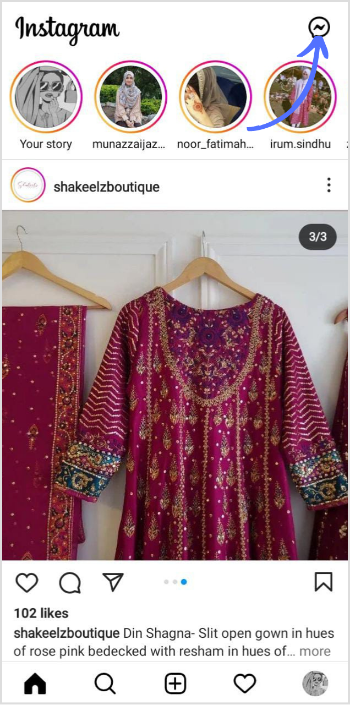
Open your Instagram app and tap the “Paper Airplane” in the top right corner to access your direct messages.
Step 2:
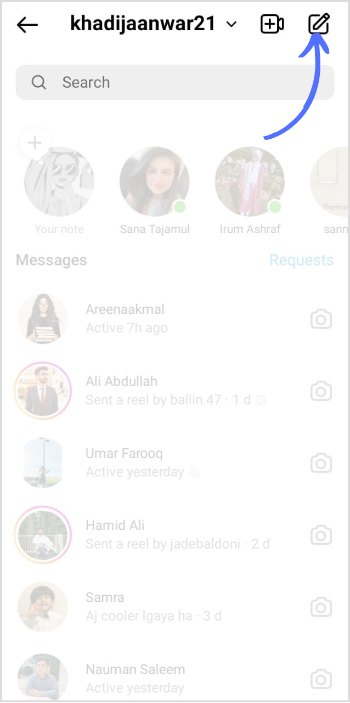
Once you’re in the direct messages section, tap “New Message” in the right corner.
Step 3:
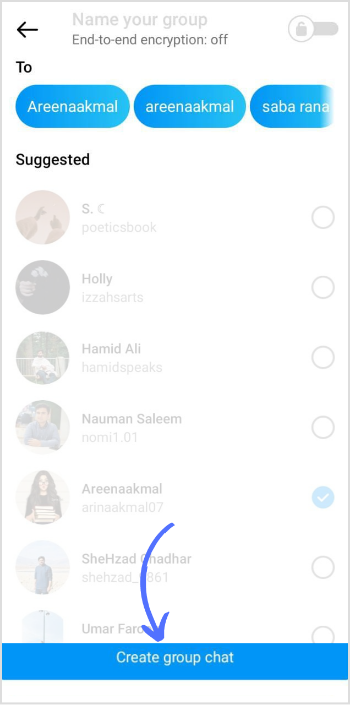
Checkmark the friends you want to include in the group chat. You can also find them manually by entering their username. Once the checkmark targets people, tap “Create group chat” at the bottom.
Step 4:
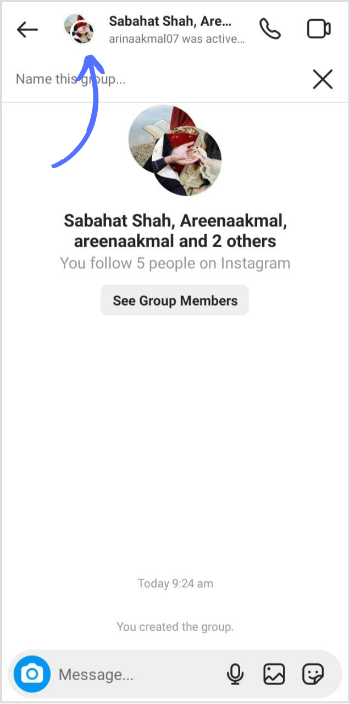
Your group chat is now live. To change the settings & outlook of your group chat, tap on your group’s “profile” icon.
Step 5:
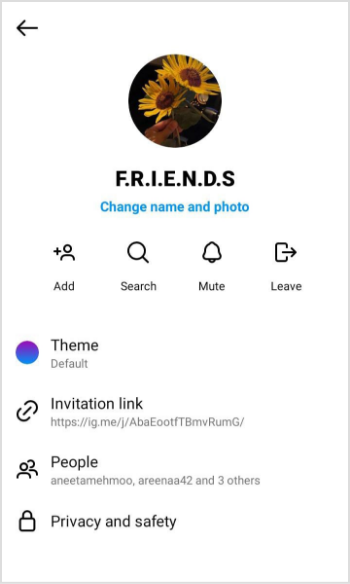
You can change your name, picture, and theme, invite people, and change privacy.
That’s it! Enjoy connecting and sharing memorable moments with your newly created group chat on Instagram!
Also Read: Everything You Need to Know About Instagram Group Profiles
How many people can you add to an Instagram group chat?
You can add up to 250 people.
Can you add more than 32 people to a group chat?
It depends on the platform or app you’re using. Some apps may limit the number of individuals you can include in a chat, whereas others might not have any restrictions.
Plan 0 Days of Content in 0 Minutes
Create, schedule, publish and analyze your content across all your social media channels from one simple dashboard.
4.7 on Capterra • 16,500+ marketers trust ContentStudio
Khadija Anwar is a Senior Technical Writer at ContentStudio with over 500 published write-ups across the ContentStudio blog and beyond. She specializes in step-by-step platform guides and Help Center content across Facebook, Instagram, LinkedIn, YouTube, TikTok, and X, and reviews how-to articles to verify every step and platform detail is accurate and current.
View all posts by Khadija AnwarRecommended for you
How to build an executive’s LinkedIn content workflow with Claude Code

How to turn one product photo into 5 video Ads with Claude Code
Social media MCP server: How to automate posting with ContentStudio
How to automate social media with n8n: A practical guide