How to see posts you liked on Facebook?
Nov 12, 20268 minutes

Written by
Khadija AnwarUpdated
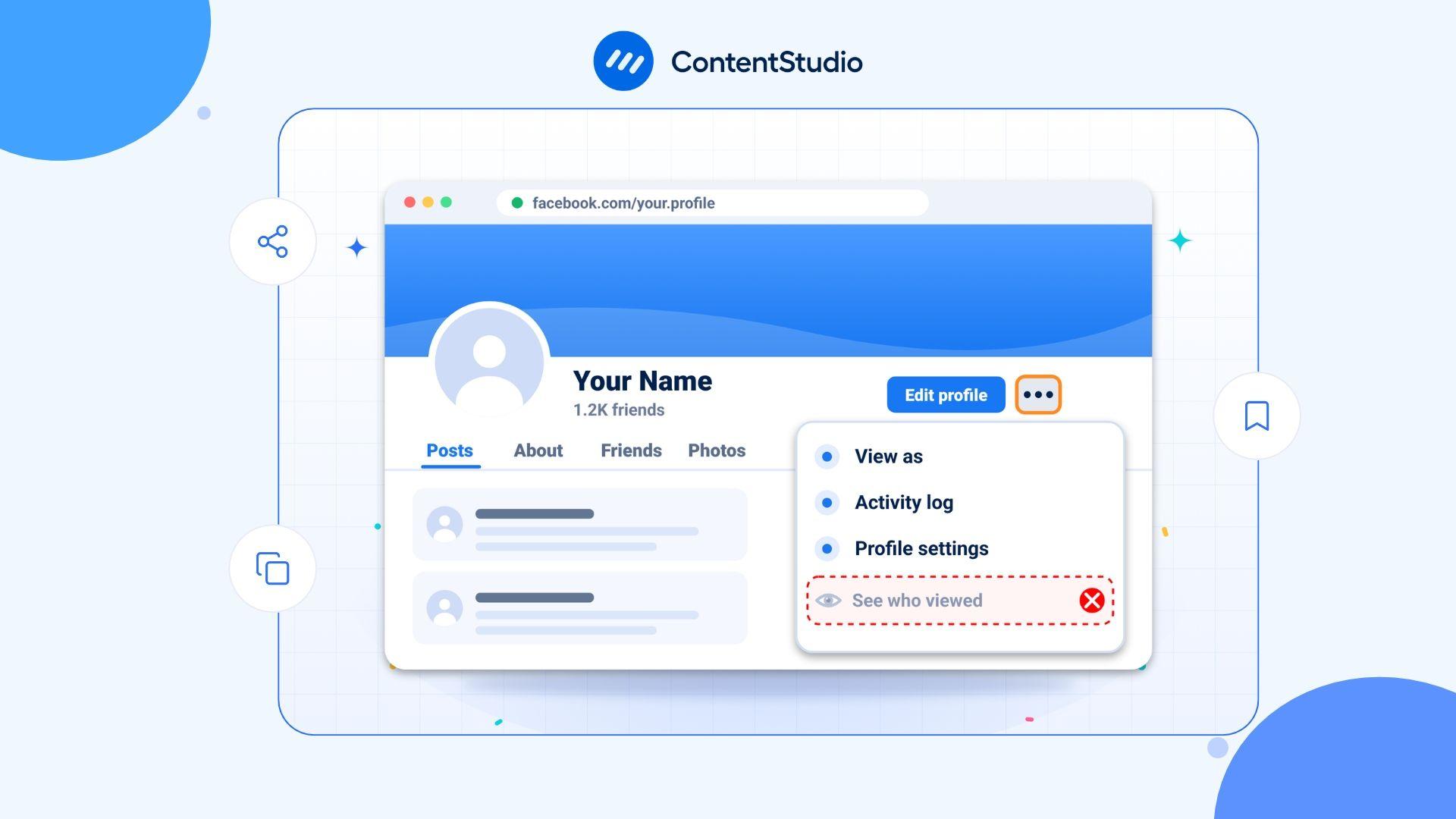
The short answer is: you cannot see who viewed your Facebook profile. Facebook does not offer this feature for personal profiles, and it has not done so at any point in the platform’s history. This policy has remained consistent and shows no sign of changing.
Any app, extension, or website claiming to show you your profile visitors is not telling the truth. These tools either do not work as advertised or are designed to steal your data. This guide explains why the feature does not exist, what Facebook actually lets you see, how to tighten your privacy settings, and how to report fake apps that prey on this curiosity.
Facebook has stated clearly and consistently that it does not let users track who views their personal profile. The reason is privacy. If profile visit tracking were available, it would create a serious risk of stalking and harassment. Knowing exactly who is visiting your profile, how often, and when would expose users to unwanted monitoring and pressure.
Meta has maintained this position across all updates to the platform. The feature is not hidden, restricted to paid plans, or available through settings. It simply does not exist for personal profiles.
This is not a technical limitation. Facebook collects significant data about how users interact with the platform. The decision not to surface profile visitor data is a deliberate privacy policy choice, not a capability gap.
While you cannot see who viewed your profile, Facebook does give you visibility into certain types of engagement. Here is what is actually available.
When you post a Facebook Story, you can see a list of people who watched it while it is still live. This is the closest thing Facebook offers to profile-visit data. The viewer list appears while the Story is active and disappears after it expires.
What appears on that list depends on your audience setting. If your Story is set to Friends only, the list shows the names of friends who watched it. If your Story is set to Public or allows followers, non-friends can also appear. In some cases, non-friend viewers may appear as an aggregate count rather than named individuals, depending on your account settings and app version.
The key distinction is this: the Story viewer list shows who watched that specific piece of content, not who visited your profile.
Any public interaction on your posts is visible to you. You can see who reacted to a post, who commented, and who shared it. These are opt-in signals where someone actively chose to engage with your content.
You can see who has sent you a friend request or chosen to follow your public profile. This is not the same as a profile view, but it does show who has taken a deliberate action toward connecting with you.
If you manage a Facebook Page rather than a personal profile, you have access to aggregate analytics through Page insights. This includes reach, impressions, and visit counts, but not the names of individual visitors. For businesses and creators managing a Page as part of a broader Facebook marketing strategy, these aggregate metrics are the legitimate way to measure how your content is performing.
| What you want to know | What Facebook actually shows |
| Who viewed my profile | Not available. Facebook does not provide this. |
| Who watched my Story | Named viewer list while the Story is live |
| Who engaged with my post | Names of people who reacted, commented, or shared |
| Who follows my profile | List of followers visible in your profile settings |
| How many people visited my Page | Aggregate visit count in Page insights, no individual names |
The demand to know who viewed a Facebook profile has created a large market of scam apps and browser extensions. These circulate regularly on Facebook itself, often as posts or ads claiming “See who viewed your profile in 3 steps.”
None of these tools work as advertised. Facebook does not share profile visitor data with third-party developers through its API, which means no external app can access this information. When these tools ask you to log in or grant permissions, they are collecting your credentials or account access for other purposes.
If you encounter a post, ad, or app making these claims on Facebook, you can report it directly.
Since you cannot see who is viewing your profile, the more useful question is how to control who can view it in the first place. Facebook gives you meaningful control here.
Every post you share has an audience selector. You can set it to Public, Friends, Friends except (specific people), or Only me. You can also create custom lists for more granular control. Posts you have already shared can be edited to change their audience.
Under Settings, then Privacy, you can control whether people can find you by your email address or phone number, and whether search engines outside Facebook can link to your profile. Restricting these options reduces the chance that strangers land on your profile.
Under Settings, then Privacy, you can limit friend requests to Friends of friends rather than Everyone. This reduces unsolicited contact from people outside your existing network.
Facebook has a “View As” feature that lets you see how your profile appears to the public or to a specific person. Go to your profile, click the three dots near your name, and select “View As.” This helps you spot any content that is more visible than you intended.
If your profile is set to allow followers, anyone can follow your public posts without being your friend. You can turn this off under Settings, then Followers and public content, if you would prefer only friends to see your public posts.
“People You May Know” is based on mutual friends, shared networks, location data, and contact information you have uploaded. It has no connection to who has visited your profile. Someone appearing in this list has not necessarily looked at your profile.
The order of your Friends list is determined by an algorithm that considers factors like recent interactions and mutual connections. It is not a list of recent profile visitors.
They cannot. Facebook does not expose profile visitor data through any API or browser-accessible data source. Extensions that claim otherwise are either displaying fabricated data or collecting your information for unrelated purposes.
Facebook has never publicly offered a profile visitor feature for personal accounts. This myth persists because early third-party apps claimed the functionality existed, but those claims were never accurate.
The profile visitor question is mainly relevant to personal accounts. If you are managing a Facebook Page for a business or brand, you have access to aggregate data through Page Insights that personal profiles do not get. You can see reach, post impressions, and page visit counts, though not individual visitor names.
Managing a business Page effectively means publishing consistently and understanding which content performs. A Facebook scheduler makes it easier to plan and publish content in advance across Facebook pages and groups without logging in every day. Combined with Page insights, it gives you a clearer picture of what your audience responds to without needing to know who is browsing your profile.
Facebook does not show who viewed your personal profile, and this is unlikely to change. The decision is deliberate and rooted in privacy policy rather than technical limitation.
What you can do is use the visibility tools Facebook does offer: Story viewer lists while content is live, engagement data on your posts, and Page insights if you manage a business presence. These give you real signals about how your content is landing without compromising the privacy of people browsing the platform.
If you encounter any app, post, or service claiming to show your profile visitors, treat it as a scam. Report it, do not click through, and do not grant it access to your account.
No. Facebook does not provide this feature for personal profiles and has stated clearly that it never has. Any tool or app claiming to show you this information is not accurate.
Yes, while the Story is still live. You can see a viewer list that shows who watched it. If your Story is set to Friends only, the list shows named friends. If your Story audience includes non-friends, they may appear by name or as an aggregate count depending on your settings. The list disappears once the Story expires.
No. Facebook does not share profile visitor data with third-party developers. Apps claiming to do this either display fabricated information or use the permission request to collect your account data for other purposes. Do not grant these apps access to your account.
Facebook Pages have access to aggregate analytics through Page Insights, including total page visits and reach figures. These are aggregate numbers and do not include the names of individual visitors.
Khadija Anwar is a Senior Technical Writer at ContentStudio with over 500 published write-ups across the ContentStudio blog and beyond. She specializes in step-by-step platform guides and Help Center content across Facebook, Instagram, LinkedIn, YouTube, TikTok, and X, and reviews how-to articles to verify every step and platform detail is accurate and current.
View all posts by Khadija AnwarRecommended for you
How to see posts you liked on Facebook?
How to See Facebook History?
How to Report Scammers on Facebook Marketplace?
How to view private Facebook profile?