Caption

What is a caption?
A caption is a text description that accompanies visual content such as images, videos, or other media elements across various platforms. It serves multiple purposes - from providing context and explaining the visual content to engaging audiences and driving action through compelling storytelling.
Whether you're planning your social media content or trying to boost engagement, understanding how to craft effective captions is essential for modern digital communication.
Why use captions?
Captions serve multiple purposes in digital media:
- They explain the visual content
- Provide additional information
- Engage viewers
- Help with content discovery through hashtags and keywords.
For businesses and content creators using social media platforms, captions are invaluable tools for brand storytelling and audience connection.
Types of social media captions
Different social platforms require different caption approaches due to their unique characteristics and audience expectations:
Instagram captions
Instagram captions can be up to 2,200 characters long, allowing for detailed storytelling. They typically include elements like:
- Main message or story
- Relevant hashtags (learn more about Instagram hashtags strategies)
- Call-to-actions (CTAs)
- Emojis for visual appeal
Facebook captions
Facebook captions tend to be more conversational and can include:
- Longer form stories
- Links to external content
- Questions to encourage engagement
- Tagged people or pages
X (Twitter) captions
With a 280-character limit, X (Twitter) captions need to be concise yet impactful. They often feature:
- Punchy statements
- Relevant hashtags
- Mentions (@username)
- Abbreviated links
Key functions of captions in social media
Social media captions go beyond simple descriptions. They serve several critical functions:
- Engagement enhancement: Well-crafted captions encourage audience interaction through questions, calls-to-action, or conversation starters.
- Context provision: They offer necessary background information or explain the significance of the visual content.
- Brand voice development: Captions help maintain consistent brand identity and personality across social media posts.
- SEO optimization: Strategic use of keywords and hashtags in captions improves content discoverability.
- Accessibility support: Descriptive captions make content more accessible to visually impaired users or those who prefer reading over viewing images.
Elements of effective captions
Creating impactful captions requires understanding their core elements:
- Clear purpose: Every caption should have a defined goal, whether it's to inform, entertain, or prompt action.
- Strategic length: While some platforms favor brevity, others allow for longer, more detailed captions. Understanding platform-specific best practices is crucial for social media optimization.
- Engaging language: Using active voice, conversational tone, and relevant emoji can make captions more appealing and relatable.
- Call-to-action: Effective captions often include clear CTAs that guide followers toward desired actions, whether it's visiting a website, sharing content, or making a purchase.
What does closed caption mean?
Closed captions are text overlays that can be turned on or off by viewers, primarily used in video content. They differ from regular captions as they include not just dialogue but also sound effects, speaker identification, and other audio elements.
In the context of social media marketing, understanding closed captions is crucial for creating accessible and engaging video content.
Benefits of closed captions
Implementing closed captions and help you add captions to your videos for increased views:
- Accessibility: They make content available to deaf or hard-of-hearing viewers.
- Improved engagement: Videos with closed captions tend to have higher view times and social media engagement rates.
- Better comprehension: Viewers can follow content in sound-sensitive environments.
- SEO benefits: Closed captions can be indexed by search engines, improving video discoverability.
Best practices for closed captions
To maximize the effectiveness of closed captions:
- Ensure accuracy: Captions should precisely match the audio content and follow these video specs guidelines.
- Maintain proper timing: Sync captions with the corresponding audio for optimal video marketing strategy.
- Use appropriate formatting: Follow standard captioning conventions for readability.
- Include non-speech elements: Incorporate relevant sound effects and music descriptions.
What is an open caption?
Viewers cannot turn off open captions permanently embedded into video content. Unlike closed captions, they are part of the video file itself and are particularly useful for social media platforms where users often watch videos without sound.
Advantages of open captions
Understanding when to use open captions can enhance your short-form video content strategy:
- Universal visibility: Ensures all viewers see captions regardless of device or platform settings.
- Platform compatibility: Works across all platforms without requiring special player support.
- Mobile optimization: Perfect for mobile app users where videos autoplay silently.
- Brand consistency: Allows for customization of caption style to match your brand aesthetics.
When to use open vs. closed captions
Choosing between open and closed captions depends on several factors:
- Platform requirements: Some platforms may have specific caption requirements or preferences.
- Content type: Short-form content often benefits from open captions, while longer videos might be better suited for closed captions.
- Audience preferences: Consider your target audience's viewing habits and accessibility needs.
- Technical constraints: Factor in file size limitations and platform capabilities when deciding between caption types.
Tips for implementing captions effectively
To maximize the impact of your captioned content:
- Maintain consistency: Use a consistent style and format across all your captioned content.
- Consider platform specifications: Adapt caption style and length based on platform requirements.
- Test readability: Ensure captions are easily readable against various backgrounds.
- Monitor performance: Track engagement metrics to optimize caption strategies.
Conclusion
Captions are a crucial element of social media success, requiring careful thought and strategy. By understanding platform-specific requirements, utilizing proper tools, and following best practices, you can create engaging captions that resonate with your audience and achieve your marketing objectives.
By understanding and effectively implementing different types of captions, you can create more accessible, engaging, and successful content across your social media channels. Using ContentStudio's features, like AI writing assistant and social media scheduler, can help you maintain consistency in your captioning strategy while efficiently managing your content across multiple platforms.
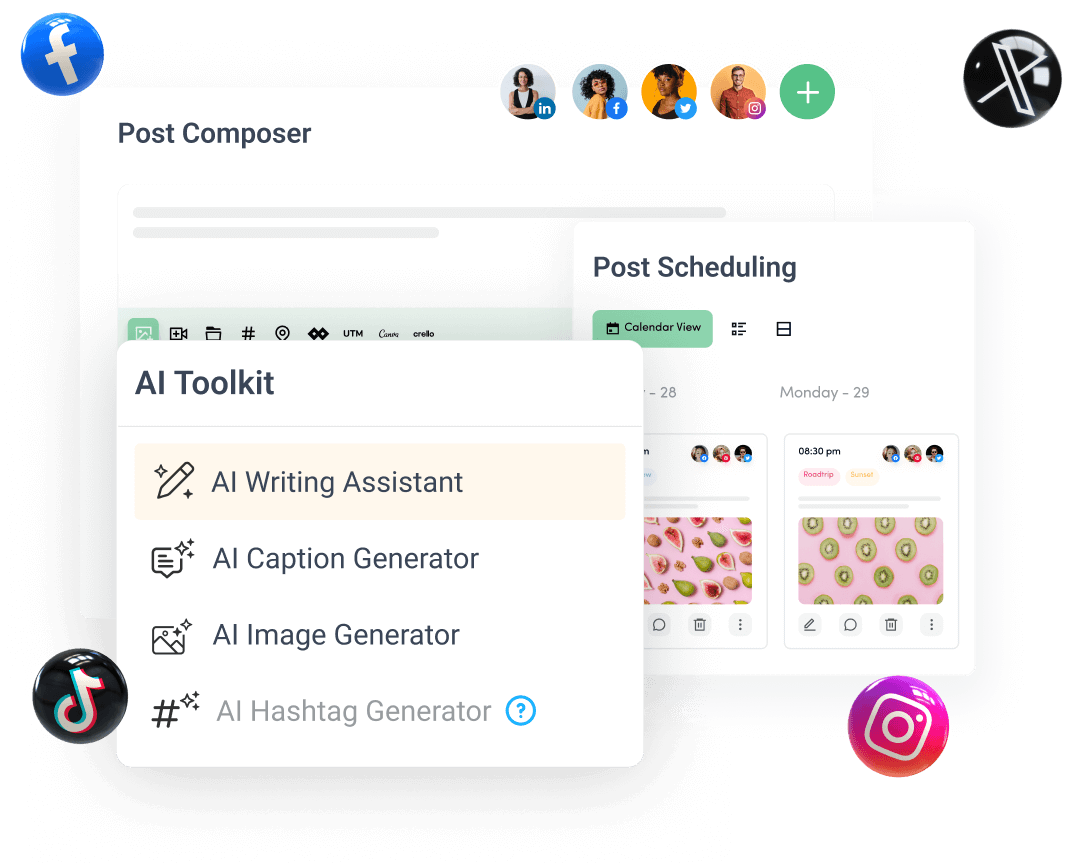
Create, plan, schedule, and publish posts on all social media networks