ContentStudio API plan is now available. Create automations using Claude, Zapier, n8n, make, etc. Explore plan!

ContentStudio
Product

Platform

Publish

Plan and schedule content

AI Studio

AI-generated captions, images

Analyze

Measure social media KPIs

Engage

Social media customer care

Social Listening

New

Follow every conversation

Discover

Manage and read feeds

Top features

Workspaces

Clip maker

Calendar/Planner

Smart scheduling

Content library

White-label

New

AI Library

Bulk scheduling

Approval workflow

Client management

White-label reseller

New

AI video generator

Competitor analytics

Automation

Google Ads Analytics

New

Meta Ads Analytics

New

See all features

right-arrow-icon
contentstudio-tour

ContentStudio overview tour

Discover how ContentStudio simplifies workflows, helps in scaling up and delivers the results you need.

Solutions

By Business Type

For solo creators

For agencies

For small business

For marketing teams

For enterprise

By network

Facebook

Facebook

Instagram

Instagram

X (Twitter)

X (Twitter)

Google Business Profile

Google Business Profile

LinkedIn

LinkedIn

TikTok

TikTok

Bluesky

Bluesky

Meta Threads

Meta Threads

YouTube

YouTube

Pinterest

Pinterest

Telegram

Telegram

CUSTOMER STORYnew-tab-icon

How Webeing scaled client results using smarter workflows with ContentStudio

40%

increase in productivity with ContentStudio

Resources

Info Hub

Blog

Help docs

Glossary

Integrations

Case studies

n8n templates

Free Tools

Facebook video downloader

New

X (Twitter) video downloader

New

AI caption generator

Facebook post generator

LinkedIn video downloader

TikTok hashtag generator

YouTube title generator

TikTok caption generator

X (Twitter) hashtag generator

See All

right-arrow-icon
Video libraryContentStudio academy
video library

Access our complete collection of step-by-step tutorials covering all ContentStudio features.

APIPricing

Book a demo


Sign in

  1. Home
  2. ›Blog
  3. ›Facebook Marketing Strategy
  4. ›Facebook Account Restricted

How To Solve ‘Facebook Account Restricted’ Issue?

Hassaan Khan

Written by

Hassaan Khan

Updated

Apr 23, 2026
3 minutes

Share this post

X logoLinkedIn logoFacebook logo
ContentStudio Google Preferred Sources badge
How To Solve ‘Facebook Account Restricted’ Issue?

Facebook actively monitors users activity on the application. Violating Facebook community standards and its rules can result in a Facebook restricted account and you wonder why Facebook restricted my account.

Looking for the top social media management tools to keep your social game strong for 2023?

How to Fix a Restricted Account on Facebook?

You can solve a restricted account by reporting a complaint to Facebook. There are two types of restrictions.

  • Temporary Restriction
  • Permanent Restriction

Related: How to Change Your Name on Facebook?

Temporary Restriction

Temporary-Restriction- Temporary restriction refers to a Facebook account that is being restricted from performing certain actions restriction to post comments or videos etc. If you are facing a temporary restriction then you have two options

  • Wait for the restriction time to expire
  • File an appeal to Facebook administrators.

Follow the below steps to file an appeal when there is a temporary restriction on your account.

For example Facebook community standards warning for posting abusive content or your Facebook account has been restricted from advertising for spamming etc.
Report-Facebook-Restricted-Issue Step 1: Go to the “Help and Report” section on your Facebook.

Step 2: Tap “Report a Problem”

Step 3: Tap “Something Went Wrong”

Step 4: Add details about the issue that you are facing along with the images and submit a report to Facebook.

Note: You can also report temporary action restriction issues to Facebook through their Messenger live support.

Facebook Marketing

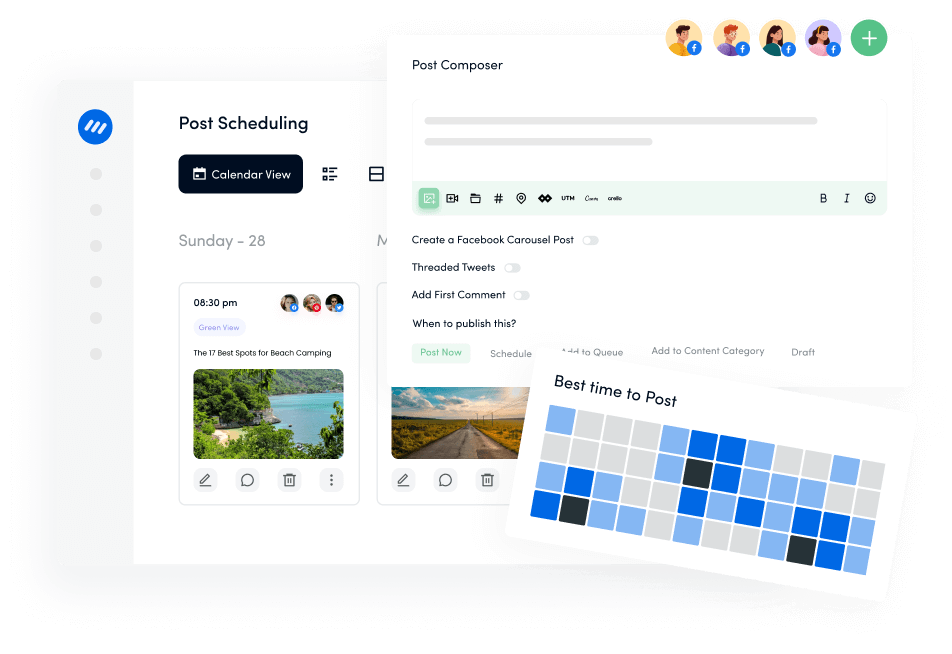
Manage and grow your brand on Facebook. Create, schedule, and publish posts, videos, and Reels to Facebook pages and groups.

Get Started for FREE
facebook-marketing

Temporary Locked

It’s also a temporary restriction where users are banned to Log back in to their accounts.

Restricted-on-Facebook- Step 1: Go to Facebook Help Centre Link to submit a report to Facebook.

Step 2: Then navigate to “I can’t login to Facebook” and click “facebook.com/login/identify” Further confirm your identity by following the necessary steps and instructions as shown in the Gif below.   Fix-Facebook-Temporary-Locked-Account Secondly, you can resolve the issue by recovering your account through a friend or family’s Facebook account.

Step 1: Click on the three dots that appear below your cover photo.

Step 2: Navigate to “Find support or report profile” Then choose “Something Else”

Step 3: Next step is to click “recover this account” and complete the recommended actions as done above to confirm your Facebook identity. Recover-Temporary-Restricted- Facebook-Account

Permanent Restriction

Permanent restriction refers to your account being disabled. In case your account is disabled then you can resolve the Facebook Jail or Facebook account restriction issue through following steps.

Step 1: Go to the given link

Step 2: Add the required details Report- Facebook- Step 3: Write your complaint if your account was wrongly restricted or disabled. If the restriction was due to some violation then be regretful in your statement.

Note: When writing an appeal be concise, friendly and provide clear evidence. Note: If you are unable to get any response from Facebook for 30 or more days then your account will remain disabled forever.

The easiest way to manage and grow your social channels.

Try ContentStudio for FREE
Related: How to Fix Facebook Link Preview?

FAQs

Why is My Facebook Account Restricted?

A Facebook account can be restricted for several reasons.

  • Sending too many spam friend requests to unknown people.
  • Sharing abusive and malicious content.
  • Abusing Facebook advertising and commerce policies.
  • Violating Facebook group and page policies.
  • Using fake names and impersonating to be someone else.

How Long Will My Facebook Account Be Restricted?

If users violate Facebook guidelines and standards then at first Facebook gives a warning as first strike. If you still keep violating these standards then it gives you a strike as well as restricts your account from certain activities.

Strike 1: Warning

Strike 2: One day restriction from creating content and posting content

Strike 3: 3 day restriction

Strike 4: 7 day restriction

Strike 5: 30 or more day restriction If you continue violating the Facebook policies then you might end up getting your Facebook account disabled.

Related: How To Quickly Solve ‘Facebook Not Working’ Issues?

How Facebook Restricts Accounts of Public Figures?

If you are a public figure, then Facebook has set different parameters for public figures as they have a greater social following and influence.  When a public figure is subject to instigate or is involved in promoting or supporting a civil unrest and violence through posts and relationships with such individuals, it can result in restrictions from a Facebook account.
Depending upon the severity the restriction can be for one month to 2 years or even getting the Facebook account disabled.

You May Also Like:

How to post a picture on Facebook?
Create a Winning Social Media Content Calendar in 2023
Best Time to Post on Facebook in 2023
How to Change Facebook URL?

Share this article

X logoXLinkedIn logoLinkedInFacebook logoFacebookWhatsAppRedditEmail
Black Friday

Get Up to 50% Off This Black Friday

Join the waitlist and get early access to our Black Friday deal

Early Access Offer

Unlock up to 50% off before it goes public

No credit card required

★★★★★

4.7 on Capterra • 16,500+ marketers trust ContentStudio

Hassaan Khan

Hassaan Khan

Hassaan Khan is a Senior Contributing Writer and Editor at ContentStudio and a writer for SaaS and e-commerce brands, with bylines at SEMrush, ThriveGlobal, and BloggingCage. He covers social media marketing, technical SEO, and analytics, from Instagram impressions to hashtag analytics, and reviews articles for technical accuracy and SEO soundness.

View all posts by Hassaan Khan

Recommended for you

How to choose a social media management tool (2027 guide)

Help Center

How to choose a social media management tool (2027 guide)

Nov 3, 2026
21 minutes
How to build an executive’s LinkedIn content workflow with Claude Code

Help Center

How to build an executive’s LinkedIn content workflow with Claude Code

Oct 5, 2026
15 minutes
How to turn one product photo into 5 video Ads with Claude Code
Help Center

How to turn one product photo into 5 video Ads with Claude Code

Sep 24, 2026
10 minutes
Social media MCP server: How to automate posting with ContentStudio
Help Center

Social media MCP server: How to automate posting with ContentStudio

Nov 13, 2026
8 minutes
CtaBackground
CtaBackground
Facebook
Instagram
Twitter
YouTube
Pinterest
TikTok

Powerful social media management software

Start your free trial
Book a demo

7-day free trial - No credit card required.

diamond-icondiamond-icon

Grow faster on social, every
single week

Get insights, emerging platform trends, AI strategies, and product updates trusted by 100,000+ marketers.

Lawrence Giordano
Thomas Smith
Anthony Garcia
Matt Li Haoming
Angela R.
100,000+ marketers subscribed

ContentStudio

5.3K subscribers

  • •Step-by-step tutorial and how-tos
  • •Product deep dives and launch demos
Subscribe on YouTube

One scheduler for every social network

Social Media Schedulers→
Facebook logoFacebookX (Twitter) logoX (Twitter)Instagram logoInstagramLinkedin logoLinkedinYoutube logoYoutubeTiktok logoTiktokPinterest logoPinterestBluesky logoBlueskyThreads logoThreads

Product

  • Publishing
  • AI Studio
  • Analytics
  • Inbox
  • Social Listening
  • Discover

Features

  • Content Calendar
  • Smart Scheduling
  • Automation
  • Content Composer
  • Approval Workflow
  • AI Library
  • See all features

Developers

  • Integrations
  • API
  • MCP Server
  • ContentStudio CLI
  • Zapier
  • Make
  • n8n

AI Agents

  • ChatGPT
  • Claude
  • Gemini
  • Grok Bot
  • Hermes Agent
  • Cursor
  • Codex
  • OpenClaw

Upgrade from

  • Hootsuite
  • Buffer
  • Sprout Social
  • Sendible
  • Agorapulse
  • Metricool
  • SocialPilot
  • See all

Resources

  • Blog
  • Help Docs
  • Changelog
  • Glossary
  • Free Tools
  • Case Studies
  • Mobile App
  • Chrome Extension

Company

  • About Us
  • Plans & Pricing
  • Reviews
  • Careers
  • Write for Us
  • Affiliate Program
  • Brand Assets
  • Contact Us
contentstudio-logo
Download on the App StoreGet it on Google Play
Facebook iconX (Twitter) iconInstagram iconLinkedIn iconYouTube iconTikTok icon
4.74.7 star rating, 25,000+ reviews on Capterra and G2

16,500+ brands trust ContentStudio

SSL Secured
GDPR Compliant
CCPA Compliant

© 2026 ContentStudio. All Rights Reserved.

Privacy|Terms|GDPR|System status|Security policy|Child safety|Sitemap