Instagram broadcast channel

What are Instagram broadcast channels?
Instagram broadcast channels are a one-to-many messaging tool introduced by Meta in February 2023 that allows creators and businesses to communicate directly with their followers through a dedicated messaging space.
Unlike regular Instagram posts that may get lost in the Instagram algorithm's shuffle, broadcast channels deliver content straight to followers' inboxes who have opted to join the channel.
This feature creates an exclusive communication avenue where creators can share updates, behind-the-scenes content, and engage with their most dedicated audience members.
Initially available only to select users in the United States, Instagram broadcast channels have since rolled out globally, becoming an essential tool for marketers and content creators looking to strengthen their social media engagement with followers.
How Instagram broadcast channels work?
Instagram broadcast channels function as a specialized messaging environment where only the channel creator can post content, while followers can interact through limited engagement options. Understanding this feature's mechanics is essential for integrating it into your Instagram marketing strategy.
Setting up a broadcast channel
To create an Instagram Broadcast Channel, you need:
- A Business or Creator account on Instagram
- At least 10,000 followers (though Meta has indicated plans to expand availability)
- The latest version of the Instagram app
The setup process involves:
- Navigate to your Instagram DM section
- Select the "Create broadcast channel" option
- Name your channel and customize settings
- Send your first message to activate the channel
Once established, your channel appears on your profile, making it accessible to all your followers. For businesses managing multiple social accounts, social media management tools like ContentStudio can help coordinate your broader strategy while you leverage broadcast channels for direct communication.
Content types and engagement options
Instagram broadcast channels support various content formats, offering versatility for different communication needs:
- Text updates: Quick announcements or conversational messages
- Images and videos: Visual content that doesn't disappear like Stories
- Voice notes: Personal audio messages that add a human touch
- Polls: Interactive elements to gather follower opinions
- AMAs (Ask Me Anything): Question collection tools for deeper engagement
While creators have full posting privileges, followers can engage through:
- Emoji reactions: Quick sentiment responses to creator content
- Poll participation: Voting on options provided by the creator
- Question submission: Contributing to AMA sessions when prompted
This structure maintains the broadcast nature while still allowing for meaningful interaction. When combined with your regular Instagram content strategy, broadcast channels create a multi-layered approach to follower engagement.
Benefits of using Instagram broadcast channels
Instagram broadcast channels offer significant advantages for creators and businesses looking to maximize their social media impact.
Direct communication with followers
The primary benefit of broadcast channels is the ability to bypass the Instagram algorithm and communicate directly with your most engaged followers. This ensures:
- Guaranteed visibility: Messages reach 100% of channel subscribers, unlike feed posts
- Immediate delivery: Updates appear instantly in followers' DM sections
- Notification priority: Followers receive alerts about new channel content
This direct line of communication is invaluable for time-sensitive announcements or critical updates that might otherwise get buried in a crowded feed. When integrated into your overall social media content plan, broadcast channels can significantly enhance message delivery effectiveness.
Creating exclusivity and community
Broadcast channels naturally foster a sense of exclusivity and community among followers:
- VIP experience: Members feel part of an inner circle with privileged access
- Community building: Shared exclusive content creates bonds between followers
- Loyalty reinforcement: Regular, valuable channel updates strengthen follower commitment
This exclusivity effect is particularly valuable for brands focusing on Instagram engagement rate growth, as it rewards active followers with special access, encouraging continued interaction across all content formats.
Testing content and gathering feedback
Broadcast channels provide an excellent environment for content testing and audience research:
- Content previews: Share draft concepts before full publication
- Targeted polling: Gather opinions from your most engaged followers
- Direct feedback collection: Understand audience preferences through reactions and responses
These insights can inform your broader content creation strategy, helping refine your approach based on direct audience input. Using tools like ContentStudio's analytics features alongside channel feedback creates a comprehensive understanding of content performance.
Best practices for Instagram broadcast channels
To maximize the effectiveness of your broadcast channel, implement these strategic approaches that align with proven social media strategy principles.
Consistent and valuable content sharing
Successful broadcast channels maintain regular activity with high-value content:
- Establish a cadence: Create a publishing schedule followers can anticipate
- Vary content types: Mix text, images, videos, and interactive elements
- Provide exclusive value: Share insights or content not available elsewhere
- Balance frequency: Post often enough to maintain engagement without overwhelming
This approach keeps followers engaged while reinforcing the channel's value. Integrating your broadcast channel schedule into your overall social media content calendar ensures consistency across all platforms.
Leveraging interactive features
Maximizing engagement through interactive elements drives channel success:
- Strategic polling: Use polls to drive decisions and make followers feel involved
- Regular AMAs: Schedule question-collection sessions to address follower curiosities
- Response highlighting: Acknowledge standout questions or reactions occasionally
These interactions create two-way communication despite the broadcast format. When combined with your regular Instagram Reels and other content, these interactions create a comprehensive engagement approach.
Promoting your broadcast channel
Growing your channel membership requires strategic promotion:
- Story highlights: Create dedicated stories directing followers to join
- Feed mentions: Periodically remind followers about exclusive channel content
- Cross-platform promotion: Use other social networks to promote your Instagram channel
- Value demonstration: Share snippets of channel content to showcase its worth
Effective promotion should emphasize the exclusive benefits of joining your channel. For businesses managing multiple channels, ContentStudio's publishing tools can help coordinate promotion across platforms while maintaining your regular posting schedule.
How businesses can use broadcast channels?
Instagram broadcast channels offer versatile applications for business marketing and communication strategies.
Product launches and announcements
Broadcast channels provide an ideal platform for product-related communications:
- Pre-launch teasers: Build anticipation with exclusive previews
- Launch day specifics: Share direct links and special offers in real-time
- Post-launch support: Address common questions and highlight customer experiences
- Limited availability alerts: Notify followers about restocks or limited-time offers
This direct notification approach is particularly effective for time-sensitive launches. When coordinated with your broader social media management strategies, broadcast channels can significantly boost launch visibility.
Behind-the-scenes content
Creating connection through exclusive behind-the-scenes content:
- Production processes: Show how products or content are created
- Team introductions: Humanize your brand with staff spotlights
- Decision-making insights: Share the thinking behind business choices
- Early development looks: Offer glimpses of upcoming projects
This transparency builds trust and brand affinity. For businesses focused on Instagram growth hacks, behind-the-scenes content can significantly strengthen audience relationships.
Exclusive offers and promotions
Reward channel members with special access to deals:
- Channel-only discounts: Create codes exclusively for broadcast members
- Early access: Give channel followers first opportunity at limited offers
- Flash sales: Run time-limited promotions announced only on your channel
- Special bundles: Create package deals specifically for loyal followers
These exclusives provide tangible value for channel membership. Using specialized social media customer service approaches within your channel can further enhance the customer experience during promotions.
Measuring broadcast channel success
Effective assessment of your broadcast channel performance requires attention to key metrics and analytical approaches.
Key metrics to track
Monitor these critical indicators of broadcast channel health:
- Subscriber growth: Rate of new members joining over time
- Retention rate: Percentage of members who stay subscribed
- Engagement rate: Proportion of subscribers who react to or interact with content
- Response distribution: Patterns in emoji reactions across different content types
- Poll participation: Percentage of subscribers who vote in polls
Tracking these metrics using ContentStudio's analytics tools alongside Instagram's native insights provides a comprehensive view of channel performance.
Integration with overall Instagram strategy
Broadcast channels should complement your full Instagram presence:
- Content synergy: Use channel insights to inform main feed content
- Cross-promotion opportunities: Drive channel membership through stories and posts
- Performance comparison: Compare engagement rates between channels and public content
- Audience segmentation: Understand differences between channel subscribers and general followers
This integrated approach ensures broadcast channels enhance rather than detract from your primary Instagram presence. For comprehensive management, incorporating channels into your broader social media content plan provides strategic cohesion.
Conclusion
Instagram broadcast channels represent a significant evolution in how creators and businesses connect with their most engaged followers. By providing direct, unfiltered communication in a semi-private space, these channels offer unique advantages over traditional Instagram content formats.
For marketers using platforms like ContentStudio, broadcast channels provide an additional layer to your social media strategy, allowing for more nuanced audience segmentation and targeted messaging.
When integrated thoughtfully with your regular content, scheduling, and analytics practices, broadcast channels can significantly enhance follower loyalty and engagement.
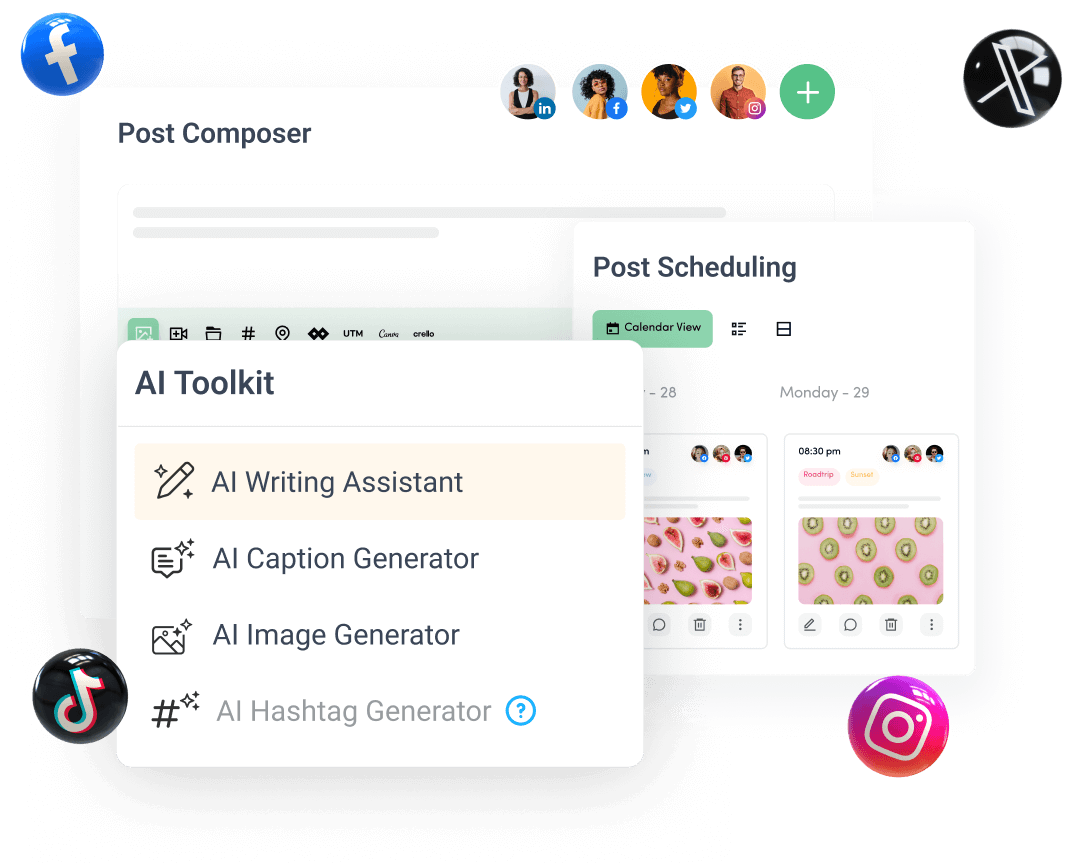
Create, plan, schedule, and publish posts on all social media networks