How to promote affiliate links on social media in 2026
Oct 2, 202616 minutes

Written by
Nawal MansoorUpdated
Picture a social media team late at night, copying captions into different apps, guessing the best time to post, and hoping nothing important gets missed. The calendar looks full, but results do not match the effort. That is usually the moment someone starts searching for an AI scheduling tool.
Instead of reacting to every notification, an AI scheduling tool helps shift into a calm, planned routine. It takes care of timing, repeats top performers, and keeps every channel active without constant manual work. Add AI content ideas and smart scheduling on top, and social feeds start to feel organized instead of chaotic.
More and more marketing teams now rely on AI tools to keep up with growing content demands. They want automation that does not just post often, but posts smarter. With the right AI scheduling tool, the calendar becomes a strategic asset, not a daily headache.
This guide walks through what an AI scheduling tool for social media really is, how it helps save time and grow engagement, how ContentStudio automates the whole calendar with AI, and what to check before picking a platform. By the end, it will be clear how to move from scattered posting to a steady, data-backed system that supports every client and brand you manage.
The easiest way to manage and grow your social channels.
Try ContentStudio for FREE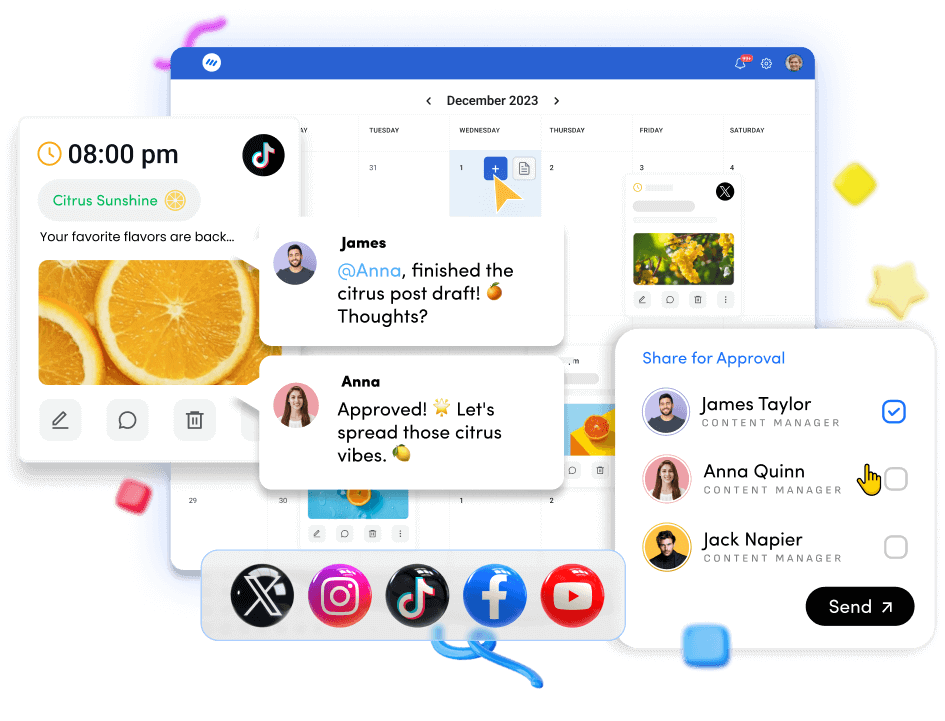
An AI scheduling tool for social media is a platform that uses artificial intelligence to plan, optimize, and publish posts across many channels from one place. Instead of setting every time slot by hand, this type of tool studies audience behavior, past performance, and content queues, then recommends when and how posts should go live. The result is a social media calendar that adjusts based on data, not guesswork.
Basic schedulers let someone pick a date and time, paste a caption, and hit schedule. An AI scheduling tool goes further. It looks at when followers are most active, what content types perform well, and how often each channel should post. It then applies these best times on its own, so social feeds stay active even when the team is busy with other work.
Smart scheduling is how this works in practice. Instead of choosing every slot, teams set rules for each profile, such as posting frequency and content categories. The AI scheduling tool then fills those slots at high-engagement moments. When new content is added to a queue, it is placed into the next best opening without any extra effort from the team.
Modern AI scheduling tools usually bring together several functions that support daily work, for example:
Many also offer collaboration tools so writers, designers, managers, and clients can review and approve posts inside the same calendar.
This type of AI scheduling tool works especially well for social media managers, agencies handling many brands, in-house teams with tight resources, and creators who want consistent posting without hiring extra staff. It does not just save time; it helps raise content quality and engagement by turning data into everyday decisions.

Let’s be honest—manually managing a social media calendar across multiple platforms is exhausting. Between ideation, posting, timing, and performance tracking, it’s easy to burn hours on tasks that don’t actually move the needle.
This is where AI scheduling tools change the game.
The biggest gain from an AI scheduling tool is time. Content planning, writing, and scheduling can eat hours from every week. With AI content helpers built into the composer, teams can create captions, hooks, and variations much faster than starting from a blank page. Some users see writing speed increase several times, because AI tools offer first drafts and fresh angles instead of leaving the cursor blinking.
Forget guesswork. AI analyzes your audience behavior, past engagement, and platform trends to determine the best times to post. That means your content goes live when your audience is most likely to engage—not when it’s convenient for you.
Smart scheduling inside an AI scheduling tool studies when followers are online and more likely to react. It then pushes posts at those moments across platforms, even during evenings, weekends, or holidays. That means no one has to stay online to hit publish, yet reach and engagement stay strong.
Consistency is what separates growing accounts from stagnant ones—but it’s also the hardest thing to sustain. AI ensures your posting schedule stays active and balanced, even when you’re busy, on vacation, or juggling multiple clients.
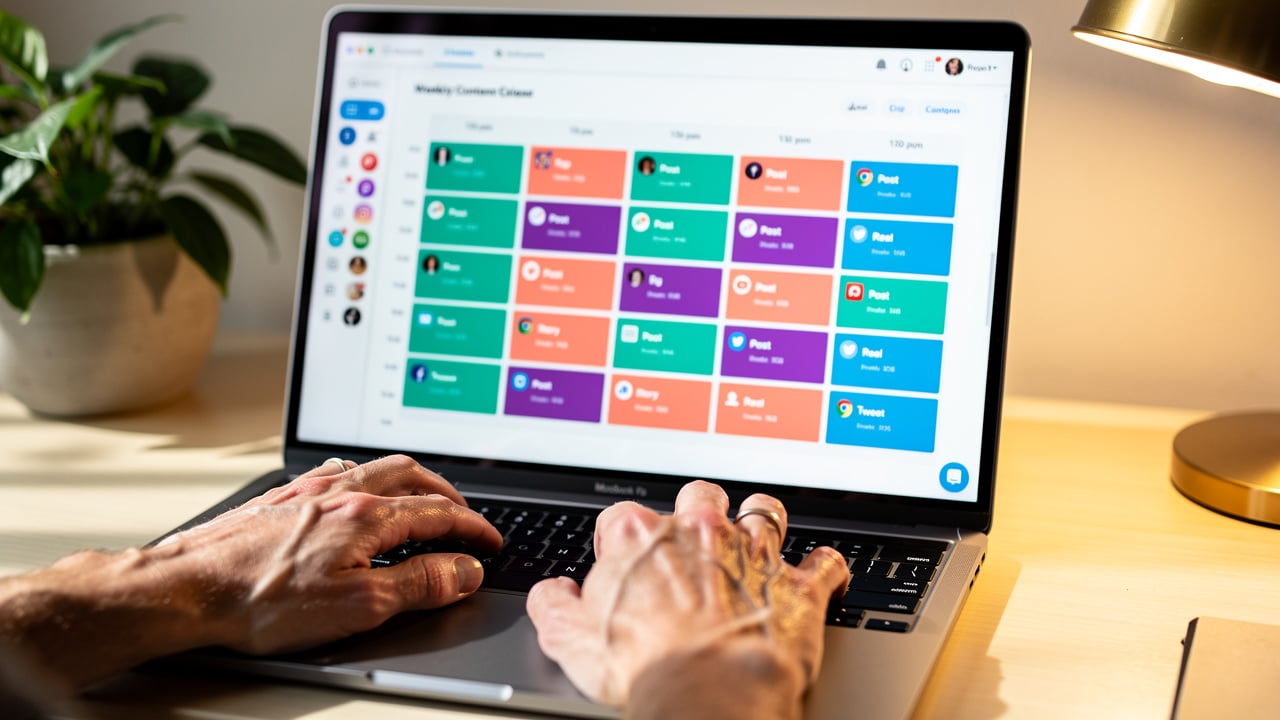
A clear visual social media calendar inside an AI scheduling tool helps spot gaps, overlaps, and an unbalanced mix of formats. Teams can see at a glance whether they have enough educational, promotional, and community posts lined up. Evergreen recycling also keeps the best-performing content active, so a winning post drives value long after the first publish date.
Collaboration improves as well. Instead of shared spreadsheets and long email threads, an AI scheduling tool centralizes drafts, comments, and approvals. Agency clients and internal stakeholders can open the calendar, preview posts as they will appear, and approve or request edits in one place. That shortens review cycles and makes each campaign feel more controlled.
AI doesn’t just schedule—it optimizes. It can recycle top-performing content, suggest variations, and distribute posts across platforms in a way that maximizes reach without feeling repetitive.
Instead of relying on intuition, AI-backed scheduling tools provide insights into what’s working and what’s not. Over time, your content strategy becomes sharper, more targeted, and more effective.
Missed posts, wrong timings, inconsistent messaging—manual scheduling leaves room for mistakes. Automation ensures your calendar runs smoothly and reliably, every single day.
Not all AI scheduling tools are built the same. Some just automate posting, while others actually help you grow.
If you’re choosing a tool, here are the features that truly make a difference:
This is non-negotiable. A strong AI scheduler should analyze your audience behavior and automatically recommend (or select) optimal posting times based on real data—not generic templates.
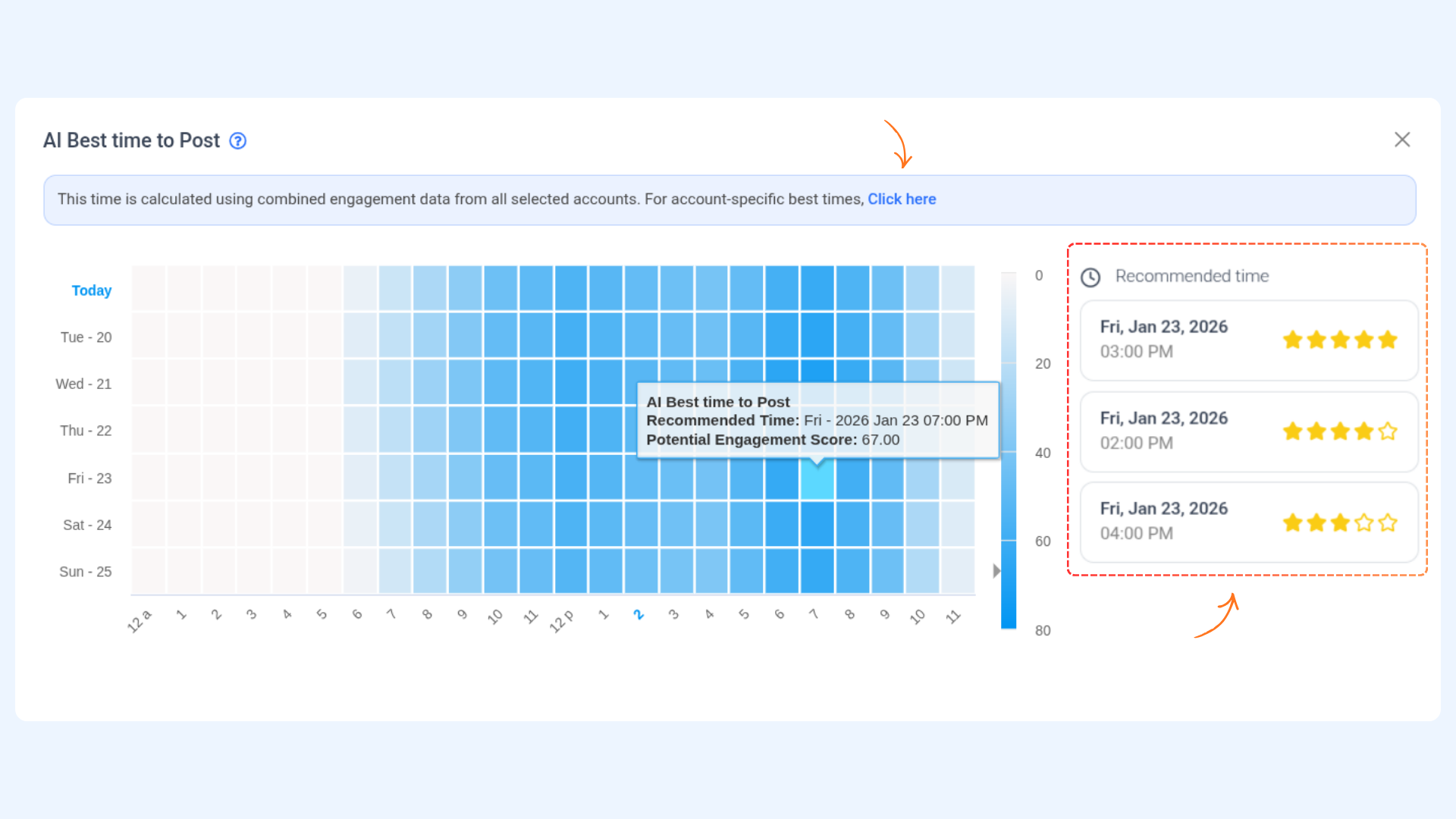
Look for tools that let you build a dynamic content queue. You should be able to add posts once and let the system publish them automatically based on priority, category, or campaign.
Great content shouldn’t die after one post. A good AI tool will automatically reshare high-performing or evergreen content, keeping your calendar active without requiring constant new input.
Relatec read: How to recycle posts using Evergreen automation recipe
Managing multiple platforms separately is a productivity killer. Your tool should allow you to plan, customize, and publish content across all major social channels from a single interface.
Beyond scheduling, the tool should help you create better content. Built-in AI should assist with writing captions, generating hashtags, and even adapting messaging for different platforms.
Explore: AI caption generators
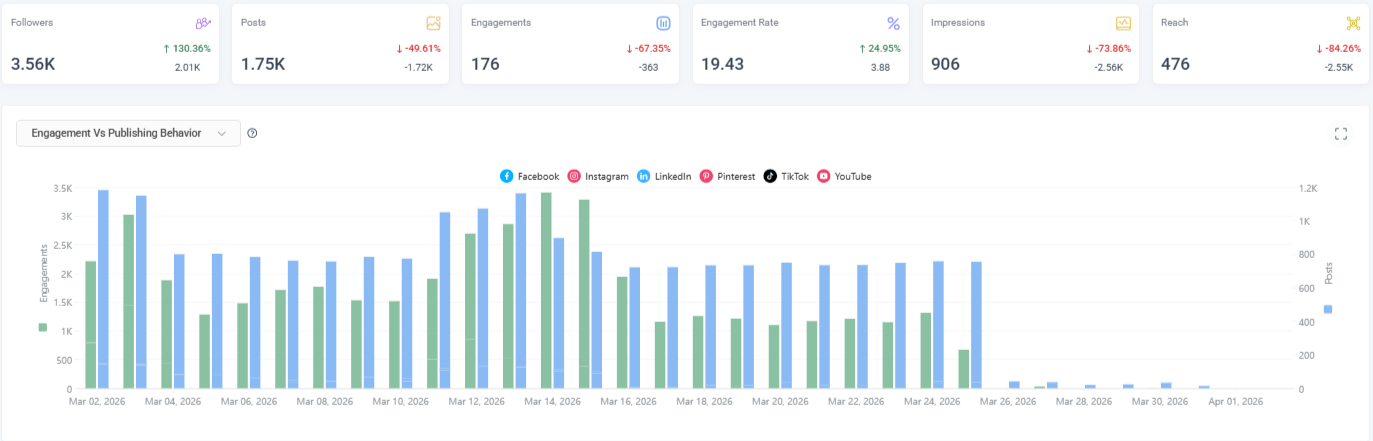
A clear, drag-and-drop calendar view makes planning easier and faster. You should be able to see your entire posting schedule at a glance and adjust it without friction.
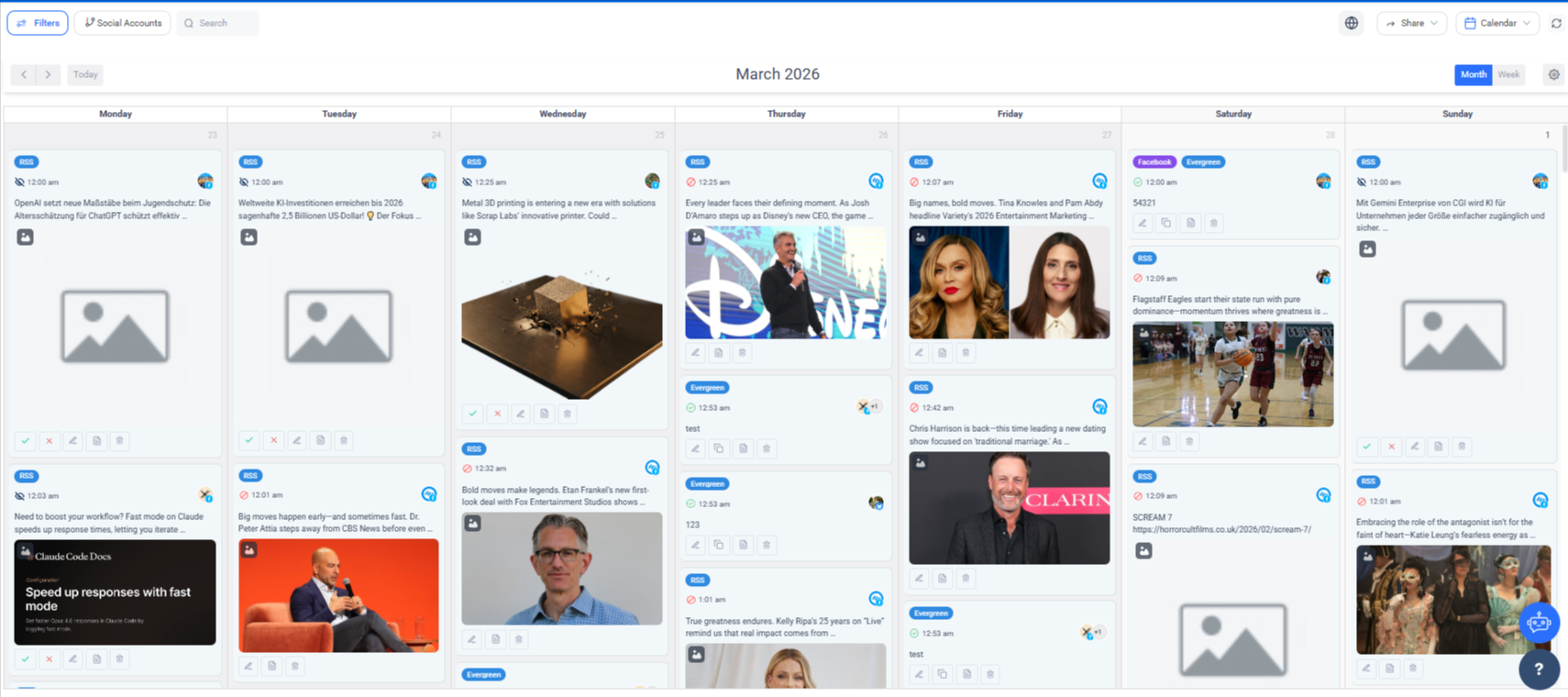
Scheduling without feedback is a blind strategy. Look for tools that provide actionable insights—like engagement trends, best-performing content, and suggestions for improvement.
If you’re part of a team or agency, collaboration features are critical. You need the ability to assign roles, leave comments, and get approvals before content goes live.
Check out: Approval workflow
The best tools go beyond execution—they guide you. Whether it’s suggesting what to post next or identifying content gaps, AI recommendations help you stay proactive instead of reactive.
Your scheduler should play well with other tools—whether it’s content creation platforms, analytics tools, or CRMs. Seamless integration saves time and keeps your workflow connected.
There’s no shortage of social media scheduling tools out there—but only a handful actually use AI to make your workflow smarter, not just faster.
Below are six of the most effective AI-powered scheduling tools in 2026, each suited for a different type of user—from solo creators to large-scale agencies.
If you’re looking for a tool that doesn’t just schedule posts but actually helps you create, optimize, and manage everything in one place, ContentStudio stands out.
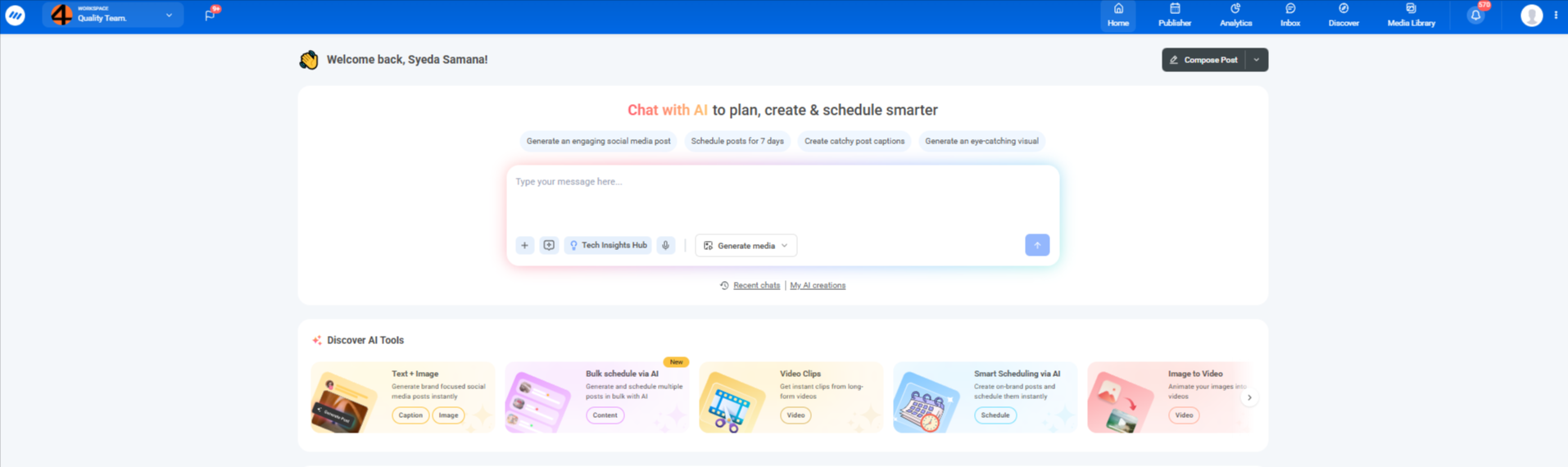
What makes it powerful is its combination of AI content generation + smart scheduling + analytics in a single workflow.
Most tools stop at scheduling. ContentStudio goes further by helping you generate content, repurpose it, and distribute it strategically, which is exactly what modern marketers need.
Best for: Agencies, marketers, and teams who want an end-to-end social media system, not just a scheduler.
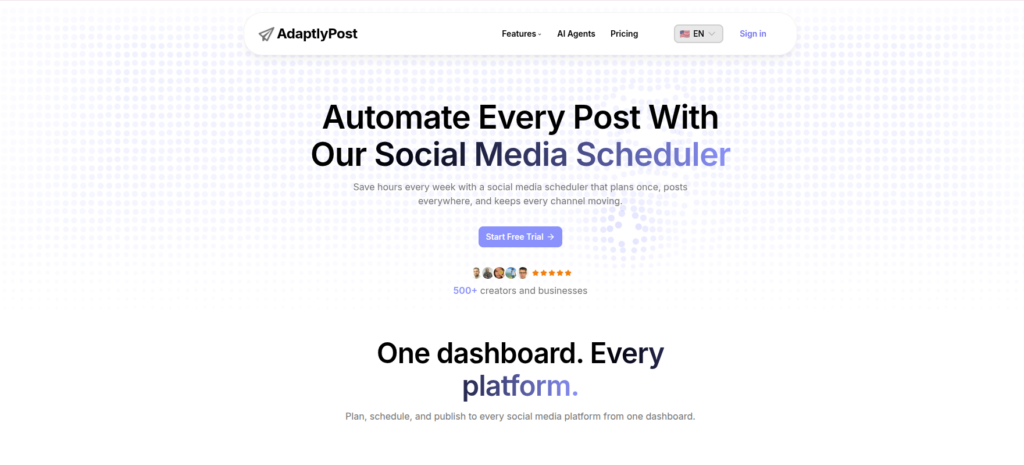
AdaptlyPost writes the post and publishes it. AI drafts the caption and generates the image inside the composer, then the same draft goes out to Facebook, Instagram, TikTok, X, LinkedIn, Pinterest, YouTube, Threads, and Bluesky, fully adapted to each platform’s native settings and format.
Web only, with no social inbox or approval workflows.
Creators and teams who want AI-generated content scheduled across many networks from one place.
Buffer remains one of the most beginner-friendly tools in the market—and now includes AI features to speed up content creation.

It’s designed for people who want a clean, no-friction scheduling experience without a steep learning curve.
It’s not as feature-rich for analytics or automation compared to advanced tools.
Best for: Solo creators, startups, and small teams who want simple and reliable scheduling with light AI support.
Hootsuite has been around for years—and in 2026, it’s still a go-to for enterprises that need scale, control, and deep integrations.
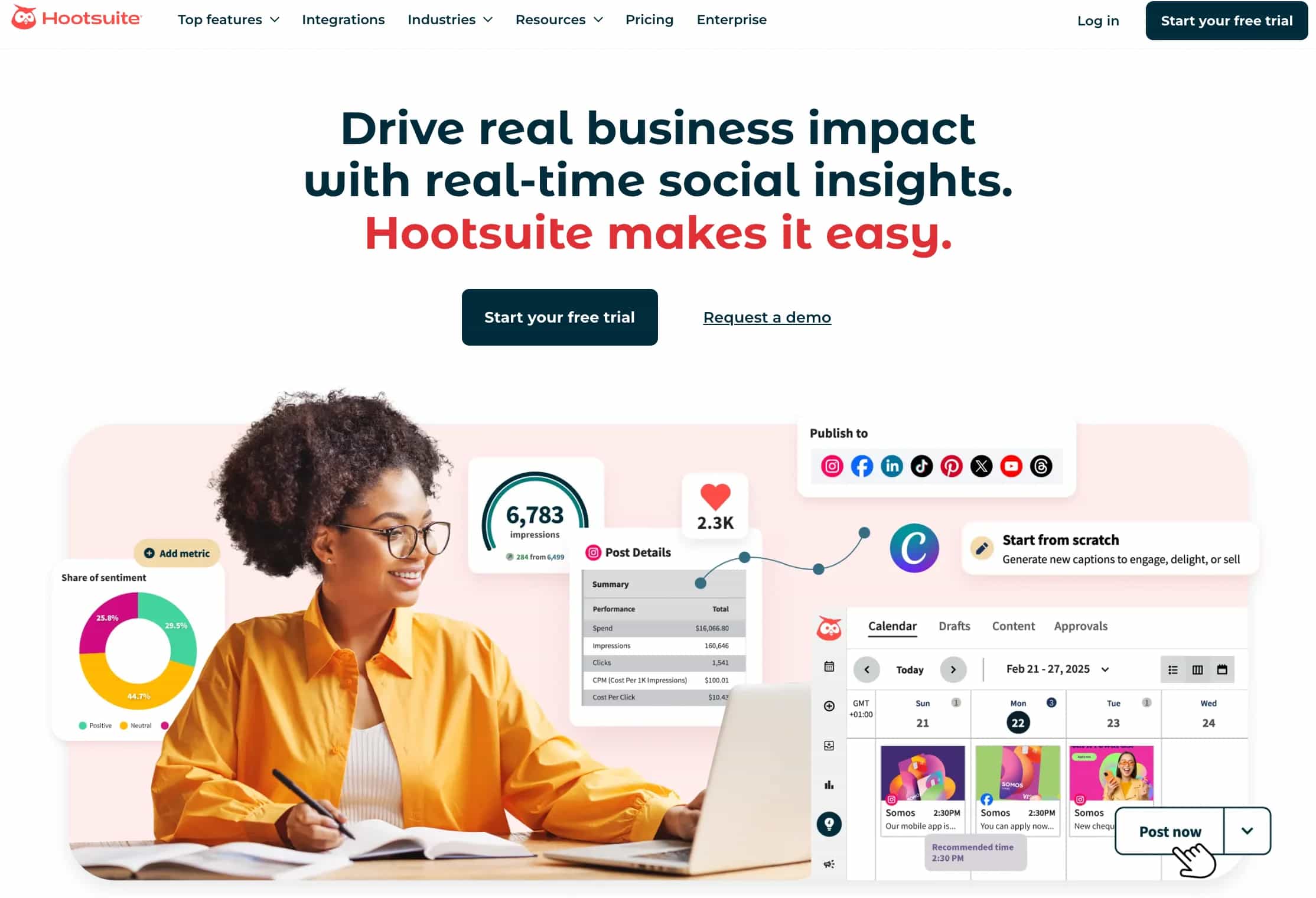
It’s not just a scheduler—it’s a full social media command center with governance and compliance features.
Expensive and slightly complex for beginners.
Best for: Enterprises and large marketing teams managing multiple brands and high-volume content.
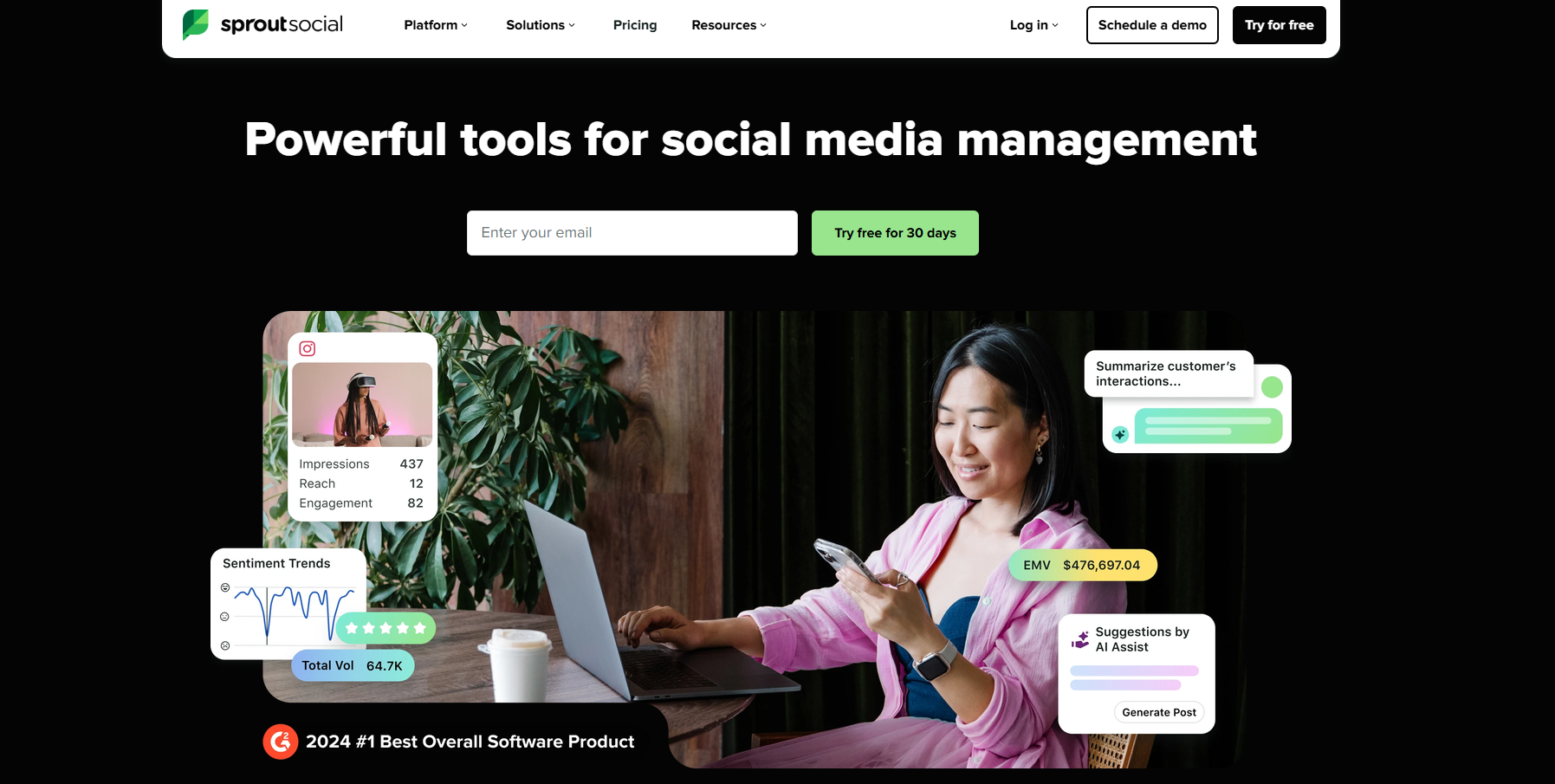
Sprout Social is built for teams that care deeply about performance, reporting, and ROI.
It combines scheduling with some of the most advanced analytics in the space.
It helps you move from “posting content” to making data-backed decisions about what actually works.
Premium pricing makes it less accessible for smaller teams.
Best for: Agencies, brands, and teams focused on analytics, reporting, and optimization.

Microposter is a social media automation tool built specifically for microblogging platforms. Instead of relying on slow & clunky third-party schedulers, it works alongside native platforms like X and automatically distributes your content to Threads, Bluesky, and Mastodon, fully adapted to each platform’s format.
Best for:

Later is a favorite for brands that rely heavily on visual platforms like Instagram, TikTok, and Pinterest.
Later makes it incredibly easy to plan how your feed will look before anything goes live, which is crucial for visual branding.
Less robust for non-visual platforms like LinkedIn.
Best for: E-commerce brands, influencers, and creators focused on visual storytelling.
SocialBee is built around one powerful idea: your best content should keep working for you.
Instead of constantly creating new posts, SocialBee helps you maximize the lifespan of existing content—a huge win for lean teams.
Interface and analytics are less advanced compared to enterprise tools.
Best for: Small businesses and agencies focused on content repurposing and efficiency.
ContentStudio is an AI-powered social media management platform built for agencies, marketing teams, and growing brands that want one hub for planning, creating, and publishing content. It combines an AI scheduling tool, content creation, and analytics so teams do not need to switch between many apps just to run a single calendar.
The first pillar is AI-powered content generation. Inside the multi-channel composer, ContentStudio offers AI prompts that produce post ideas for X (Twitter), captions for different networks, and image concepts. The same AI can rewrite or rephrase existing copy to match each platform or shorten a long update. This keeps content on brand while cutting down the time spent staring at a blank editor.
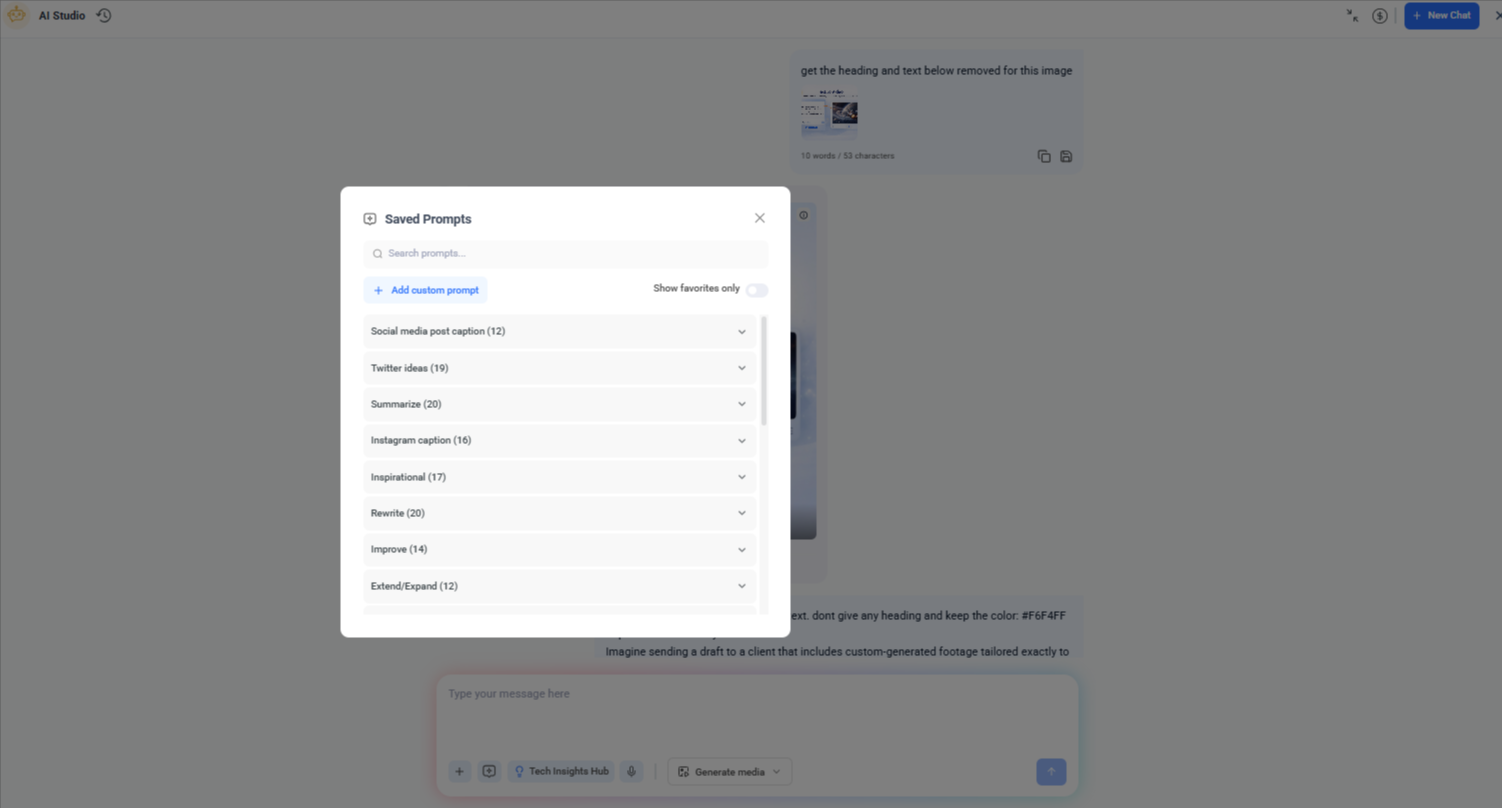
Next comes smart scheduling and seamless publishing. After setting queues and posting rules for each profile, ContentStudio’s AI scheduling tool pushes content at high-engagement times without constant manual tweaking. It supports Instagram Posts, Reels, and Stories, including photo tagging and first comment options, so even complex campaigns follow a clear schedule across every profile.
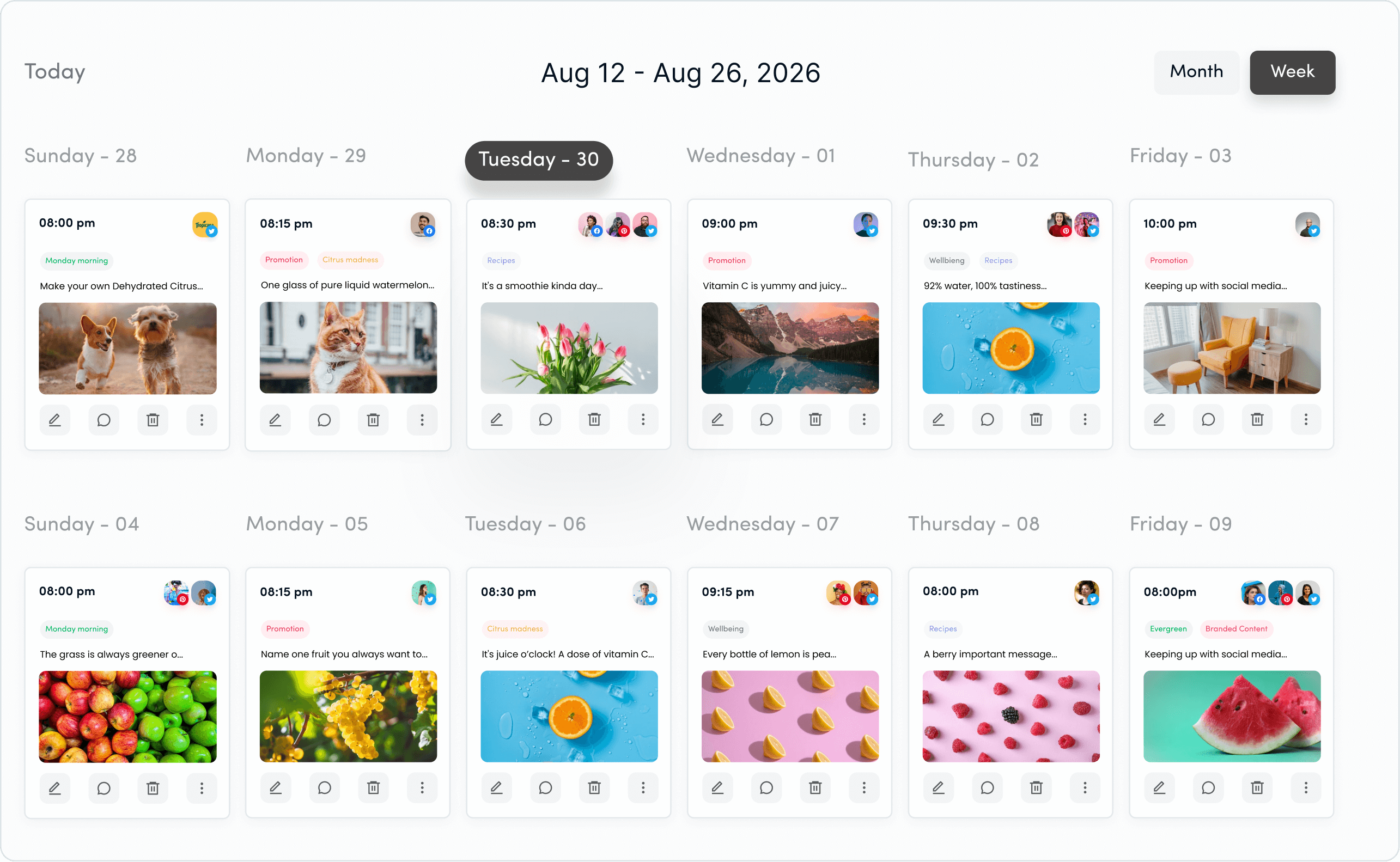
The interactive calendar gives a complete weekly or monthly view of planned content. Teams can drag and drop posts to new dates or time slots, quickly reshuffle campaigns, and spot gaps in the mix. Drafts, scheduled posts, and past content all sit on the same grid, which keeps planning simple even when many brands or markets are involved.
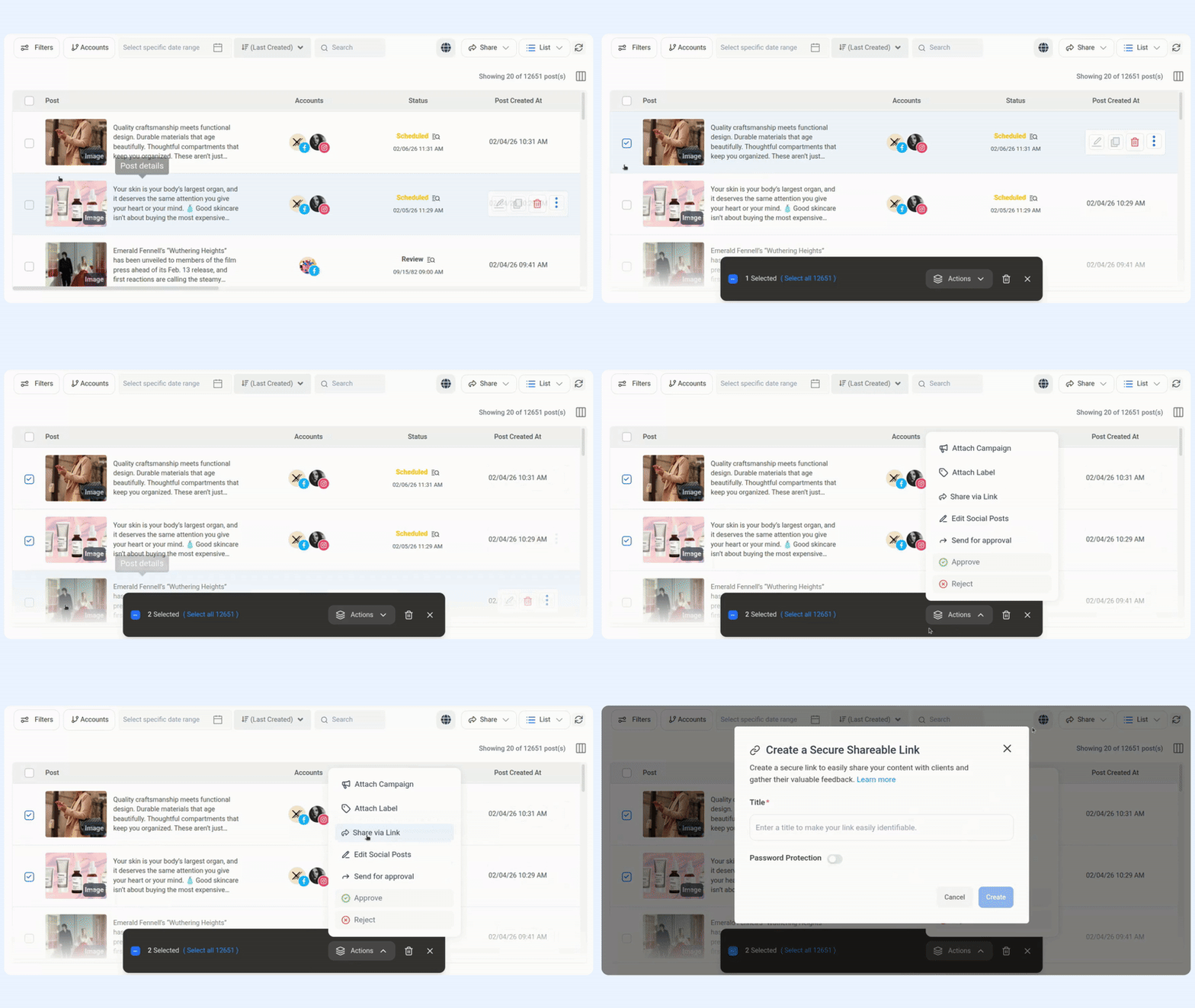
Team collaboration and approvals sit on top of this system. Clients and stakeholders receive notifications, preview posts inside the platform, and approve or comment without leaving the calendar.
With strong ratings on major review sites and thousands of customers worldwide, ContentStudio has become a trusted AI scheduling tool for teams that want both power and ease of use.
Here is a quick comparison of manual work versus using ContentStudio:
| Task | Manual Approach | With ContentStudio and its AI scheduling tool |
| Writing captions | Start from scratch for every post | Generate and refine ideas with built-in AI |
| Picking publish times | Guess times for each network | Use smart scheduling based on audience activity |
| Managing the calendar | Separate files and tools for planning and tracking | One drag-and-drop calendar for all brands and profiles |
| Finding curated content | Manual search across many sites | AI-driven discovery feeds relevant content into your queues |
| Client and team approvals | Email chains and static docs | Approvals, comments, and history inside the shared calendar |
Picking an AI scheduling tool starts with knowing who will use it and why. A solo creator with a few profiles has different needs than an agency running dozens of client accounts. List the must-have use cases, such as client approvals, multi-brand support, or Instagram Reels scheduling. That list will help quickly rule out tools that cannot support your real workload.
The depth of AI and automation comes next. Many platforms offer basic queuing, but a true AI scheduling tool should give smart scheduling based on audience behavior, AI-assisted writing, and some level of automated content curation. Ask whether the AI actually removes steps from your week or just wraps old workflows in a new interface.
Multi-platform support is another key area. Check that the AI scheduling tool covers every network you care about now and plan to add later. For many teams, strong Instagram features such as Reels, Stories, and first comment support make a big difference. Others may prioritize LinkedIn or Pinterest. Gaps here often lead to extra tools and double work.
If you work in a team or agency, collaboration features are not optional. Look for role-based access, clear approval flows, and visual previews that clients can understand at a glance. The right AI scheduling tool lets everyone review and approve content without leaving the platform.
Price and growth potential close out the checklist. Count how many profiles and users you need today, then think about where you will be next year. A platform like ContentStudio that combines AI content creation, smart scheduling, approvals, and analytics in one place delivers strong value now and scales as your client list or team size grows.
Managing a social media calendar by hand leads to long nights, missed posts, and hit-or-miss results. An AI scheduling tool changes that pattern by handling timing, supporting faster content creation, and keeping every channel on a steady plan. The work shifts from constant reacting to clear, calm oversight.
ContentStudio brings AI content generation, smart scheduling, visual calendar planning, content discovery, and team approvals together in one platform. That makes it far easier for agencies, brands, and creators to plan and publish with confidence. To see how an AI scheduling tool fits into daily work, start a trial of ContentStudio and watch your social media calendar run with far less stress.
An AI social media scheduling tool is a platform that uses artificial intelligence to plan, optimize, and automate your social media posts. It analyzes audience behavior, engagement patterns, and content performance to suggest the best times to post, generate captions, and improve overall content strategy.
AI improves social media scheduling by removing guesswork. It identifies the best posting times, suggests content ideas, optimizes captions and hashtags, and even recycles high-performing posts. This helps you get better engagement while saving time and effort.
Yes, AI scheduling tools are highly beneficial for small businesses. They help streamline content creation and posting, allowing small teams to maintain a consistent online presence without needing a large marketing team or extensive resources.
No, AI scheduling tools are designed to assist—not replace—human creativity. While AI can generate ideas, captions, and recommendations, the best results come from combining AI efficiency with human insight, brand voice, and storytelling.
The best AI scheduling tool should offer features like smart posting time recommendations, multi-platform publishing, AI-generated captions, content recycling, analytics, and collaboration tools. It should fit your workflow and help you scale your social media efforts efficiently.
The best AI scheduling tool depends on budget, team size, and the number of profiles managed. Many teams choose ContentStudio because it combines AI content generation, smart scheduling, visual calendar planning, analytics, and client-friendly collaboration in one budget-friendly platform that fits both agencies and growing brands.
Plan 0 Days of Content in 0 Minutes
Create, schedule, publish and analyze your content across all your social media channels from one simple dashboard.
4.7 on Capterra • 16,500+ marketers trust ContentStudio
Nawal Mansoor is a Digital Marketing Specialist at ContentStudio who tracks the latest trends and technologies. She writes on social media strategy, AI scheduling and video tools, Instagram advertising, LinkedIn marketing, and emerging platforms like Snapchat, and reviews articles for relevance, accuracy, and currency in a fast-moving social media landscape.
View all posts by Nawal MansoorRecommended for you
How to promote affiliate links on social media in 2026
Multi-location social media management workflow guide
Best SaaS affiliate programs for social media marketers in 2026
19 best social media management tools to plan, schedule, and grow in 2026