



How to run a holiday campaign calendar from chat with OpenClaw
Oct 1, 202610 minutes

Written by
Esha ShabbirUpdated
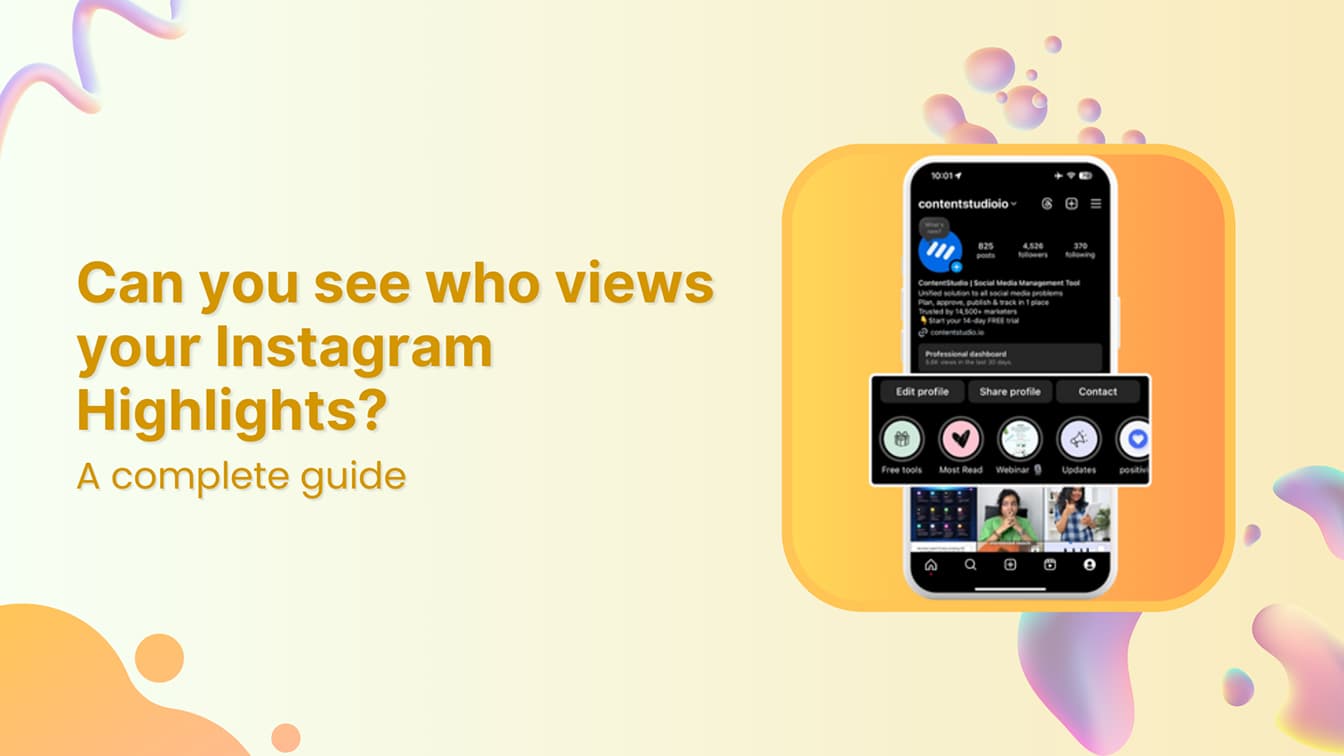
Instagram lets you see who viewed your Highlights, but only within 48 hours of when the original Story was posted. The clock starts at the Story’s posting date, not the day you added it to a Highlight. After those 48 hours pass, the viewer list is gone permanently.
This is a narrower window than most people assume. A Story posted Monday and added to a Highlight on Wednesday has no viewer data left by the time the Highlight is created. A Story posted an hour ago and pinned immediately still has nearly the full window open.
Here, you will find out what the viewer list shows, how to access it, and what happens after the window closes.
You can see exactly who viewed each Highlight, but only within 48 hours of when the original Story was posted. Once that window closes, Instagram removes the viewer list permanently and does not archive it anywhere you can access.
The 48-hour clock starts when the Story goes live, not when you create the Highlight. This is the detail most people miss. For anyone familiar with the Seen status on Instagram, the logic is consistent: Instagram records a view once per account and ties it to the moment it happened.
Here is what the viewer data does and does not include:
| What Instagram shows | What Instagram does not show |
| Total accounts that viewed the Story | How many times each account viewed it |
| Usernames of individual viewers | How long each viewer watched |
| Order in which viewers watched | Which slide they dropped off at |
| Viewer list within 48 hours | Any data after the window closes |
The gap is worth understanding if you compare this with Instagram Reel analytics. Reels give you per-second watch data, drop-off points, and share metrics. Highlights give you a viewer list that expires in two days. Which format serves your Instagram marketing efforts depends on what kind of audience data you actually need.
Set a reminder to check the Highlight 36 to 40 hours after the original Story went live. That gives you a nearly complete list with time still remaining. Screenshot it for any content that matters. If you manage your posting through a social media management platform, build this check into your regular content review.
The list is ordered by recency. The earliest viewer sits at the top; the most recent at the bottom. The order has nothing to do with how often someone visits your profile or how engaged they are.
Open the Highlight on your profile, then swipe up or tap the Activity icon at the bottom-left corner. The full viewer list and total count appear immediately, as long as the original Story is still within its 48-hour window.
Open your Instagram profile and tap the Highlight you want to review. Once it starts playing, swipe up or tap the Activity icon at the bottom-left corner. The complete viewer list loads in real time alongside the total count. This works identically on iOS and Android.
Go to instagram.com and open your profile. Click on the Highlight, then look for “Seen by [number]” in the bottom-left corner of the story frame. Click that text to open the full viewer list. Desktop returns the same data as mobile with no additional metrics.
Once 48 hours pass from the original Story’s posting time, Instagram deletes the viewer list at the platform level. The view count disappears with it. There is no archive, no delayed access, and no setting that extends the window.
The content lives in the Highlight indefinitely, but the audience insight tied to it expires on its own schedule. Using an Instagram scheduler to publish Stories at your audience’s peak hours gives the 48-hour window the best chance of capturing the right viewers before it closes.
If you have a professional account, aggregate Story impressions may still appear in Instagram Insights after the individual viewer list is gone. This does not restore names, but preserves some performance context.
For anyone considering switching to a creator account for better Highlights analytics, the viewer list cutoff applies equally to personal, business, and creator types. Your Instagram Stories setup, including timing and format, has a more direct impact on the data you collect than your account type does.
If you missed the window on an important Story, you can unarchive the Story and repost it as a fresh post. This starts a new 48-hour window, though the original viewer data will not carry over.
Yes, but only if the Stories inside that Highlight were posted within the last 48 hours. If the content is older, your view is not recorded on the account owner’s end.
Any Highlight containing Stories posted more than 48 hours ago can be watched without the account owner seeing your username. The content plays normally, but the viewer data is no longer being recorded. For anyone wondering how to browse Highlights anonymously, older Highlights are the one scenario on Instagram where viewing leaves no trace.
This also explains something many creators notice: their most recent Highlight shows a viewer list, while older ones show nothing. The older Highlights are still getting views. They just are not logging who. The same logic applies to profile views on Instagram, where passive browsing stays invisible to account owners.
No. No third-party app or website can legitimately show who viewed your Highlights after the 48-hour window closes. Instagram’s API does not expose this data to external developers. Any tool claiming otherwise is fabricating results.
Instagram controls what data developers can access through its API. Viewer lists for Stories and Highlights are not included. Any app showing accounts that “viewed” your Highlight after the window closes is either generating random usernames or fabricating results to simulate a working product.
These tools also typically require your Instagram login credentials or broad account permissions. Handing over your password to a third-party site is a direct credential theft risk. Accounts using unauthorized API tools also risk the reach suppression associated with an Instagram shadowban, where Instagram quietly limits your content’s visibility without notifying you.
The consequences are specific: account suspension, credential theft, and content suppression. Work within what Instagram actually provides.
Screenshot your viewer list before the window closes on content that matters. For professional accounts, track aggregate Story performance through Instagram Insights. Focus on the signals Instagram does surface: saves, replies, profile visits, and link taps.
Most misconceptions come down to people assuming the viewer list works like a social graph or algorithm output. It does not. It is a chronological record with a hard expiry.
The list is ordered by recency of viewing only. The earliest viewer sits at the top; the most recent at the bottom. There is no stalker ranking or relevance sorting. Instagram’s ranking algorithm is an entirely separate system and does not influence the viewer list. Attempts at resetting your feed have no effect on viewer order.
No gesture, viewing speed, or tap sequence changes what Instagram shows in the viewer list. Claims that tapping through a Highlight rapidly or rewatching it multiple times reveals hidden viewers are false. The API determines the viewer list, and no in-app behavior can modify that output.
If the same account watches your Highlight five times, they appear in your viewer list exactly once. Instagram does not count or display repeat views anywhere in the native interface. A single viewing and ten rewatches look identical in the data.
Instagram does not notify anyone when you screenshot a Highlight or a Story. Screenshot notifications only apply to disappearing photos and videos sent in direct message threads. Stories and Highlights are not included.
The 48-hour window is the whole system. What you can see, when you can see it, and what disappears afterward all trace back to that one mechanic. Check the viewer list on your most important Stories before it closes, avoid the third-party tools, and remember that older Highlights are still getting views. They just do not log who.
Understanding these mechanics gives you a clearer picture of what Highlight data can and cannot tell you. The viewer list is short-lived, but it tells you exactly who is paying attention during the window that matters.
Yes, but only within 48 hours of when the original Story was posted. After that window closes, Instagram permanently removes the viewer list. No setting or third-party tool can restore it.
If the Stories inside the Highlight were posted more than 48 hours ago, your view is not recorded, and the account owner cannot see it. If any Stories in the Highlight are less than 48 hours old, your username will appear in their viewer list.
No. Instagram’s API does not allow third-party access to Highlight viewer data. Apps claiming to show post-window viewers are fabricating results and often request your login credentials, which is a direct account security risk.
No. Instagram only shows that you viewed the content, not how many times. Repeat views do not appear separately in the viewer list.
The list is ordered by recency only. The most recent viewer appears at the bottom. The order has nothing to do with how often someone visits your profile.
Open the Highlight, then swipe up or tap the Activity icon at the bottom-left corner. The full viewer list and total count appear immediately. This only works while the original Story is within its 48-hour window.
No. Adding a Story to a Highlight does not restart the clock. If a Story was posted 30 hours ago, you have 18 hours of viewer access remaining regardless of when you save it.
Plan 0 Days of Content in 0 Minutes
Create, schedule, publish and analyze your content across all your social media channels from one simple dashboard.
4.7 on Capterra • 16,500+ marketers trust ContentStudio
Esha Shabbir is a content marketer at ContentStudio, specializing in social media strategy, SEO-led content, and editorial workflows for marketing teams. She writes practical, research-backed content that helps marketers understand what to publish, how to organize their content, and how to build a more consistent social media presence.
View all posts by Esha ShabbirRecommended for you
How to run a holiday campaign calendar from chat with OpenClaw
Google Ads metrics: What to track and what each one tells you

10 social media goals for marketers

How to Make Money on Instagram in 2026 (9 Proven Ways)








