How to run a holiday campaign calendar from chat with OpenClaw
Oct 1, 202610 minutes

Written by
Saif AliUpdated
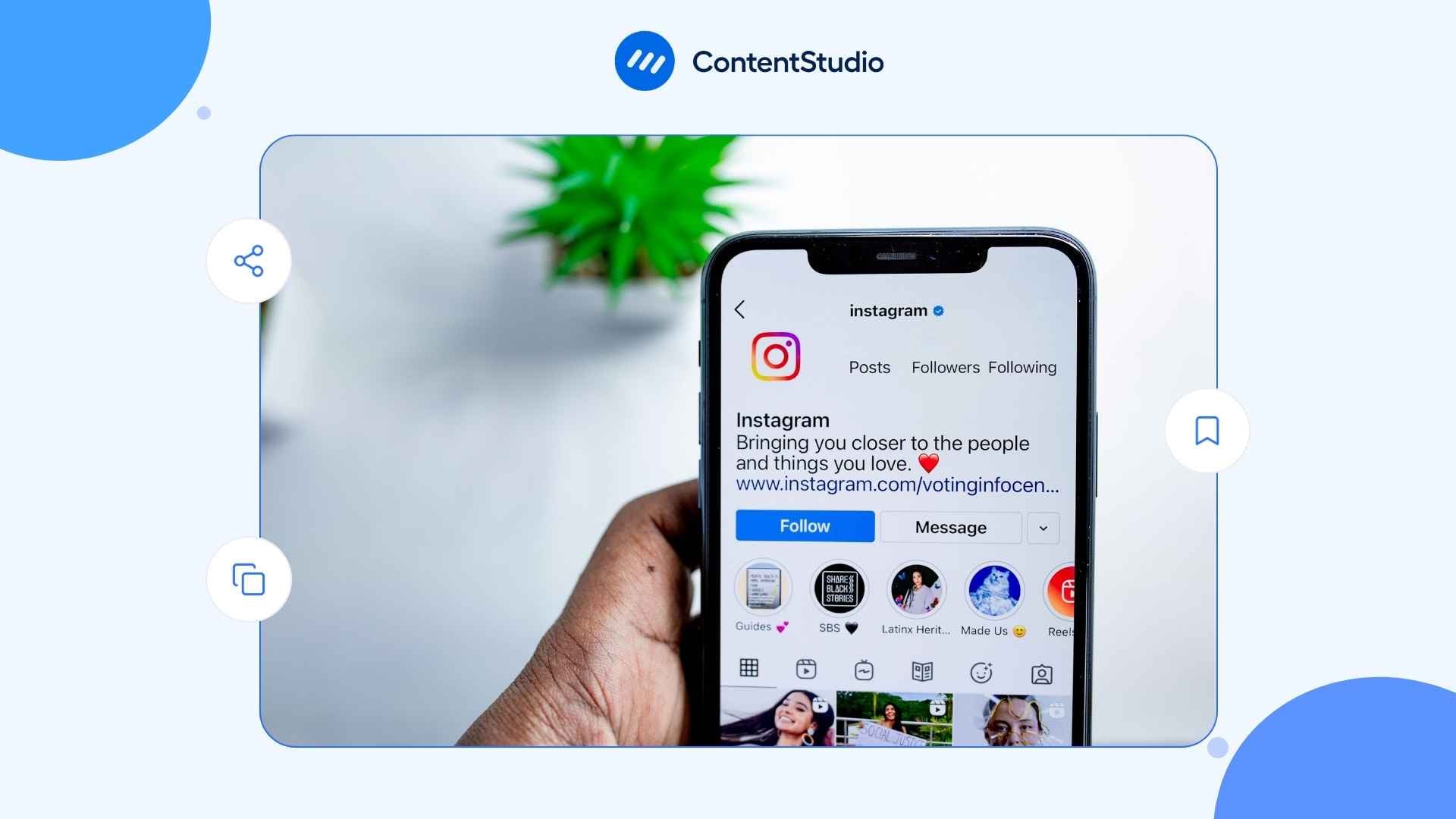
Using Instagram comes down to four steps: create a free account, set up your profile, pick an account type, and start posting photos, carousels, Reels, or Stories. Instagram shows each post to some of your followers first. If they watch, share, and save it, the app pushes it further, including to people who don’t follow you yet.
The audience is huge. What separates accounts that grow from accounts that stall is knowing how the app decides who sees what. If you want the wider strategy view, our guide to Instagram marketing picks up where this one ends.
This guide walks through every step: setting up, posting each format, messaging, the algorithm, growth, business tools, making money, and security. And if you’d rather not post everything live, you can plan and schedule Instagram content ahead of time from day one.
Creating an Instagram account takes about five minutes. Download the app, tap “Create new account,” enter your email or phone number, choose a username, and add your birthday. The choices you make here, especially account type, decide which tools you get later.
Use an email address if you want your Instagram login independent of other accounts. It also makes recovery easier if you ever get locked out.
Your username is how people find and tag you. Keep it short, close to your real name or brand, and free of random numbers or extra underscores.
→ Stuck? These Instagram username ideas can get you unstuck.
A note on age: Instagram asks for your birthday for a reason. Users under 18 are placed into Teen Accounts, which are private by default and come with stricter messaging and content limits.
Instagram works best on a phone, but it isn’t phone-only. The web version at instagram.com lets you browse, message, and post, and Instagram released a dedicated iPad app in September 2025.
Instagram offers three account types. You can switch any time, so nothing is permanent, but starting with the right one saves you from redoing setup.
| Account type | Best for | Key access |
| Personal | Sharing with friends and family | Privacy controls, standard feed |
| Creator | Influencers, public figures, artists | Insights, branded content tools, monetization features, inbox filtering |
| Business | Brands, shops, local businesses | Insights, contact buttons, shopping, ads, Meta Business Suite |
Creator and Business accounts are both “professional accounts.” If you’re using Instagram to grow, sell, or promote anything, switch to one of them right away. The analytics alone are worth it: you can see who your audience is, when they’re online, and which posts work.
→ Not sure which professional type fits? This breakdown of Instagram Creator accounts compares the two side by side.
To switch, open your profile, tap the menu, go to “Account type and tools,” then “Switch to professional account.” Instagram asks you to pick a category, like “Creator,” “Brand,” or “Local business.” Choose the one that matches what you actually do. It shows on your profile and helps Instagram understand your content.
Switching is free and takes under a minute, but a few things change:
You can switch back to a personal account any time from the same menu. Your posts stay; your Insights history doesn’t.
Your username (@yourbrand) isn’t the same as your Instagram user ID, a number some third-party tools and APIs use behind the scenes. Most people never need it. Scheduling and analytics tools usually pull it automatically when you connect your account.
Your profile is what people see after they tap your name anywhere on Instagram. A clear photo, a specific bio, and a working link turn visitors into followers. A half-finished profile loses them in seconds.
Your photo shows up as a small circle next to every post, comment, and message, so it has to read at tiny sizes. For a personal brand, use a well-lit face shot. For a business, use your logo on a plain background. Skip text-heavy graphics; nobody can read them at 40 pixels wide.
You get 150 characters. Use them to say what your account is about, who runs it, and what people get by following.
A bio that works: “Social media strategist. Posting what I learn from managing 20+ brand accounts.”
A bio that doesn’t: “Passionate creator | Entrepreneur | Building something great ✨”
The first tells a visitor exactly what to expect. The second tells them nothing.
A simple formula keeps a bio tight: who you are + what you post + why someone should follow + where to go next. A few examples by account type:
| Account | Example bio |
| Local bakery | Sourdough + seasonal pastries in Leeds. Fresh daily from 7am. Order for pickup ↓ |
| Fitness creator | Home workouts for busy parents. 20 minutes, no equipment. New plan every Monday. |
| B2B brand | Scheduling and analytics for social teams. Tips, product updates, and demos. Free trial ↓ |
Each one tells a stranger what they’ll get in a single glance. Line breaks and one or two emojis help readability; a wall of emojis doesn’t.
Instagram lets you add up to five links to your profile under Edit profile, then Links. The first one shows most prominently, so point it at the page you most want new visitors to land on.
The Name field on your profile is searchable, separate from your username. Adding a keyword, like “Lena | Yoga teacher,” helps people find you when they search for that topic.
→ Our Instagram SEO guide covers more ways to show up in search.
Once your profile is live, run through this Instagram profile audit checklist to catch anything you missed.
Two small touches make a profile feel complete. First, add three to five Highlights right under your bio, like “Start here,” “Reviews,” or “FAQ,” so new visitors can see what you’re about without scrolling. Second, if you have a Business or Creator account, add action buttons so people can email, call, or book you straight from the profile.
Consistency is easier when you plan content ahead instead of posting whenever inspiration strikes. Accounts that post on a steady schedule, even two or three times a week, tend to hold attention better than accounts that post in bursts and then go quiet for weeks. A simple Instagram feed plan keeps the gaps from creeping in.
If you don’t know where to start, this beginner week is easy to keep up and covers every format:
| Format | Per week | What to post |
| Reels | 2 | One tip or how-to, one trend or behind-the-scenes clip |
| Carousel | 1 | A tutorial, checklist, or before/after |
| Single image | 1 | An announcement, quote, or strong photo |
| Stories | 3 to 5 days | Polls, quick updates, reshares of your new posts |
Run it for a month, check Insights, then do more of what works and drop what doesn’t.
Instagram has six main content formats: single-image posts, carousels, Reels, Stories, Notes, and Live. Each reaches people differently, so a mix usually beats leaning on one format for everything.
| Format | How long it lasts | Best for |
| Single image | Permanent | Announcements, product shots, quotes |
| Carousel (up to 20 slides) | Permanent | Tutorials, step-by-step content, before/after |
| Reels | Permanent (own tab on your profile) | Reaching people who don’t follow you yet |
| Stories | 24 hours (saveable to Highlights) | Updates, polls, behind-the-scenes |
| Notes | 24 hours | Quick text updates in the inbox |
| Live | Real-time (can be saved) | Q&As, launches, direct interaction |
A single photo or graphic posted to your feed. Use it when one image tells the whole story: a product shot, a quote card, a strong photo. The caption does a lot of work here because the image alone has to stop the scroll.
Size matters more than it used to. In January 2025, Instagram switched the profile grid from squares to taller 3:4 rectangles. Two sizes cover almost every case:
Square 1080 × 1080 posts still work, but they get cropped on the grid and take up less screen space in the feed.
Keep important details, like faces, text, and logos, in the center of the frame. That way they survive both the feed and the grid crop.
Carousels let you post up to 20 photos or videos in one swipeable post. Every swipe keeps someone on your post longer, which is why carousels suit tutorials, comparisons, and anything that needs a sequence. Here’s a deeper look at how to build an Instagram carousel people actually swipe through.
Treat the first slide like a book cover. If it doesn’t give someone a reason to swipe, the other 19 slides go unseen.
A structure that works for most teaching carousels:
Mixing photos and short videos in one carousel works too. It’s a good way to show a product from several angles or recap an event.
Reels are Instagram’s short-form video format and its main discovery engine. The Reels feed is full of accounts you don’t follow, which is the big difference between Reels and everything else.
Instagram’s Help Center lists a maximum length of 20 minutes, though longer uploads are still rolling out by account. The number that matters for growth is three minutes: Reels longer than that aren’t recommended to non-followers. If the goal is reach, keep Reels under three minutes.
Before uploading, check your video against the right Reel dimensions (1080 × 1920, 9:16) to avoid awkward cropping. And skip reposting videos with another app’s watermark. Instagram’s recommendation guidelines treat watermarked, recycled content as lower quality, so it’s less likely to be shown to new viewers.
Professional accounts also get Trial Reels, which show a Reel to non-followers first. You can check how it performs before deciding whether to share it with your followers. For formats, ideas, and examples, see our full guide to Instagram Reels.
A Reel that holds attention usually follows the same shape:
Watch time is one of the strongest signals Instagram uses, so cutting the dead air at the start matters more than polish. A phone, decent light, and clear audio are enough to begin.
Stories disappear after 24 hours and sit in a row at the top of the app. Your followers see them first, which makes them ideal for content that doesn’t need to live forever: quick updates, behind-the-scenes clips, polls, countdowns.
Interactive stickers like polls, question boxes, and sliders get people tapping. That activity tells Instagram your audience is engaged with you.
Want to keep a Story past 24 hours? Save it to a Highlight, which lives on your profile under your bio. Instagram Highlights work well as a mini menu: “FAQ,” “Client work,” “Product demos.” Still deciding between formats?
Stories work best as a short sequence rather than one frame. Three to seven frames that tell a mini story, like a problem, a behind-the-scenes look, then a poll, keep people tapping forward. You can also add link stickers to send viewers to a product, article, or signup page.
Notes are text updates of up to 60 characters that appear at the top of the inbox and above your profile photo for up to 24 hours. Only followers you follow back, or your Close Friends list, can see them. That makes Instagram Notes better for casual, conversational updates than big announcements.
Live broadcasts video in real time. Instagram notifies your followers when you go Live, which creates urgency no other format does. Use it for launches, events, or Q&As where talking with people matters more than polish.
A little prep makes a big difference with Live:
Every format starts with the “+” button. Tap it, choose Post, Reel, or Story, pick your media, add your caption and settings, and share.
One habit improves almost every post: write your caption before you open the upload screen. Draft it in a notes app, then paste it in. Captions can run up to 2,200 characters, but the first line is what shows before “more,” so put the hook there.
On hashtags, the rules changed in December 2025. Instagram now caps posts and Reels at five hashtags, down from the old limit of 30. Instagram says a few specific tags beat a long list of generic ones. Hashtags help Instagram understand what a post is about, but they don’t boost reach on their own. Skip broad tags like #reels or #explore and pick ones that describe the post. Our Instagram hashtags guide shows how to choose them.
If you’re making a post with another creator or brand, invite them as a collaborator before you share. The post then appears on both profiles, in front of both audiences, with one round of work. Here’s how to set up a collab post.
Before you tap Share, a few extra fields are worth ten seconds:
Made a mistake after posting? You can edit the caption, tags, location, and alt text any time by tapping the three dots on the post. You can’t swap the photo, but you can archive the post to hide it without deleting it. Some accounts also post hashtags or extra links as an Instagram first comment to keep the caption clean.
Pick a cover that represents the video, not a blurry mid-frame. Turn on auto-generated captions too. Plenty of people watch Reels on mute, and on-screen text keeps them watching instead of scrolling.
Here’s a full walkthrough on making a Reel on Instagram, plus a guide to adding captions to Reels.
For more editing control, Meta’s free Edits app offers longer recording, a timeline editor, and effects, and exports straight to Instagram.
The Close Friends list is underused. It’s perfect for early-access updates, unpolished behind-the-scenes clips, or anything too niche for your full audience.
Professional accounts can schedule posts and Reels inside the Instagram app: before sharing, open “Advanced settings” and turn on scheduling. Native scheduling doesn’t cover every format, though, and it handles one account at a time.
If you manage several accounts or want Stories, carousels, and first comments handled together, ContentStudio’s Instagram scheduler lets you plan everything on one calendar. Our step-by-step guide to scheduling Instagram posts covers both routes.
Posting at the right time won’t save a weak post, but posting at the wrong time costs you reach. Instagram weighs early activity, so a post that goes out while your audience sleeps starts slow.
Check Insights for when your followers are most active, then test around those hours. Industry averages are a starting point; this breakdown of the best times to post on Instagram is a good one to test against your own data.
You find content through five places in the app: your Home feed, Reels, Explore, Search, and Stories. You interact with it by liking, commenting, saving, sharing, and following. As a beginner, how you use these shapes what Instagram shows you, and how others discover you.
| Place | What you see | How to get there |
| Home feed | Posts from accounts you follow, plus suggestions | Home icon |
| Reels | Full-screen videos, mostly from accounts you don’t follow | Reels icon |
| Explore | A grid of posts picked for your interests | Search icon, then scroll |
| Search | Accounts, keywords, audio, and places | Search icon, then type |
| Stories | 24-hour posts from people you follow | Row at the top of Home |
Want only posts from people you follow, in time order? Tap the Instagram logo at the top of Home and choose “Following.” Choose “Favorites” to see only accounts you’ve starred.
Every one of these teaches Instagram what you like. Follow and interact with accounts in your niche early on, and your Explore and Reels feeds fill with relevant ideas fast.
Direct messages (DMs) are private chats between you and one person or a group. Tap the messages icon at the top of your feed to open your inbox, then tap the compose icon to start a chat.
DMs matter more than most beginners realize. Instagram head Adam Mosseri has said messaging is now people’s favorite way to share content in the app. When someone sends your post to a friend, that’s a strong signal the post is worth showing to more people.
A few basics to know:
For reactions, voice notes, editing sent messages, and more, read our full guide to Instagram DMs.
Instagram’s algorithm shows each post to a small slice of your audience first. If that group engages quickly and deeply, the post reaches more people. If they scroll past, reach stays small.
There isn’t one algorithm. Instagram runs separate ranking systems for Feed, Stories, Explore, and Reels, each weighing signals a little differently. The logic is the same everywhere: content people actually spend time with gets shown to more people.
Here’s roughly what each surface favors:
| Surface | Mostly shows | What tends to help |
| Feed | Accounts you follow | Strong relationship, early likes, comments, and saves |
| Stories | Accounts you’re closest to | People regularly viewing and replying to your Stories |
| Explore | Accounts you don’t follow | Content similar to what you’ve liked and saved |
| Reels | Mostly accounts you don’t follow | Watch time, rewatches, and shares |
Mosseri has named three signals as the most important for reach: watch time, likes per reach, and sends per reach (how often people share a post via DM). Around those, a few inputs shape what each person sees:
Viewers now have a say too. In December 2025, Instagram launched “Your Algorithm,” a panel in the Reels tab where people can see the topics Instagram thinks they like and add or remove topics. If your content clearly fits a topic, you’re easier to recommend to people who’ve chosen it.
Post when your audience is online. Reply to comments in the first hour, since early activity helps a post spread. Aim for content worth saving or sending, not only liking.
Avoid the shortcuts that backfire: mass follow/unfollow, banned hashtags, or content that keeps getting reported. These can quietly limit your reach, often called a shadowban on Instagram. Recovery usually means stopping the behavior and waiting a few weeks. If your own feed feels off, you can also reset your Instagram algorithm from your settings.
Accounts grow when they post consistently, engage with their community, and make content people save or share. There’s no shortcut that replaces that, and growth speed varies a lot by niche, format, and how often you post.
Once followers start coming in, the next step is tying growth to real goals. ContentStudio’s guide to building an Instagram marketing plan connects content, community, and results.
Switching to a Business account unlocks analytics, ads, contact buttons, and shopping features that personal accounts don’t get. For any commercial use, it’s the first step.
Insights shows your reach, views, follower demographics, and how each post performs. Views is now the main metric across formats, so you can compare a Reel, a carousel, and a Story on the same scale.
Check Insights weekly, not daily. Daily numbers jump around too much to act on. Weekly trends show which formats, topics, and posting times actually work. Our guide to Instagram analytics explains what each metric means.
Start with a short list of metrics instead of everything at once:
| Metric | What it tells you | Check it for |
| Reach | How many unique accounts saw your content | Whether you’re getting in front of new people |
| Views | How many times content was shown or played | Comparing formats on one scale |
| Saves | How often people kept a post for later | Which topics are genuinely useful |
| Shares | How often people sent or reposted it | Which posts spread beyond your followers |
| Profile visits and follows | How many people checked you out and stayed | Whether your profile converts |
To turn those numbers into one comparable figure, track your Instagram engagement rate month over month.
Pay attention to saves and shares, not just likes. A post with fewer likes but plenty of saves is often the stronger performer, because people saved it to come back to. If you run Instagram alongside other channels, ContentStudio keeps scheduling, analytics, and planning in one dashboard instead of scattered across apps.
If you sell physical products, you can tag them in posts, Reels, and Stories so people can tap through to the item. Set it up by connecting a product catalog through Meta Commerce Manager and linking it to your Instagram account. Availability and checkout options vary by country, and in many markets the purchase finishes on your own website.
Shoppable posts work best when they show products in use. A kitchen tool shown mid-recipe sells better than the same tool on a white background.
Instagram ads run through Meta Ads Manager. You can boost an existing post from the app or build a full campaign that targets people by location, age, interests, behavior, or lookalike audiences based on your customers.
A practical starting point: run one campaign for 30 days with a clear goal (link clicks, follows, or purchases) and a small daily budget, say $10 to $20. Review weekly, cut what isn’t working, and scale what is.
Boosting a post that’s already performing well organically is often cheaper than starting from a cold ad. Our Instagram ads guide covers formats and setup in detail.
Instagram offers several built-in ways to earn, mostly for professional accounts with an engaged audience. Eligibility rules and availability vary by country, so check the Professional dashboard to see what’s open to you.
Subscriptions let creators charge followers a monthly fee for exclusive posts, Stories, Reels, and Lives. You set the price within Instagram’s range. Instagram Subscriptions suit creators with a loyal, engaged community more than those with a large but passive following.
During Live broadcasts, viewers can buy badges, priced from $0.99 to $4.99, that appear next to their name in the comments. Eligible creators can also receive gifts on Reels. For creators who go Live regularly, it’s a small but real income stream.
For mid-sized accounts, paid brand partnerships are usually the biggest earner. Instagram’s creator marketplace connects brands with creators, and you can also earn affiliate commissions on purchases you drive.
Rates depend on niche, engagement, and format more than raw follower count. A creator with 30,000 engaged followers in a specific niche often earns more per post than one with 200,000 passive followers. See our full guide to Instagram monetization for requirements and payouts.
Account security takes about ten minutes to set up and rarely needs attention after. Do it right after you create your account.
Go to Settings, then Accounts Center, then “Password and security,” then “Two-factor authentication.” Choose an authenticator app like Google Authenticator or Authy over SMS codes, since SMS can be intercepted through SIM-swapping. Use a strong, unique password too, and change your Instagram password right away if you’ve reused it elsewhere.
Public accounts are visible to anyone, on or off Instagram. Private accounts need your approval before someone can follow you and see your posts. To switch, go to Settings, then “Account privacy,” and toggle “Private account.” Professional accounts can’t be private, so this applies to personal accounts only. Changed your mind later? Here’s how to make your Instagram public again.
Every few months, review which apps have access to your account under Settings, then “Apps and websites,” and remove any you no longer use.
Most hacked accounts start with a convincing message. Watch for DMs or emails claiming your account will be deleted for copyright issues, offers of free verification, or “collab” links that ask you to log in. Instagram doesn’t DM you about account violations. Check real notices under Settings, then “Account Status,” and only log in through the app or instagram.com.
It’s also worth checking where you’re logged in. In Accounts Center, under “Password and security,” open “Where you’re logged in” and log out any device you don’t recognize.
Instagram gives you several tools to keep your space calm without leaving the platform:
Go to instagram.com/hacked, or tap “Forgot password?” on the login screen and follow the recovery steps. Instagram can verify you through your email or phone number. If the hacker changed those, it may ask you to verify your identity with a video selfie.
Two things speed recovery: having two-factor authentication on before anything happens, and having your Instagram and Facebook accounts linked in Accounts Center, which gives Meta another way to confirm it’s you.
Getting comfortable with Instagram is mostly repetition. The first post feels slow, the first Reel feels clunky, and early numbers are humbling. That’s normal. The accounts that grow are usually the ones that kept going past that point.
Features come and go, but the basics hold: a complete profile, a steady schedule, content worth saving or sending, and real conversations with your audience. Get those right first, and everything else is easier to add.
Create a free account, choose your account type, add a profile photo and bio, then start posting photos, carousels, Stories, or Reels. Follow accounts in your area of interest and engage with their posts to build your first connections.
Yes. Creating an account, posting, messaging, and using Insights are all free. Paid extras include ads, Meta Verified, and subscriptions you might buy from creators.
Three to five times a week is a sustainable pace for most accounts. Consistency matters more than volume: posting twice every week beats seven posts one week and none the next.
Instagram ranks content using signals like your relationship with the viewer, topic relevance, recency, watch time, and how often people save or share a post. Posts with strong early engagement get shown to more people.
Yes. Professional accounts can schedule posts and Reels in the Instagram app at no cost. Native scheduling doesn’t cover every format or multiple accounts, which is where third-party schedulers help.
Most creators and businesses get the blue badge through Meta Verified, a paid subscription. In the US, plans start at around $14.99 per month in the app, and pricing varies by country. Free verification for notable public figures still exists but is rarely granted.
You can add up to five accounts in the app and switch between them without logging out. You can create more, but you’d manage the extras separately.
No. Any account can post Reels, Stories, and carousels. A professional account adds Insights, Trial Reels, scheduling, and monetization tools on top.
Threads is Meta’s text-based app, linked to your Instagram account. Posts are text-first, up to 500 characters, with optional photos and videos. It has its own feed and algorithm but uses your Instagram login.
Plan 0 Days of Content in 0 Minutes
Create, schedule, publish and analyze your content across all your social media channels from one simple dashboard.
4.7 on Capterra • 16,500+ marketers trust ContentStudio
Saif Ali is a Content Marketing Strategist at ContentStudio with over five years of experience across SaaS, IT, and digital marketing. He specializes in SEO-led content, AI content creation, and social media strategy, and leads editorial review at ContentStudio, fact-checking and refining articles for accuracy, SEO, and a consistent brand voice.
View all posts by Saif AliRecommended for you
How to run a holiday campaign calendar from chat with OpenClaw
Google Ads metrics: What to track and what each one tells you

How to Make Money on Instagram in 2026 (9 Proven Ways)

Instagram marketing: The complete 2026 guide